23
Sub-menu screen
Result:
• The indoor unit is now the changeover master
(“
” icon not displayed).
• All sub controllers display the “
” icon.
Installer Menu
How to enter the Installer menu
Installer menu screen
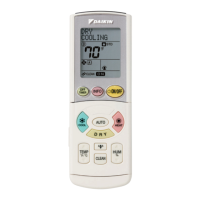
Home screen
30
˚C
˚C
Press and hold button for 5seconds or longer to
display the information screen.
Information screen
12:34
Press (in that order) and hold them down
for 10seconds.
The installer menu screen is displayed.
01_EN_EM19A034_IM.indd 23 2020/09/02 15:53:18



 To Next Page
 Loading...