9
OPERATION
■
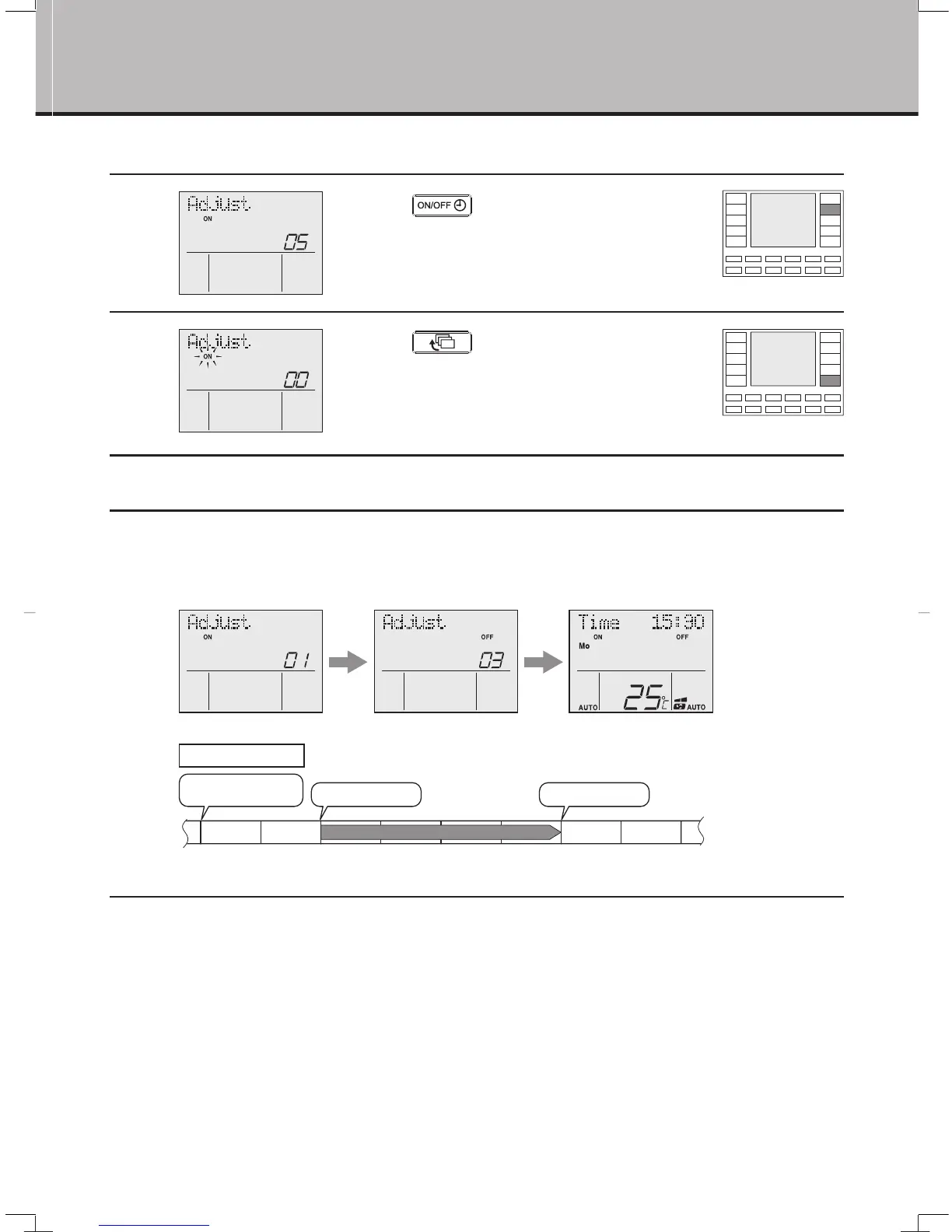
To cancel ON TIMER and OFF TIMER operation
1
Press
“
button” to select
ON TIMER or OFF TIMER.
●
The timer setting is displayed.
2
Press “ button” for at least
4 seconds.
●
The setting that has been made is cleared.
●
When the timer is set next time, the previous setting remains.
“ON” : blinks.
■
To combine ON TIMER and OFF TIMER
●
A sample setting for combining the two timers is shown below.
Example
ON TIMER for action after 1 hour
OFF TIMER for action after 3 hours
ON TIMER is set.
OFF TIMER is set. Normal display
Timer Operation
0h 1h 2h 3h 4h
ON
Timer set to switch unit on
in 1hour & Off in 3hours
Unit switches ON Unit switches OFF
01_EN_ . ndd Sec1:11
1/05/2018
CL
1 2 3 4 5 6
A
B
C
D
MATERIAL
:
DESCRIPTION
:
MODIFY
REV.
SHEET
:
OF
REV.00
7 03 8
559077-002Q
559077-032Q
559077-031Q
580054-097Q
580054-096Q
QUANT
FRONT COVER,UNIV,DAIKIN,V2
FRONT CASE,UNIV,DAIKIN,V2
1
1
1
12
2
PART COLOR
DELIVERY SPECIFICATION
MATERIAL
PMMA (ACRYLIC)
PMMA (ACRYLIC)
PMMA (ACRYLIC)
A3
7/03/18
24
7
B
C



 To Next Page