19
OPERATION
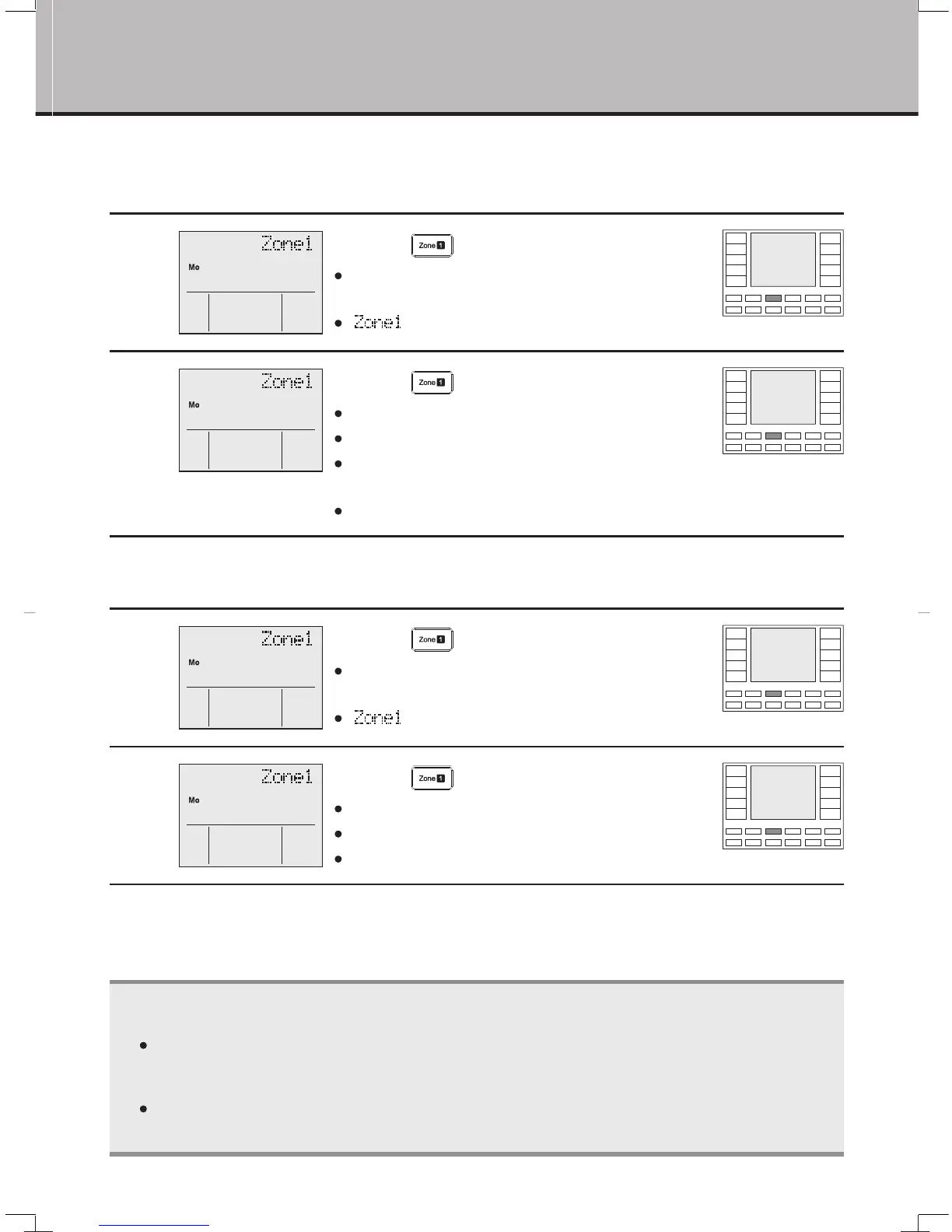
For ZONE control, select the rooms you wish to heat or cool.
■
To select ZONE
1
Press
“
button”.
Select the desired ZONE number you wish to
switch on.
“
” is displayed on the LCD.
2
Press
“
button” again.
The selected zone is fixed.
The LED on the remote controller lights up green.
When operation is started, air is blown to the
selected zone.
For other zones, use the same procedure for setting.
■
To cancel ZONE selection
1
Press
“
button”.
Select the ZONE number for which you wish to
switch off.
“
” is displayed on the LCD.
2
Press
“
button” again.
The selection is canceled.
The green LED on the remote controller goes out.
For other zones, use the same procedure for setting.
NOTE
Not all the buttons are available, depending on the number of zones installed. If a zone button not
corresponding to any zone is pressed, the green LED will not be lit. Zones that are not required
must be set up during the commissioning of the controller.
You can register a name for each zone. For the method of registering, refer to the section of name
registration. (page 21.)
ZONE Control
01_EN_ ndd Sec1:19
1/05/2018
CL
1 2 3 4 5 6
A
B
C
D
1 2 3
4
5 6
MATERIAL
:
DESCRIPTION
:
MODIFY
REV.
SHEET
:
OF
REV.00
1
559077-002Q
2
3
4
5
559077-032Q
559077-031Q
580054-097Q
580054-096Q
QUANT
FRONT COVER,UNIV,DAIKIN,V2
FRONT CASE,UNIV,DAIKIN,V2
1
1
1
12
2
B
A
C
D
E
PART COLOR
DELIVERY SPECIFICATION
MATERIAL
PMMA (ACRYLIC)
PMMA (ACRYLIC)
PMMA (ACRYLIC)
A3
24
7
B
C
CL
1 2 3 4 5 6
A
B
C
D
1 2 3
4
5 6
MATERIAL
:
DESCRIPTION
:
MODIFY
REV.
SHEET
:
OF
REV.00
1
559077-002Q
2
3
4
5
559077-032Q
559077-031Q
580054-097Q
580054-096Q
QUANT
FRONT COVER,UNIV,DAIKIN,V2
FRONT CASE,UNIV,DAIKIN,V2
1
1
1
12
2
B
A
C
D
E
PART COLOR
DELIVERY SPECIFICATION
MATERIAL
PMMA (ACRYLIC)
PMMA (ACRYLIC)
PMMA (ACRYLIC)
A3
24
7
B
C
CL
1 2 3 4 5 6
A
B
C
D
1 2 3
4
5 6
MATERIAL
:
DESCRIPTION
:
MODIFY
REV.
SHEET
:
OF
REV.00
1
559077-002Q
2
3
4
5
559077-032Q
559077-031Q
580054-097Q
580054-096Q
QUANT
FRONT COVER,UNIV,DAIKIN,V2
FRONT CASE,UNIV,DAIKIN,V2
1
1
1
12
2
B
A
C
D
E
PART COLOR
DELIVERY SPECIFICATION
MATERIAL
PMMA (ACRYLIC)
PMMA (ACRYLIC)
PMMA (ACRYLIC)
A3
24
7
B
C



 To Next Page