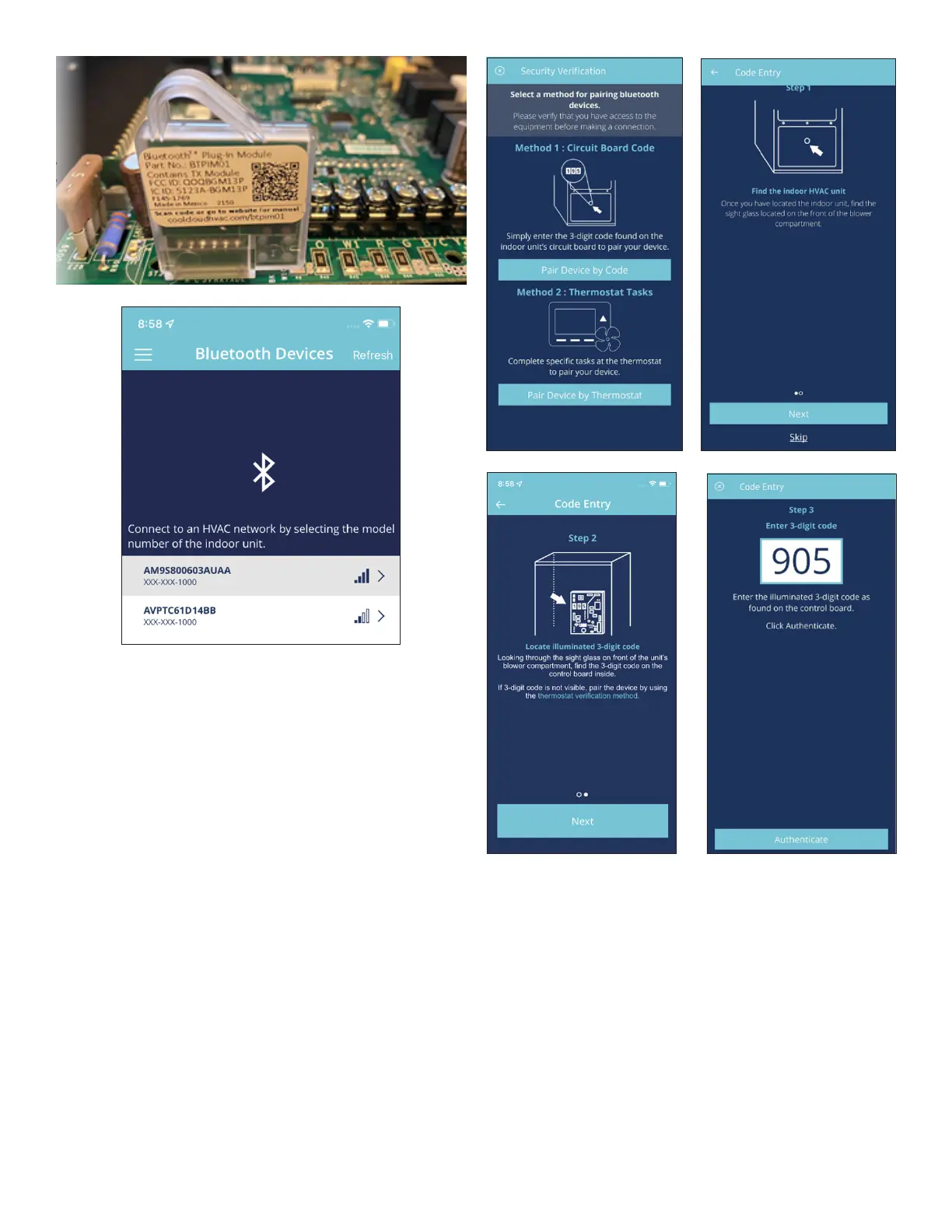
If the network does not appear, ensure the green Bluetooth
status LED on the device is ashing and tap the refresh
button in the app to continue scanning for networks.
Bluetooth connections from the CoolCloud app may require
security verication. Choose “Pair
Device by Code” and enter the code displayed on the
seven segment display of the HVAC control board. Note:
“Pair Device by Thermostat” authentication method is not
currently supported.
The code displayed on the HVAC equipment will clear
automatically once authentication over Bluetooth is
successful.



 To Next Page