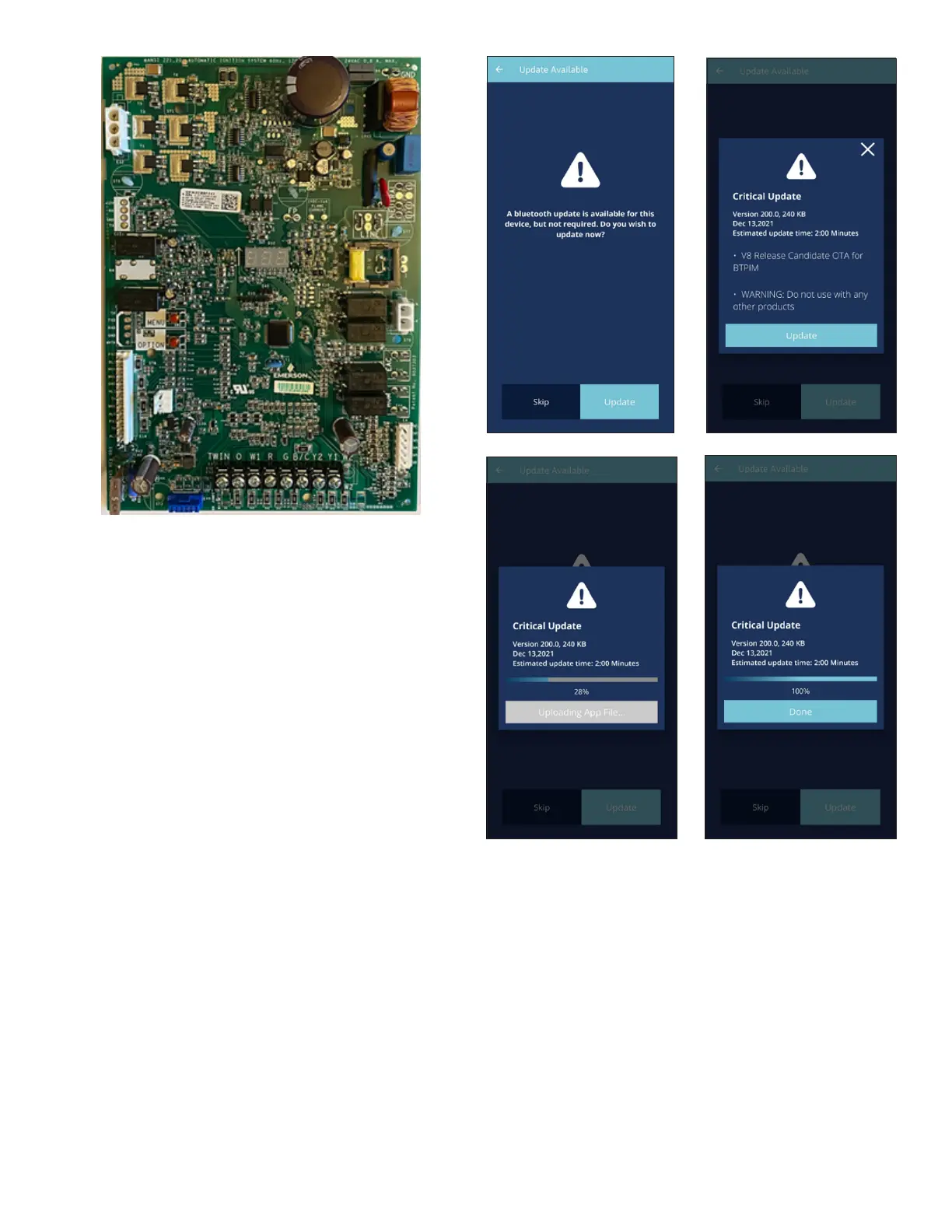
Over-The-Air (OTA) Updating the BTPIM01 Software
From time-to-time CoolCloud will show a prompt if an OTA
software update is available for the BTPIM01 software.
Goodman periodically enhances the BTPIM01 software so
it is recommended to proceed with this update whenever
possible. The update process should not take longer than
2 minutes. The BTPIM will restart automatically once OTA
software update is complete. In the unlikely case that the
BTPIM01 does not reboot after a software update, please
un-plug and re-plug the BTPIM01.
Note: At the moment only OTA updates for the BTPIM01
software are supported. BTPIM01 is unable to update the
software of the connected HVAC equipment, however, this
may change in the future.
Viewing System Conguration
The connected equipment’s conguration can be viewed
by going to Furnace > Conguration from the System
Overview Screen. Note: currently only HVAC Device and
Firmware Version is available to view.



 To Next Page