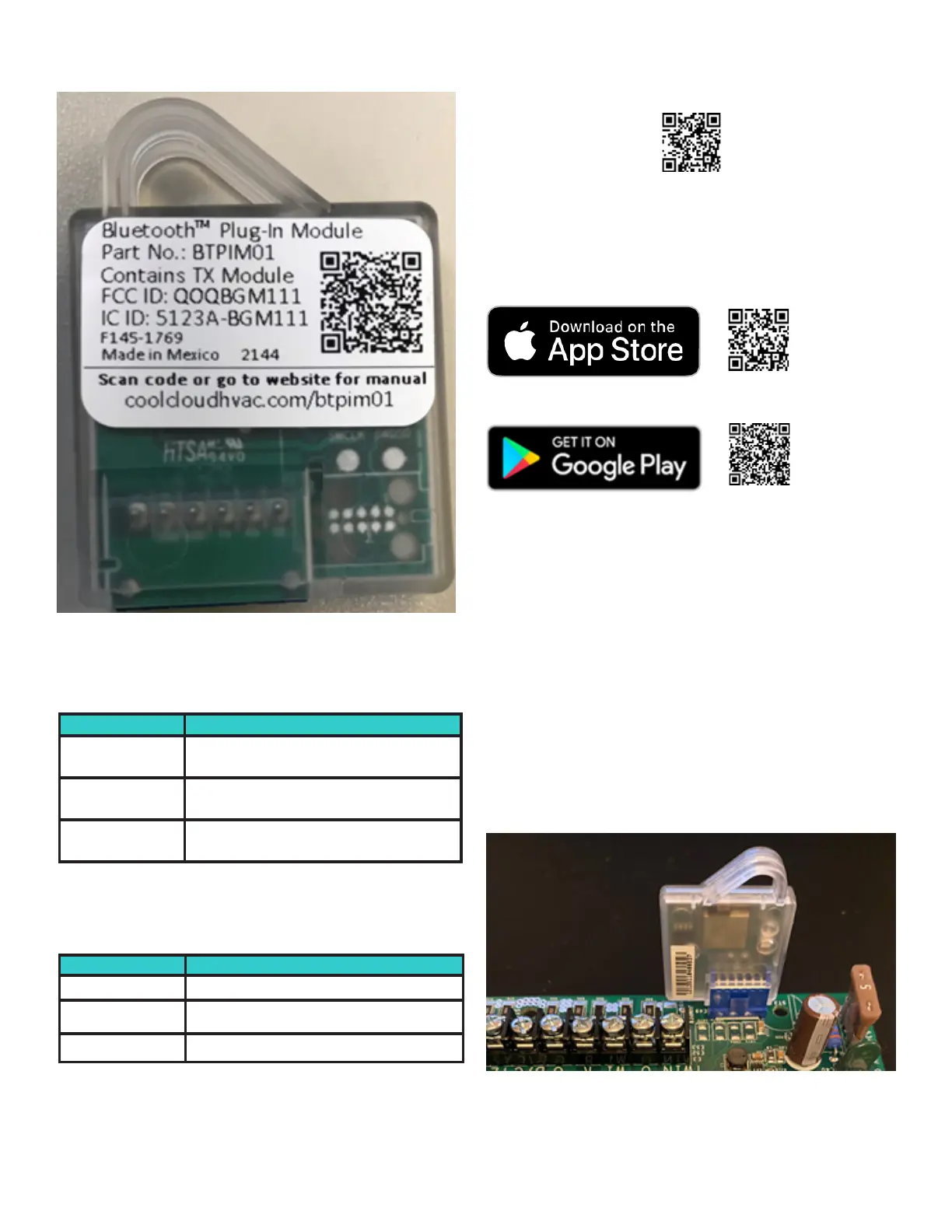
Device Layout
A. Green Status LED (HVAC Equipment Communica-
tion LED) – Is used to indicate connectivity status with
the HVAC equipment
LED Flash Code Code Description
Off
No communication with BTPIM-compatible
HVAC equipment
1 Hz flash
Authentication with BTPIM-compatible
HVAC equipment in progress
Solid
Authentication with BTPIM-compatible
HVAC equipment successful
B. Yellow Status LED (Bluetooth Communication LED)
– Will blink periodically when the device is powered on.
The Status LED will blink
LED Flash Code Code Description
Off BTPIM not broadcasting over Bluetooth
1 Hz flash
BTPIM broadcasting and ready to pair with
CoolCloudHVAC over Bluetooth
Solid BTPIM paired with CoolCloudHVAC
C. BTPIM Blue Connector – Serves as the communica-
tion interface between BTPIM and HVAC equipment.
Note: this connector is keyed dierently than the
BTSDL (Bluetooth Shared Data Loader) connector and
is electrically dierent. Do not attempt to plug in a
BTSDL01 into a BTPIM01 connector or vice versa.
D. QR Code – A QR code that directs the user to an
electronic copy of this user manual.
Setup
Before using the card, download the CoolCloud HVAC app
for iOS or Android using the links below. Be
sure to register for an account before continuing.
Connecting to the Device
Plug in the Bluetooth ® Plug-In Module (BTPIM01) into the
HVAC control. The BTPIM is ready to connect to CoolCloud
once the green equipment communication LED is solid
and the yellow Bluetooth broadcast LED is ashing. A solid
green LED implies that CoolCloud is already connected to
the BTPIM.
If the CoolCloud HVAC app is open, it will detect the
new Bluetooth network and display model number of the
connected HVAC equipment as an available network. If
the connected HVAC equipment does not have a model
number yet, the BTPIM01 will broadcast “BTPIM01” as the
network name. Tap on this network to connect.



 To Next Page