EasyManua.ls Logo

Daikin DZK Series - User Manual

Daikin DZK Series
56 pages
Print Icon
To Next Page IconTo Next Page
Loading...
Installation Manual
Zoning Kit

Table of Contents

Questions and Answers

Summary

Safety, Policy, and Certifications

Safety Warnings

Crucial safety instructions for personal and equipment protection.

Environmental Policy Guidelines

Guidelines for proper disposal and recycling of electronic equipment.

Regulatory Notices

FCC Compliance Statements

Statements regarding FCC rules on interference and RF exposure.

Intertek and UL Compliance

Compliance with testing and wiring standards from Intertek/UL.

System Description and Dimensions

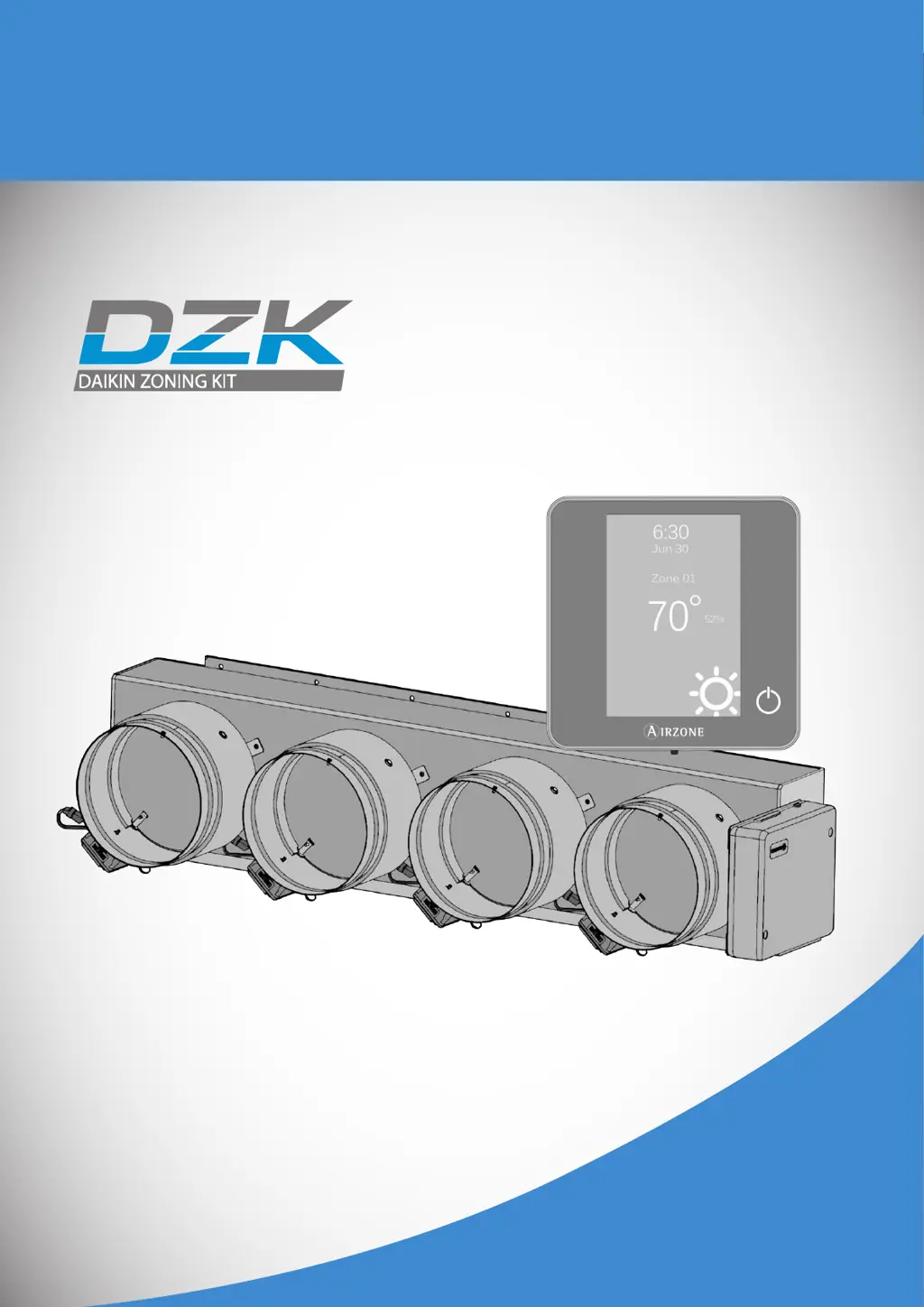
Daikin Zoning Kit Overview

Explains the DZK's function with Daikin indoor units.

Product Dimensions (DZK030;048 Series)

Technical dimensions for DZK030 and DZK048 series models.

DZK Zoning Box Details

Damper Limitation Adjustment

Adjusting damper limitations for optimal airflow.

Motorized Damper Function

Description and illustration of the motorized damper.

DZK Control System Components

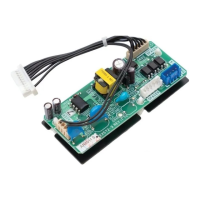
DZK Control Board Functions

Manages system devices, dampers, and indoor unit communication.

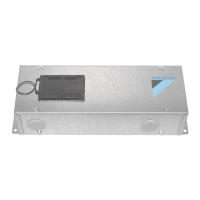
DZK Interface Board Functions

Integrates indoor unit with control board, includes energy efficiency.

Thermostat User Interfaces

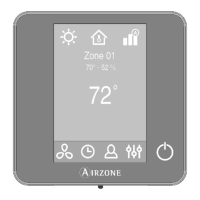
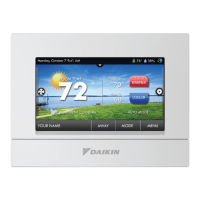
Wired Thermostat Features

Touch screen interface, multilingual, temp/humidity sensing.

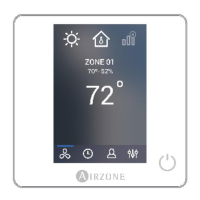
Wireless Thermostat Features

E-ink screen, wireless, multilingual, temp/humidity sensing.

Advanced Connectivity Options

Wireless Lite Thermostat

Capacitive buttons, wireless, temp/humidity sensing.

DZK BACnet Interface Capabilities

Controls DZK via Building Management System using BACnet.

Installation and Connection Guidelines

General Installation Recommendations

Guidelines for safe and proper installation, wiring, and placement.

DZK Zoning Box Installation

Zoning Box Assembly Procedures

Steps for connecting the zoning box to Daikin indoor units.

Damper Adjustment and Flow Control

Manual Damper Opening Adjustment

Setting maximum and minimum damper openings using REG lever.

Minimum Airflow Adjustment (A-M)

System Connection Points

DZK Connection Bus & Wireless Interface

Connecting thermostats and wireless interface.

System Reset Procedure

How to reset the system to default values.

Component Connection Details

BACnet and Interface Board Connections

Connecting BACnet and Interface boards.

Actuator, Alarm, Probe & Power Connections

Details for various inputs, outputs, and power.

DZK Interface Board Setup

Interface Board Connection & Configuration

Steps to connect and configure the DZK Interface Board.

DZK BACnet Interface Setup

BACnet Interface Installation

Physical installation of the BACnet interface.

BACnet Interface Configuration Steps

Steps to access and configure BACnet settings.

BACnet Configuration Details

BACnet Device ID and Port Configuration

Setting Device ID and Port for BACnet communication.

BACnet IP Network Configuration

Configuring IP address, subnet mask, and gateway.

Thermostat Installation

Wired Thermostat Mounting and Wiring

Steps for mounting and connecting the wired thermostat.

Wireless Thermostat Installation

Steps for mounting wireless thermostats.

Wireless Thermostat Battery Replacement

Battery Replacement Procedure

How to replace batteries in wireless thermostats.

Initial System Configuration

Thermostat Association and Language

Associating thermostats and selecting language.

Zone ID and Thermostat Type Setup

Assigning zone IDs and configuring thermostat types.

Other Configuration Settings

Accessing advanced settings and basic menu mode.

Wireless Lite Thermostat Configuration

Zone ID, Linked Zones Setup

Setting Zone ID and linked zones via dip switches.

Other Settings and Thermostat Reset

Configuring advanced settings and resetting the thermostat.

Advanced Configuration - Wired Thermostat

System Parameters Overview

Defining system ID, temperature ranges, and global ventilation.

Global Ventilation Configuration

Activating and configuring global ventilation periods.

Ventilation Duration and Damper Opening

Auxiliary Heat Configuration

Auxiliary Heat Stages Setup

Enabling auxiliary heat and defining stages and fan configuration.

Stage 1 & 2 Auxiliary Heat Settings

Configuring differential, hysteresis, and minimum time for stages.

Advanced System Settings

Autochange, Setpoint & BACnet Settings

Configuring auto-changeover, setpoints, and BACnet parameters.

Display Options, Remote Assistance & Reset

Configuring display, remote access, and system reset.

Zone Parameters Configuration

Linked Zones and Thermostat Type

Linking zones and setting thermostat type (Main/Zone).

Menu Mode, Offset & User Setpoints

Setting menu mode, offsets, and user mode temperatures.

Zone Weighting Configuration

Setting zone importance weighting for system operation.

Advanced Configuration - Wireless Thermostat

Wireless Thermostat Linked Zones & Menu

Setting linked zones and menu mode for wireless thermostats.

Wireless Thermostat Offset, Weight & Reset

Configuring offset, weight, and resetting wireless thermostats.

Wired Thermostat User Settings

Units, Language, Brightness & Info

Adjusting units, language, brightness, and accessing information.

Zone Timer Settings

Configuring auto power-off timer for zones.

Wireless Thermostat Zone Settings

Lite Settings and Local Ventilation

Configuring lite settings and local ventilation for wireless zones.

Zone Timer, Information & Navigation

Setting zone timers, viewing info, and zone navigation.

Commissioning and System Checks

Initial Power-On and Thermostat Verification

Initial power-up and verification of thermostat configuration screens.

Control Board LED Status Verification

Verifying correct operation via control board LED indicators.

Interface Board LED Status Check

Indoor Unit Communication Verification

Operation Mode Change Verification

Verifying operation mode changes between thermostats and indoor unit.

Temperature Setpoint Change Verification

Verifying temperature set point changes propagate correctly.

Zone Assignment and Airflow Control

Zone Activation and Airflow Verification

Activating thermostats and verifying zone airflow.

Fan Speed and Airflow Adjustment

Selecting fan speed and verifying airflow with anemometer.

Other Configuration Parameters

Auxiliary Heat Operation Verification

Verifying auxiliary heat installation and relay operation.

Exception Codes and Error Identification

System Warnings Explained

Explains warnings like Unoccupied Override, Global Ventilation, Low Battery.

System Error Codes

Lists communication and sensor errors for various components.

Auto Diagnostics Procedures

DZK Control Board LED Diagnosis

Interpreting LED indicators on the DZK Control Board for troubleshooting.

DZK Interface Board LED Diagnosis

DZK BACnet Interface LED Diagnosis

Navigation Guides

Wired Thermostat Navigation Overview

Overview of screens and menus for wired thermostats.

Wireless Thermostat Navigation Overview

Troubleshooting Common Errors

Error 1: Wired Thermostat Communication

Troubleshooting communication errors with wired thermostats.

Error 1: Wireless Thermostat Communication

Troubleshooting communication errors with wireless thermostats.

Sensor and Wireless Lite Thermostat Errors

Error 5 & 6: Temperature Sensor Errors

Troubleshooting open or short-circuited temperature sensors.

Error 8: Wireless Lite Thermostat Not Found

Troubleshooting when a Wireless Lite Thermostat is not detected.

Board Communication Errors

Error 9: Interface Board to Control Board Comm.

Troubleshooting communication between interface and control boards.

Error 10: BACnet to Control Board Communication

Troubleshooting communication between BACnet interface and control board.

Interface and Wireless Lite Errors

Error 11: Interface Board to AC Unit Comm.

Troubleshooting communication between interface board and AC unit.

AC Unit Error Interpretation

Interpreting AC unit error messages from the navigation controller.

Wireless Lite Comm. Error Troubleshooting

Troubleshooting communication errors with wireless lite thermostats.

System Incidences and Troubleshooting

Thermostat Power Issues

Troubleshooting when wired or wireless thermostats do not light up.

AC Unit Start-up and Zone Issues

Troubleshooting AC unit start-up and remote zone access problems.

No Air Supply to Zone Troubleshooting

Zone Temperature Control Troubleshooting

Damper Modulating and Mode Transition Issues

BACnet Interface and Indoor Unit Issues

Wiring Diagram

Complete System Wiring Overview

Visual representation of the complete system wiring connections.

Summary

Safety, Policy, and Certifications

Safety Warnings

Crucial safety instructions for personal and equipment protection.

Environmental Policy Guidelines

Guidelines for proper disposal and recycling of electronic equipment.

Regulatory Notices

FCC Compliance Statements

Statements regarding FCC rules on interference and RF exposure.

Intertek and UL Compliance

Compliance with testing and wiring standards from Intertek/UL.

System Description and Dimensions

Daikin Zoning Kit Overview

Explains the DZK's function with Daikin indoor units.

Product Dimensions (DZK030;048 Series)

Technical dimensions for DZK030 and DZK048 series models.

DZK Zoning Box Details

Damper Limitation Adjustment

Adjusting damper limitations for optimal airflow.

Motorized Damper Function

Description and illustration of the motorized damper.

DZK Control System Components

DZK Control Board Functions

Manages system devices, dampers, and indoor unit communication.

DZK Interface Board Functions

Integrates indoor unit with control board, includes energy efficiency.

Thermostat User Interfaces

Wired Thermostat Features

Touch screen interface, multilingual, temp/humidity sensing.

Wireless Thermostat Features

E-ink screen, wireless, multilingual, temp/humidity sensing.

Advanced Connectivity Options

Wireless Lite Thermostat

Capacitive buttons, wireless, temp/humidity sensing.

DZK BACnet Interface Capabilities

Controls DZK via Building Management System using BACnet.

Installation and Connection Guidelines

General Installation Recommendations

Guidelines for safe and proper installation, wiring, and placement.

DZK Zoning Box Installation

Zoning Box Assembly Procedures

Steps for connecting the zoning box to Daikin indoor units.

Damper Adjustment and Flow Control

Manual Damper Opening Adjustment

Setting maximum and minimum damper openings using REG lever.

Minimum Airflow Adjustment (A-M)

System Connection Points

DZK Connection Bus & Wireless Interface

Connecting thermostats and wireless interface.

System Reset Procedure

How to reset the system to default values.

Component Connection Details

BACnet and Interface Board Connections

Connecting BACnet and Interface boards.

Actuator, Alarm, Probe & Power Connections

Details for various inputs, outputs, and power.

DZK Interface Board Setup

Interface Board Connection & Configuration

Steps to connect and configure the DZK Interface Board.

DZK BACnet Interface Setup

BACnet Interface Installation

Physical installation of the BACnet interface.

BACnet Interface Configuration Steps

Steps to access and configure BACnet settings.

BACnet Configuration Details

BACnet Device ID and Port Configuration

Setting Device ID and Port for BACnet communication.

BACnet IP Network Configuration

Configuring IP address, subnet mask, and gateway.

Thermostat Installation

Wired Thermostat Mounting and Wiring

Steps for mounting and connecting the wired thermostat.

Wireless Thermostat Installation

Steps for mounting wireless thermostats.

Wireless Thermostat Battery Replacement

Battery Replacement Procedure

How to replace batteries in wireless thermostats.

Initial System Configuration

Thermostat Association and Language

Associating thermostats and selecting language.

Zone ID and Thermostat Type Setup

Assigning zone IDs and configuring thermostat types.

Other Configuration Settings

Accessing advanced settings and basic menu mode.

Wireless Lite Thermostat Configuration

Zone ID, Linked Zones Setup

Setting Zone ID and linked zones via dip switches.

Other Settings and Thermostat Reset

Configuring advanced settings and resetting the thermostat.

Advanced Configuration - Wired Thermostat

System Parameters Overview

Defining system ID, temperature ranges, and global ventilation.

Global Ventilation Configuration

Activating and configuring global ventilation periods.

Ventilation Duration and Damper Opening

Auxiliary Heat Configuration

Auxiliary Heat Stages Setup

Enabling auxiliary heat and defining stages and fan configuration.

Stage 1 & 2 Auxiliary Heat Settings

Configuring differential, hysteresis, and minimum time for stages.

Advanced System Settings

Autochange, Setpoint & BACnet Settings

Configuring auto-changeover, setpoints, and BACnet parameters.

Display Options, Remote Assistance & Reset

Configuring display, remote access, and system reset.

Zone Parameters Configuration

Linked Zones and Thermostat Type

Linking zones and setting thermostat type (Main/Zone).

Menu Mode, Offset & User Setpoints

Setting menu mode, offsets, and user mode temperatures.

Zone Weighting Configuration

Setting zone importance weighting for system operation.

Advanced Configuration - Wireless Thermostat

Wireless Thermostat Linked Zones & Menu

Setting linked zones and menu mode for wireless thermostats.

Wireless Thermostat Offset, Weight & Reset

Configuring offset, weight, and resetting wireless thermostats.

Wired Thermostat User Settings

Units, Language, Brightness & Info

Adjusting units, language, brightness, and accessing information.

Zone Timer Settings

Configuring auto power-off timer for zones.

Wireless Thermostat Zone Settings

Lite Settings and Local Ventilation

Configuring lite settings and local ventilation for wireless zones.

Zone Timer, Information & Navigation

Setting zone timers, viewing info, and zone navigation.

Commissioning and System Checks

Initial Power-On and Thermostat Verification

Initial power-up and verification of thermostat configuration screens.

Control Board LED Status Verification

Verifying correct operation via control board LED indicators.

Interface Board LED Status Check

Indoor Unit Communication Verification

Operation Mode Change Verification

Verifying operation mode changes between thermostats and indoor unit.

Temperature Setpoint Change Verification

Verifying temperature set point changes propagate correctly.

Zone Assignment and Airflow Control

Zone Activation and Airflow Verification

Activating thermostats and verifying zone airflow.

Fan Speed and Airflow Adjustment

Selecting fan speed and verifying airflow with anemometer.

Other Configuration Parameters

Auxiliary Heat Operation Verification

Verifying auxiliary heat installation and relay operation.

Exception Codes and Error Identification

System Warnings Explained

Explains warnings like Unoccupied Override, Global Ventilation, Low Battery.

System Error Codes

Lists communication and sensor errors for various components.

Auto Diagnostics Procedures

DZK Control Board LED Diagnosis

Interpreting LED indicators on the DZK Control Board for troubleshooting.

DZK Interface Board LED Diagnosis

DZK BACnet Interface LED Diagnosis

Navigation Guides

Wired Thermostat Navigation Overview

Overview of screens and menus for wired thermostats.

Wireless Thermostat Navigation Overview

Troubleshooting Common Errors

Error 1: Wired Thermostat Communication

Troubleshooting communication errors with wired thermostats.

Error 1: Wireless Thermostat Communication

Troubleshooting communication errors with wireless thermostats.

Sensor and Wireless Lite Thermostat Errors

Error 5 & 6: Temperature Sensor Errors

Troubleshooting open or short-circuited temperature sensors.

Error 8: Wireless Lite Thermostat Not Found

Troubleshooting when a Wireless Lite Thermostat is not detected.

Board Communication Errors

Error 9: Interface Board to Control Board Comm.

Troubleshooting communication between interface and control boards.

Error 10: BACnet to Control Board Communication

Troubleshooting communication between BACnet interface and control board.

Interface and Wireless Lite Errors

Error 11: Interface Board to AC Unit Comm.

Troubleshooting communication between interface board and AC unit.

AC Unit Error Interpretation

Interpreting AC unit error messages from the navigation controller.

Wireless Lite Comm. Error Troubleshooting

Troubleshooting communication errors with wireless lite thermostats.

System Incidences and Troubleshooting

Thermostat Power Issues

Troubleshooting when wired or wireless thermostats do not light up.

AC Unit Start-up and Zone Issues

Troubleshooting AC unit start-up and remote zone access problems.

No Air Supply to Zone Troubleshooting

Zone Temperature Control Troubleshooting

Damper Modulating and Mode Transition Issues

BACnet Interface and Indoor Unit Issues

Wiring Diagram

Complete System Wiring Overview

Visual representation of the complete system wiring connections.

Daikin DZK Series Specifications

General IconGeneral
BrandDaikin
ModelDZK Series
CategoryAir Conditioner Accessories
LanguageEnglish

Related product manuals