EKFCMBCB7
Modbus interface PCB kit
4PW65443-1B – 2021.06
Installation manual
7
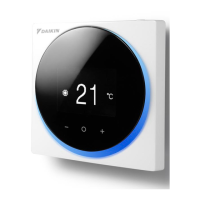
SETTING OF GROUP NUMBER WITH THE WIRED REMOTE CONTROLLER
The group number set with the wired remote controller is translated to a Modbus address according
to the table below
Group number
(remote controller address)
1-00 1-01
...
1-15
...
2-15
...
4-15
Modbus address 1 2 ... 16 ... 32 ... 64
SETTING
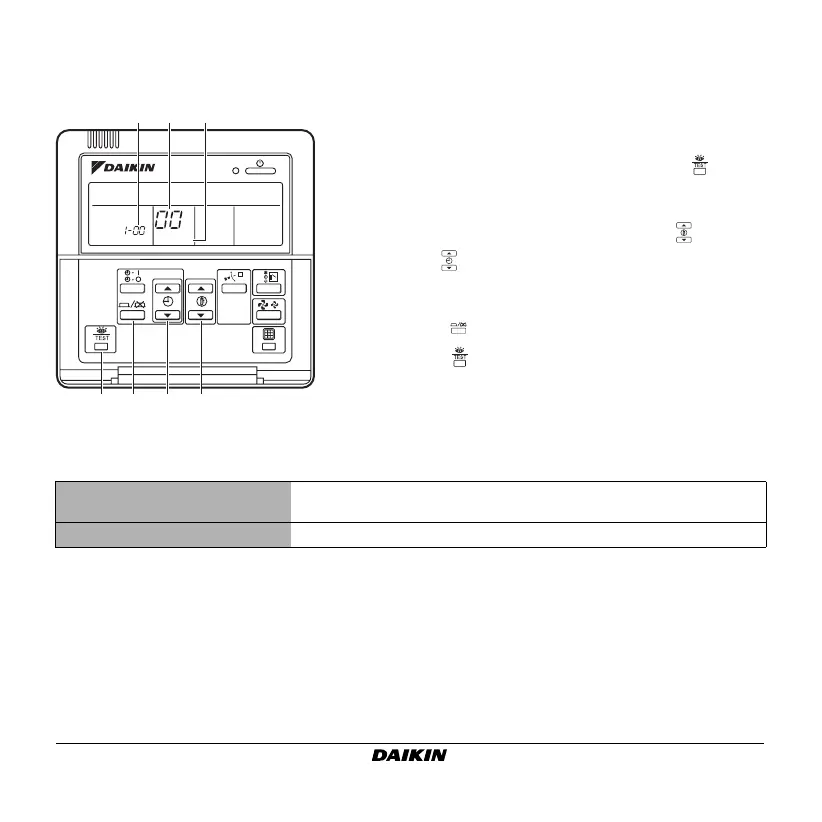
ab c
2-6 5 4 3
1 Activate power to the centralized control system and
to the fan coil unit.
2 While in the normal mode, hold down the button
for a minimum of 4 seconds. The controller will enter
the field set mode (c).
3 Select the mode number "
00
" (b) with the button.
4 Use the button to select the group number (a) for
each group. (The group number increases in the order
of
1-00
,
1-01
, ...,
1-15
,
2-00
, ...,
4-15
.)
5 Press the button to set the selected group number.
6 Press the button to return to the normal mode.
4PWEN65443-1B.book Page 7 Tuesday, June 29, 2021 11:58 AM



 To Next Page