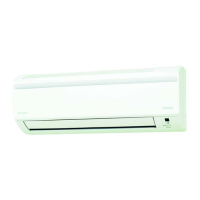
Need help?
Do you have a question about the Daikin FTHF20RVLT and is the answer not in the manual?
Highlights features designed for user comfort and efficient energy use.
Adjusts airflow direction to prevent direct blowing, enhancing comfort.
Limits power consumption for efficiency, useful when using multiple appliances.
Essential warnings to prevent severe injury, death, fire, or explosion.
Important safety notes to prevent property damage or minor personal injury.
Guidance on selecting locations to minimize noise disturbance to neighbors.
Specifies the necessity of a dedicated power circuit for safe operation.
Advice on professional handling for moving or remodeling the unit.
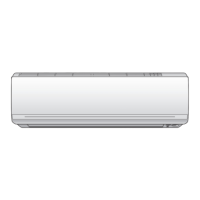
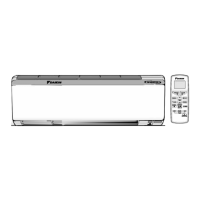
Identification and description of the indoor unit's main components.
Identification and description of the outdoor unit's main components.
Overview of the remote's signal transmitter and key function buttons.
Explanation of buttons for selecting modes like AUTO, COOL, HEAT, etc.
Details on buttons for temperature, airflow, comfort, powerful, econo, and swing.
Explanation of buttons for setting and cancelling timers.
Steps for inserting batteries and fixing the remote holder.
Instructions for activating the unit by turning on the circuit breaker.
Procedures for initiating and terminating the air conditioner's functions.
Important considerations for each operation mode (HEAT, COOL, DRY, AUTO, FAN).
How to change the desired temperature for effective cooling or heating.
Recommended settings and tips for energy saving and efficient operation.
Information on environmental factors affecting performance and safety.
How to activate the automatic horizontal airflow swing.
Steps for manually adjusting the vertical louvers for airflow direction.
Guide to changing the fan speed or airflow rate using the remote.
How to enable the Comfort Airflow mode for indirect, comfortable airflow.
How to disable the Comfort Airflow mode and revert to previous settings.
How to initiate the Powerful Operation for maximum cooling/heating effect.
How to stop the Powerful Operation mode.
Explains Econo mode's purpose: limiting power consumption for efficiency.
Steps to turn on the Econo operation mode.
Steps to turn off the Econo operation mode.
How to program the unit to turn off automatically at a specified time.
How to disable a previously set Off Timer.
How to program the unit to turn on automatically at a specified time.
How to disable a previously set On Timer.
Instructions for using both On and Off timers together for scheduling.
A summary of cleaning steps for the unit's main parts.
Instructions for cleaning the front panel of the indoor unit.
Recommended frequency and method for cleaning air filters.
Schedule for cleaning and replacing the deodorizing filter.
Detailed steps for safely detaching the front panel for cleaning.
Instructions for cleaning the panel and securely reassembling it.
Steps for taking out and cleaning the air filters.
How to put the cleaned filters back into the unit.
Instructions for cleaning or replacing the deodorizing filter.
Steps for reinstalling filters and closing the front panel.
Procedures to dry the unit and turn off power before storage.
Cleaning filters and removing remote batteries for storage.
Recommendation for professional maintenance beyond user cleaning.
Distinguishing normal unit sounds and operations from actual problems.
Diagnosing and resolving issues specific to the indoor unit.
Diagnosing and resolving issues specific to the outdoor unit.
Explains the causes of various sounds produced by the air conditioner.
Steps to identify causes for the unit not operating or performing poorly.
Troubleshooting sudden stops and mist appearing during operation.
Addressing abnormal functioning and mist formation during operation.
Addressing delayed heat output and timer setting problems.
Troubleshooting remote control malfunctions and indoor unit odors.
Explaining outdoor fan behavior and causes of unit odors.
Critical warnings and symptoms requiring immediate professional service.
Guidance on unit behavior after power failure and lightning safety.
Information on proper unit disposal and refrigerant handling.
Steps to enter fault diagnosis mode using the remote controller.
How to view and understand error codes displayed by the unit.
 General
| Brand | Daikin |
|---|---|
| Model | FTHF20RVLT |
| Category | Air Conditioner |
| Language | English |

 To Next Page