25
TIMER Operation
•Thereservationcanbeconrmed.
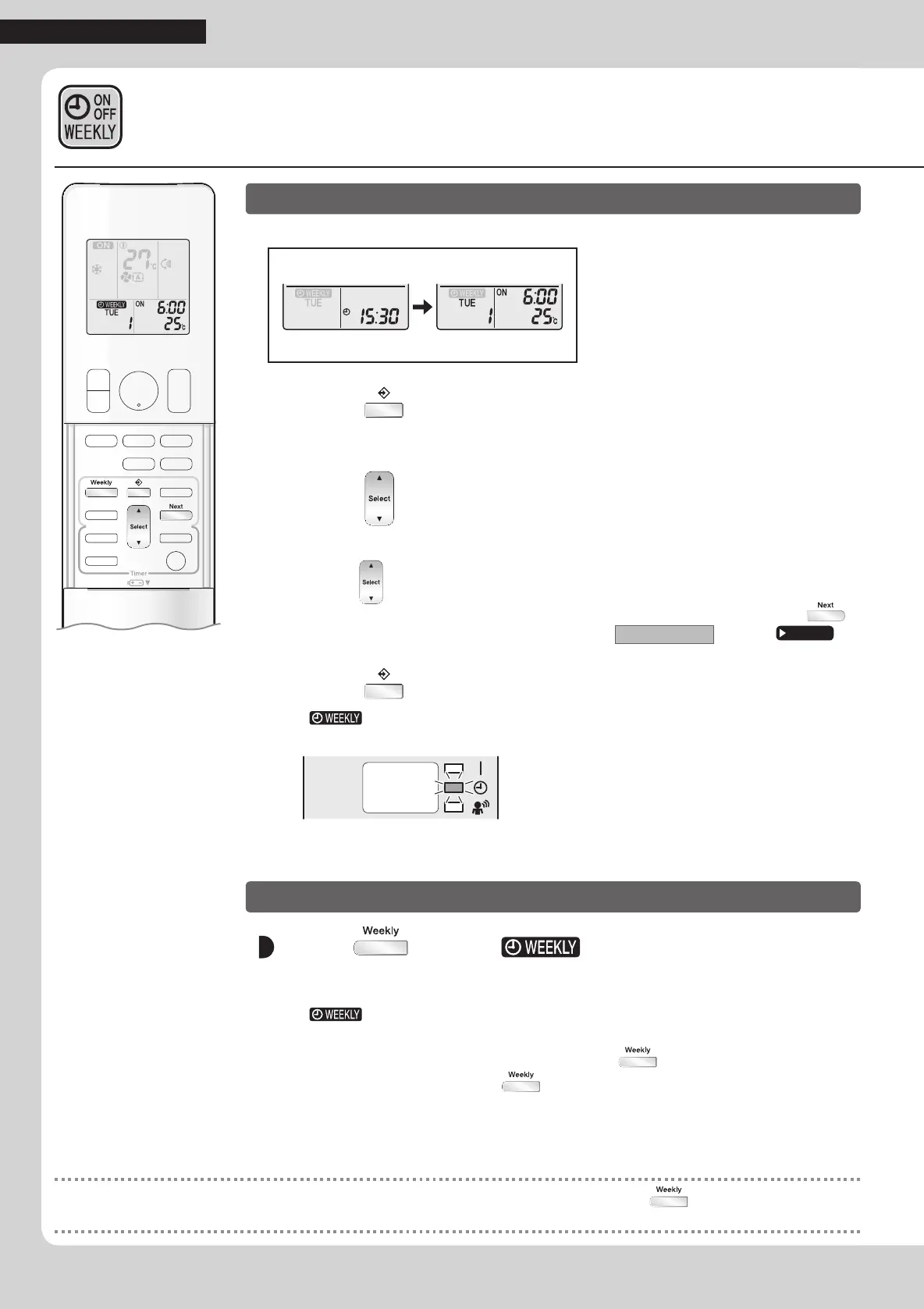
Setting Displays
Normal Conrmation
1. Press .
•Thedayoftheweekandthereservationnumberofthecurrentdaywillbedisplayed.
2. Press to select the day of the week and the
reservation number to be con rmed.
•Pressing displaysthereservationdetails.
•
Tochangetheconrmedreservedsettings,selectthereservationnumberandpress .
Themodeisswitchedtosettingmode.Proceedto
Setting mode
STEP 4.
Page 22
3. Press to exit the con rmation mode.
•“ ”isdisplayedontheLCDandWEEKLYTIMERoperationisactivated.
•TheTIMERlamplightsorange.
Display
To deactivate WEEKLY TIMER operation
Press while “ ” is displayed on the
LCD.
•“ ”disappearsfromtheLCD.
•TheTIMERlampgoesoff.
•ToreactivatetheWEEKLYTIMERoperation,press
again.
•Ifareservationdeactivatedwith
isactivatedonceagain,thelastreservationmode
willbeused.
WEEKLY TIMER Operation
NOTE
•Ifnotallthereservationsettingsarereected,deactivatetheWEEKLYTIMERoperationonce.Thenpress againtoreactivatethe
WEEKLYTIMERoperation.
01_EN_3P384084-2.indd 25 11/4/2014 2:09:57 PM



 To Next Page