24
TIMER Operation
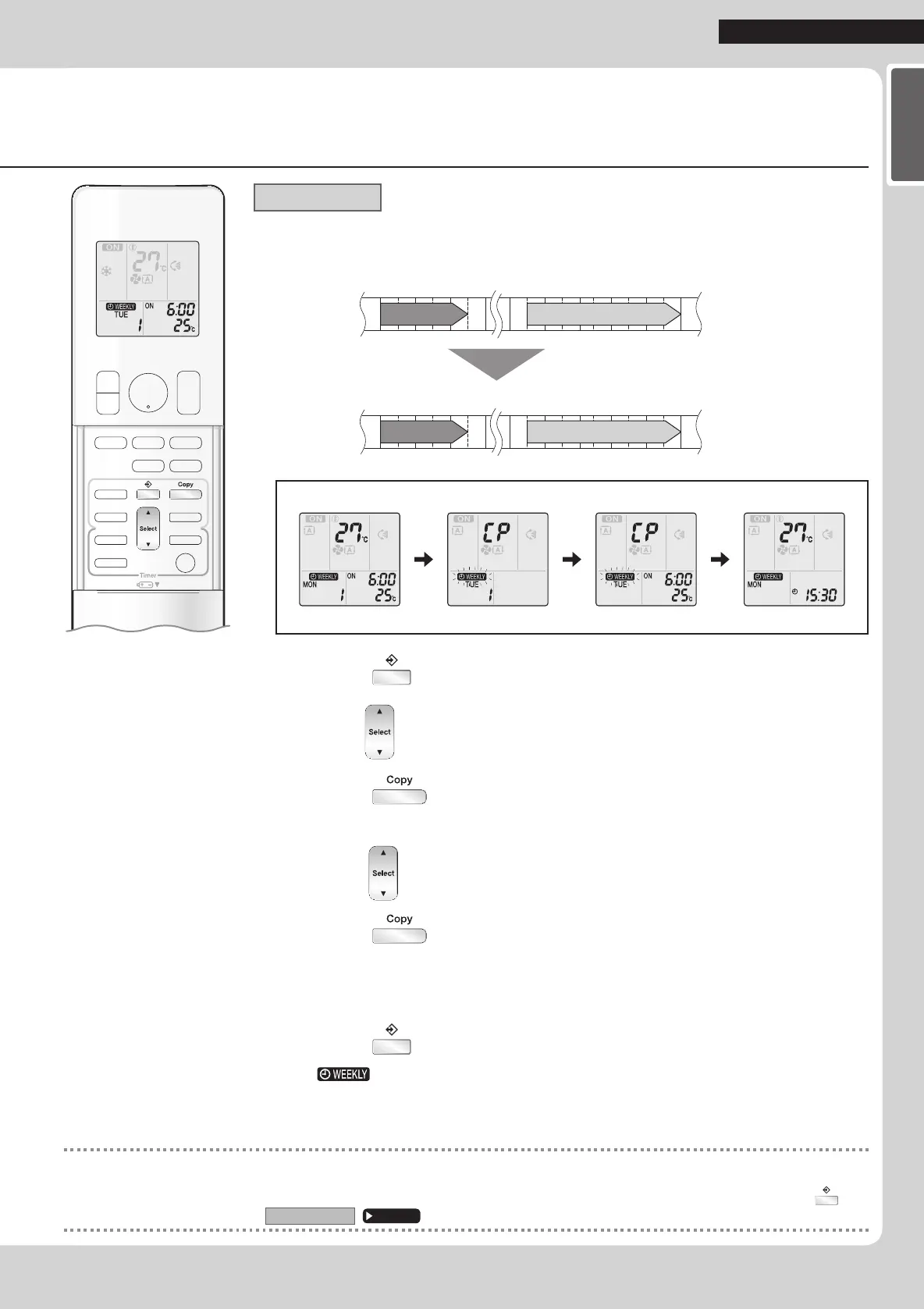
Copy mode
•Areservationmadeoncecanbecopiedtoanotherdayoftheweek.Thewholereservationof
theselecteddayoftheweekwillbecopied.
6:00 8:30 17:30 22:00
25°C 27°C
6:00 8:30 17:30 22:00
25°C 27°C
COPY
Programme 1 Programme 2 Programme 3 Programme 4
ON OFF ON OFF
[Monday]
Programme 1 Programme 2 Programme 3 Programme 4
ON OFF ON OFF
[Tuesday]
to
[Friday]
Setting Displays
Conrmation Copy Paste Normal
1. Press .
2.
Press to con rm the day of the week to be copied.
3. Press .
•Thewholereservationoftheselecteddayoftheweekwillbecopied.
4.
Press to select the destination day of the week.
5. Press .
•Thereservationwillbecopiedtotheselecteddayoftheweek.Thewholereservationof
theselecteddayoftheweekwillbecopied.
•Tocontinuecopyingthesettingstootherdaysoftheweek,repeatSTEP
4andSTEP5.
6. Press to complete the setting.
•“ ”isdisplayedontheLCDandWEEKLYTIMERoperationisactivated.
NOTE
Note on COPY MODE
•Theentirereservationofthesourcedayoftheweekiscopiedinthecopymode.
Inthecaseofmakingareservationchangeforanydayoftheweekindividuallyaftercopyingthecontentofweeklyreservations,press and
changethesettingsinthestepsof
Settingmode
.
Page 22
01_EN_3P384084-2.indd 24 11/4/2014 2:09:56 PM






 To Next Page