3 Before operation
Operation manual
3
FTXP50~71M2V1B
Daikin room air conditioner
3P511999-4E – 2018.09
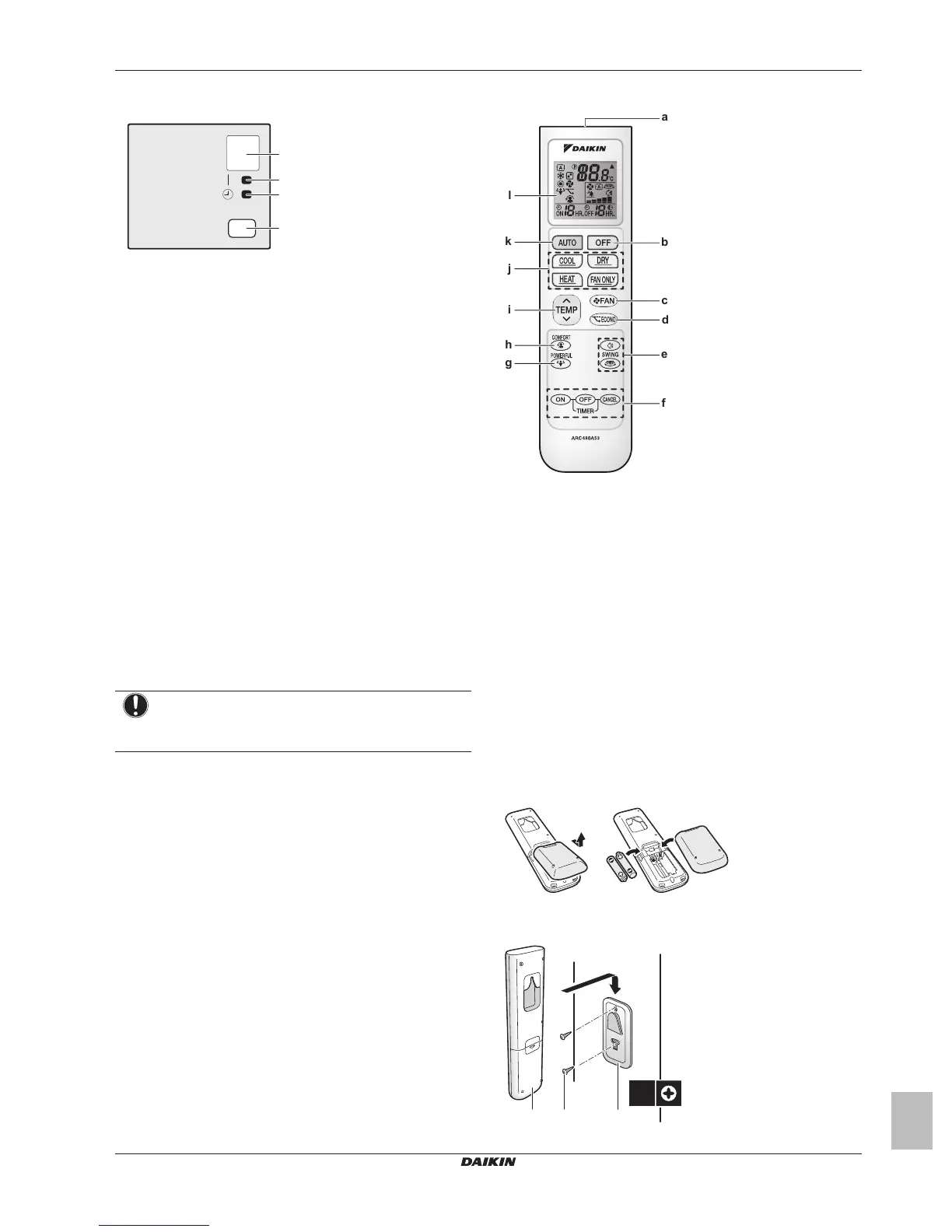
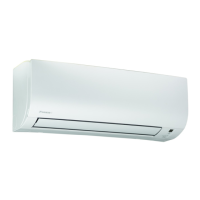
2.1.1 Indoor unit display
a Signal receiver
b Operation lamp
c Timer lamp
d ON/OFF button
ON/OFF button
If the user interface is missing, you can use the ON/OFF button on
the indoor unit to start/stop operation. When operation is started
using this button, the following settings are used:
▪ Operation mode = Automatic
▪ Temperature setting = 25°C
▪ Airflow rate = Automatic
2.2 About the user interface
▪ Direct sunlight. Do NOT expose the user interface to direct
sunlight.
▪ Dust. Dust on the signal transmitter or receiver will reduce
sensitivity. Wipe off dust with a soft cloth.
▪ Fluorescent lights. Signal communication might be disabled if
fluorescent lamps are in the room. In that case, contact your
installer.
▪ Other appliances. If the user interface signals operate other
appliances, move the other appliances, or contact your installer.
▪ Curtains. Make sure that the signal between the unit and the user
interface is NOT blocked by curtains or other objects.
NOTICE
▪ Do NOT drop the user interface.
▪ Do NOT let the user interface get wet.
2.2.1 Components: User interface
a Signal receiver
b OFF button
c Fan setting button
d Econo operation button
e Swing buttons
f Timer setting buttons (ON, OFF, cancel)
g Powerful operation button
h Comfort operation button
i Temperature adjustment button
j Operation mode buttons
k Automatic operation mode button
l LCD display
3 Before operation
3.1 To insert the batteries
The batteries will last for about 1 year.
1 Remove the back cover.
2 Insert both batteries at once.
3 Put the cover back.
3.2 To fix the user interface to the wall
a User interface



 To Next Page