EasyManua.ls Logo

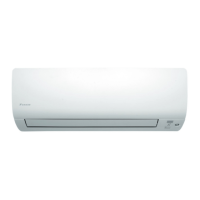
Daikin FTXS25K2V1B - User Manual

Daikin FTXS25K2V1B
44 pages
Print Icon
To Next Page IconTo Next Page
Loading...
DAIKIN ROOM AIR CONDITIONER
OPERATION MANUAL
MODELS
FTXS20K2V1B
FTXS25K2V1B
CTXS15K2V1B
CTXS35K2V1B
EnglishDeutschFrançaisNederlandsEspañolItaliano
Eλληνικά
PortuguesPyccкийTürkçe
00_CV_3P297033-1.indd 1 9/16/2011 3:24:43 PM

Other manuals for Daikin FTXS25K2V1B

Questions and Answers

  • S
    Steve CookAug 4, 2025
    Why is the cooling (heating) effect of my Daikin Air Conditioner poor?
    • M
      Maria MosleyAug 4, 2025
      If your Daikin Air Conditioner's cooling or heating effect is poor, check the following: * Ensure the air filters are clean. * Make sure nothing is blocking the air inlet or outlet of the indoor and outdoor units. * Verify the temperature setting is appropriate. * Ensure all windows and doors are closed. * Confirm the airflow rate and direction are set correctly.
  • C
    Chris RomeroAug 12, 2025
    How to troubleshoot a Daikin FTXS25K2V1B Air Conditioner that does not operate (OPERATION lamp is off)?
    • A
      Alexis JonesAug 12, 2025
      If your Daikin Air Conditioner does not operate and the OPERATION lamp is off, check these possible causes: * See if a breaker has turned off or a fuse has blown. * Check for a power failure. * Ensure batteries are correctly installed in the remote controller. * Verify that the timer setting is correct.
  • C
    Christie SmithAug 17, 2025
    Why does my Daikin Air Conditioner remote controller not work properly?
    • J
      jcardenasAug 17, 2025
      If your Daikin Air Conditioner's remote controller isn't working properly, the batteries may be low or the remote controller may be malfunctioning. Replace all batteries with new, size AAA.LR03 (alkaline) batteries.
  • R
    Ruben NealAug 21, 2025
    What to do if Daikin Air Conditioner operation stopped suddenly (OPERATION lamp is on)?
    • C
      Chelsea SmithAug 21, 2025
      If your Daikin Air Conditioner stopped suddenly, but the OPERATION lamp is on, it may be due to a system protection triggered by a sudden large voltage fluctuation. The air conditioner will automatically resume operation in about 3 minutes.
  • K
    kelly67Aug 25, 2025
    Why does mist come out of the indoor unit of my Daikin FTXS25K2V1B Air Conditioner?
    • S
      Steven RichAug 26, 2025
      The mist coming from the indoor unit of your Daikin Air Conditioner can occur for two reasons: * The air in the room is cooled into mist by the cold airflow during COOL operation. * The air in the room is cooled by the heat exchanger and becomes mist during defrost operation.
  • Q
    qbridgesAug 29, 2025
    Why does my Daikin FTXS25K2V1B Air Conditioner indoor unit give out an odor?
    • A
      Anna StricklandAug 29, 2025
      The odor from your Daikin Air Conditioner's indoor unit can happen when smells from the room, furniture, or cigarettes are absorbed into the unit and discharged with the airflow. If this occurs, it's recommended to have the indoor unit cleaned by a technician.
  • C
    Caleb BrownNov 7, 2025
    What to do if my Daikin Air Conditioner operation stopped suddenly and the OPERATION lamp is flashing?
    • K
      Kaitlyn SmithNov 7, 2025
      If your Daikin Air Conditioner operation stopped suddenly and the OPERATION lamp is flashing, consider the following: * Ensure the air filters are clean. Clean them if necessary. * Check for any obstructions blocking the air inlet or outlet of the indoor and outdoor units. * Turn the breaker off, remove any obstacles, and then turn it back on. Try operating the air conditioner with the remote controller again. If the lamp continues to flash, contact the service shop where you purchased the air conditioner. * If you have a multi-system, verify that all indoor units are set to the same operation mode. If not, set them all to the same mode and check if the lamps flash. If the operation mode is in AUTO, set all indoor unit operation modes to COOL or HEAT temporarily and check again. I...

Summary

Features and Functions

INTELLIGENT EYE

Sensor detects human movement for energy saving operation.

WEEKLY TIMER

Allows setting up to 4 timer programs daily for family lifestyle management.

COMFORT AIRFLOW

Directs airflow upwards in COOL and downwards in HEAT for comfort.

OUTDOOR UNIT QUIET

Lowers outdoor unit noise level, beneficial for neighbourhood consideration.

Safety Precautions

WARNING

Critical safety instructions where failure to comply may lead to severe injury or death.

CAUTION

Important safety instructions where failure to comply may lead to property damage or injury.

Installation and Setup Guidelines

Installation Site Considerations

Recommendations for choosing optimal installation locations to avoid issues.

Electrical Requirements

Mandates the use of a dedicated power circuit for safe operation.

System Relocation Advice

Guidance on consulting a dealer for moving or remodeling the unit.

Indoor Unit Components

Indoor Unit Parts Overview

Identifies key components of the indoor unit, including sensors and display.

Outdoor Unit Components

Outdoor Unit Parts Overview

Identifies key components of the outdoor unit, such as inlets, outlets, and sensors.

Remote Controller Overview

Remote Controller Components

Details the various buttons and display elements of the remote controller.

Remote Control Operations

Operation Mode Selection

How to select and change operation modes like AUTO, DRY, COOL, HEAT, FAN.

Airflow and Swing Control

Adjusting airflow direction, louvers, and flap swing for comfort.

Feature Activation Buttons

Using buttons to activate INTELLIGENT EYE, COMFORT AIRFLOW, and QUIET operations.

Remote Control Preparation

Setting Remote Control Batteries

Instructions for inserting and replacing batteries in the remote controller.

Mounting Remote Control Holder

Steps for securely installing the remote control holder on a wall.

Initial Setup and Clock Setting

Powering On the Unit

Procedure to turn on the air conditioner by activating the breaker.

Setting the Internal Clock

Guide to setting the correct time and day for accurate timer functionality.

Operation Modes and Control

Starting and Stopping Operation

Procedures for initiating and ceasing air conditioner operation.

Mode Descriptions

Explains the functions of AUTO, DRY, COOL, HEAT, and FAN modes.

Temperature Control and Efficiency

Adjusting Temperature Settings

How to change the target temperature using the remote control buttons.

Energy Saving and Operating Limits

Tips for energy efficiency and understanding operational temperature/humidity boundaries.

Airflow Direction Control

Auto Swing Operation

Activates automatic oscillation of the flap for wider air distribution.

Setting Flap and Louver Positions

Manually adjusting flap and louver angles for desired airflow direction.

Airflow Rate Adjustment

Selecting Airflow Rate

Choosing from various fan speeds like Auto, Quiet, Low, Middle, High.

Flap Angle and Dew Condensation

Information on flap swing ranges and preventing dew condensation.

COMFORT AIRFLOW Operation

Activating Comfort Airflow

Sets airflow upwards in COOL and downwards in HEAT for direct comfort.

Cancelling Comfort Airflow

Returns the flap to its previous memory position before cancellation.

INTELLIGENT EYE Operation

Activating Intelligent Eye

Enables the sensor to detect human presence for energy saving.

Cancelling Intelligent Eye

Disables the sensor and reverts to normal operation automatically.

Intelligent Eye Functionality and Precautions

Intelligent Eye Operation Details

Explains sensor detection, energy saving modes, and application range.

Intelligent Eye Placement Warnings

Advises on sensor placement to avoid false detection and damage.

POWERFUL Operation

Starting Powerful Operation

Maximizes cooling/heating effect for a 20-minute period for quick comfort.

Powerful Operation Notes and Compatibility

Details on mode compatibility and specific behaviors during POWERFUL operation.

OUTDOOR UNIT QUIET Operation

Activating Outdoor Unit Quiet Mode

Reduces outdoor unit noise by adjusting fan speed and frequency.

Outdoor Unit Quiet Notes and Compatibility

Specifics for multi-systems and operational mode compatibility.

ECONO Operation

Activating Econo Operation

Limits maximum power consumption for efficient operation and circuit breaker protection.

Econo Operation Notes and Compatibility

Explains ECONO's function, compatibility, and when it may not reduce power.

OFF TIMER Operation

Setting the Off Timer

Schedules the unit to turn off automatically at a specified time.

Off Timer Notes and NIGHT SET Mode

Details on timer memory, variations, and automatic temperature adjustment for sleep.

ON TIMER Operation

Setting the On Timer

Schedules the unit to turn on automatically at a specified time.

Combining On and Off Timers

How to set both timers for sequential automatic operation.

WEEKLY TIMER Operation

Setting Weekly Timer Programs

How to program up to 4 timer settings daily for the entire week.

Weekly Timer Usage Examples

Demonstrates setting timers for weekdays and weekends based on lifestyle.

Configuring Weekly Timer Settings

Selecting Day and Reservation Number

Choosing the specific day and program slot for timer configuration.

Setting Timer Time, Mode, and Temperature

Programming the on/off times, operation modes, and desired temperatures.

Completing Weekly Timer Setup

Finalizing and Activating Weekly Timers

Steps to confirm and activate the programmed weekly timer schedule.

Copying Timer Settings Across Days

Efficiently duplicating timer settings from one day to another.

Managing Weekly Timer Reservations

Confirming Weekly Timer Reservations

Checking the status and details of programmed weekly timer settings.

Deactivating Weekly Timer Function

Turning off the weekly timer function to revert to normal operation.

Deleting Weekly Timer Reservations

Deleting Individual Timer Settings

Removing specific timer programs for a particular day or setting.

Deleting All Weekly Reservations

Clearing all programmed timer settings across all days.

Multi System Operation Notes

Operation Mode Synchronization

How operation modes are prioritized and synchronized across multiple indoor units.

Night Quiet Mode Functionality

Details on activating and using the Night Quiet mode for reduced outdoor noise.

Outdoor Unit Quiet in Multi Systems

Using the quiet operation feature effectively in multi-room setups.

Multi System Advanced Settings

COOL;HEAT Mode Lock

Forcing all connected units to operate exclusively in COOL or HEAT mode.

Priority Room Setting Explained

How designating a priority room affects mode selection and operation priority.

Priority Operation Scenarios

How priority room setting influences POWERFUL and QUIET operations in multi-systems.

Care and Cleaning

Front Panel Cleaning Procedure

Instructions for opening, closing, and wiping the front panel with a soft cloth.

Air Filter Maintenance

Guidelines for cleaning or washing air filters, with recommended frequency.

Air Purifying Filter Care

Maintenance steps for the photocatalytic filter, including cleaning and replacement.

Unit Casing and Remote Cleaning

How to clean the indoor unit's exterior and the remote controller.

Front Panel Maintenance

Detaching and Reattaching Front Panel

Step-by-step instructions for safely removing and reinstalling the front panel.

Cleaning the Front Panel

Detailed methods for cleaning the front panel using water and mild detergent.

Air Filter Maintenance Procedures

Removing Air Filters

Step-by-step guide on how to pull out the air filters from the unit.

Washing and Cleaning Air Filters

Detailed instructions for washing or vacuuming the air filters for optimal performance.

Reinstalling Clean Air Filters

Putting the cleaned air filters back into their correct positions.

Air Purifying Filter Maintenance

Removing Photocatalytic Filter

Instructions for detaching the air purifying filter from its frame.

Cleaning and Replacing Photocatalytic Filter

Methods for cleaning the filter or replacing it when necessary.

Long-Term Storage and Maintenance

Preparing Unit for Idle Periods

Steps to take before storing the air conditioner for an extended period.

Recommended Periodic Maintenance

Advice on scheduling professional servicing for optimal system health.

Refrigerant Information and Compliance

Details on refrigerant type and GWP, adhering to environmental regulations.

Troubleshooting Common Issues

Understanding Non-Trouble Phenomena

Explains normal operational sounds and minor variations that are not faults.

Operation Not Starting Checks

Troubleshooting steps for when the air conditioner fails to power on.

Addressing Poor Cooling or Heating

Identifies common causes for reduced cooling or heating performance.

Operation Interruption and Resumption

Explains reasons for sudden stops and automatic restarts of operation.

Troubleshooting Operational Problems

Causes of Abnormal Operation

Addresses issues like lightning interference and mist formation during operation.

Outdoor Unit Water or Steam Emission

Explains the reasons why the outdoor unit may emit water or steam.

Troubleshooting Specific Behaviors

Delayed Heat Airflow Explanation

Clarifies why hot air might not be discharged immediately after starting HEAT mode.

Timer Operation Discrepancies

Troubleshooting steps when timers do not function as programmed.

Remote Controller Malfunctions

Common issues with the remote controller and steps for battery replacement.

Enabling Heat Operation Mode

Instructions on how to select HEAT mode if it appears unavailable.

When to Call for Service

Critical Abnormalities Requiring Service

Lists serious symptoms like burning smells or hot power cords that necessitate immediate professional help.

Post-Power Failure Behavior

How the unit automatically resumes operation after a power outage.

Lightning Protection Measures

Steps to take to protect the system during lightning activity.

Product and Battery Disposal

Information on the correct disposal of electrical products and batteries.

Error Code Diagnosis

Accessing Diagnostic Mode

Procedure to enter the fault diagnosis mode using the remote controller.

Interpreting Error Codes

A table listing system, indoor, and outdoor unit error codes and their meanings.

Outdoor Unit LED Indicator Diagnostics

Understanding LED Status Codes

Explains the meaning of various LED combinations on the outdoor unit PCB for fault diagnosis.

Daikin FTXS25K2V1B Specifications

General IconGeneral
BrandDaikin
ModelFTXS25K2V1B
CategoryAir Conditioner
LanguageEnglish

Related product manuals