15
■
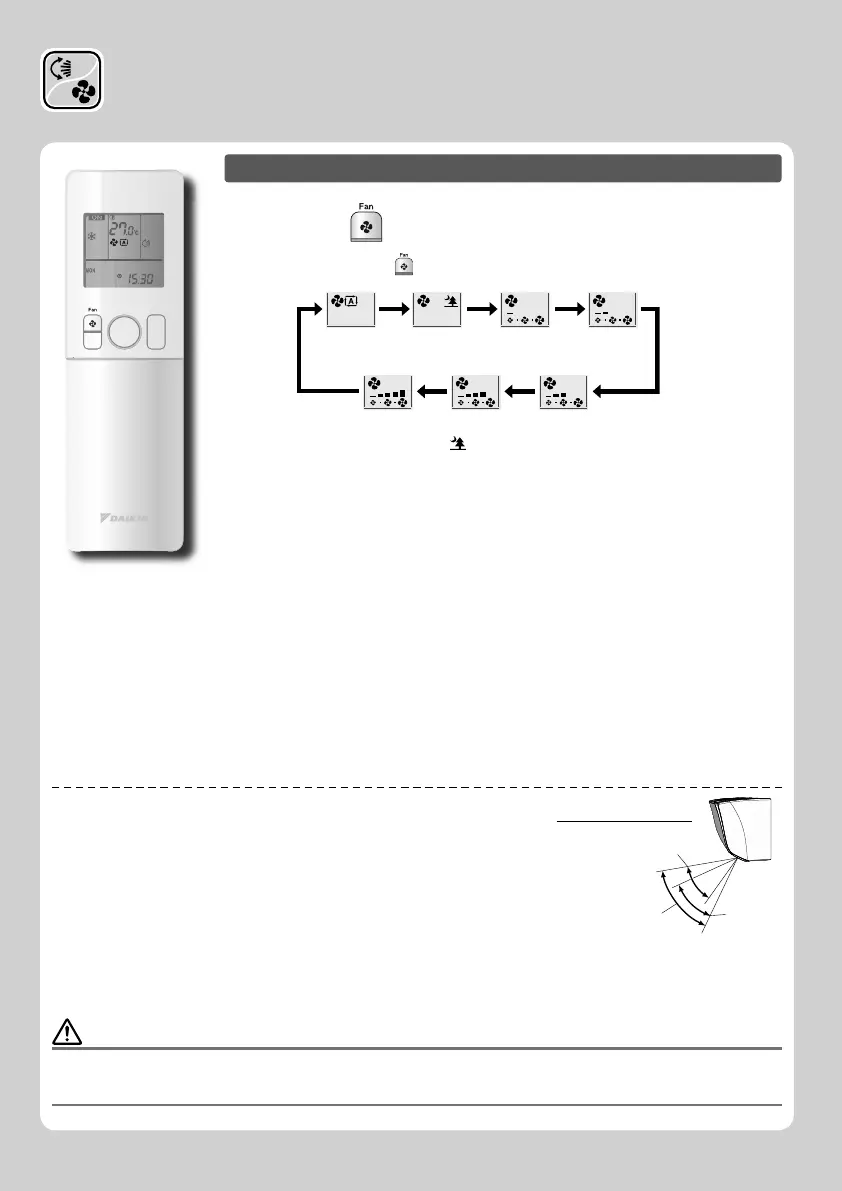
To adjust the airfl ow rate setting
Press .
• Each pressing of advances the airfl ow rate setting in sequence.
Auto Indoor unit quiet Low Middle low
MiddleMiddle highHigh
• When the airfl ow is set to “ ”, indoor unit quiet operation will start and the noise
from the unit will become quieter.
• In indoor unit quiet operation, the airfl ow rate is set to a weak level.
• If the temperature does not reach the desired point, change the airfl ow rate setting.
• In DRY mode, the airfl ow rate setting is not variable.
If the temperature does reach the desired point:
• Fan will stop operating in COOL / AUTO operation mode.
• Fan will start to operate in middle low speed in HEAT operation mode.
• The air fl ow rate will be lowered in the HEAT mode to avoid generating cold air fl ow.
When the temperature of the air fl ow rise, operation will continue at the desired air
fl ow rate.
NOTE
Notes on airfl ow direction setting
• The movable range of the fl ap varies according to the operation mode.
• The fl ap will stop at the upper position when the airfl ow rate is changed to low during the
up and down swing setting.
Notes on airfl ow direction setting
• Using 3/D airfl ow circulates cold air, which tends to collect at the bottom of the room, and
hot air, which tends to collect near the ceiling, throughout the room, preventing areas of
cold and hot developing.
Notes on airfl ow rate setting
• At smaller airfl ow rates, the cooling (heating) effect is also smaller.
CAUTION
• Always use a remote controller to adjust the angles of the fl aps and louvers. If you attempt to move the fl aps and louvers forcibly with hand
when they are swinging, the mechanism may be broken.
• Always use a remote controller to adjust the louvers angles. Inside the air outlet, a fan is rotating at a high speed.
Movable range of the flap
COOL / DRY
HEAT
FAN ONLY
Adjusting the Airfl ow Direction
and Rate















 To Next Page