21
■
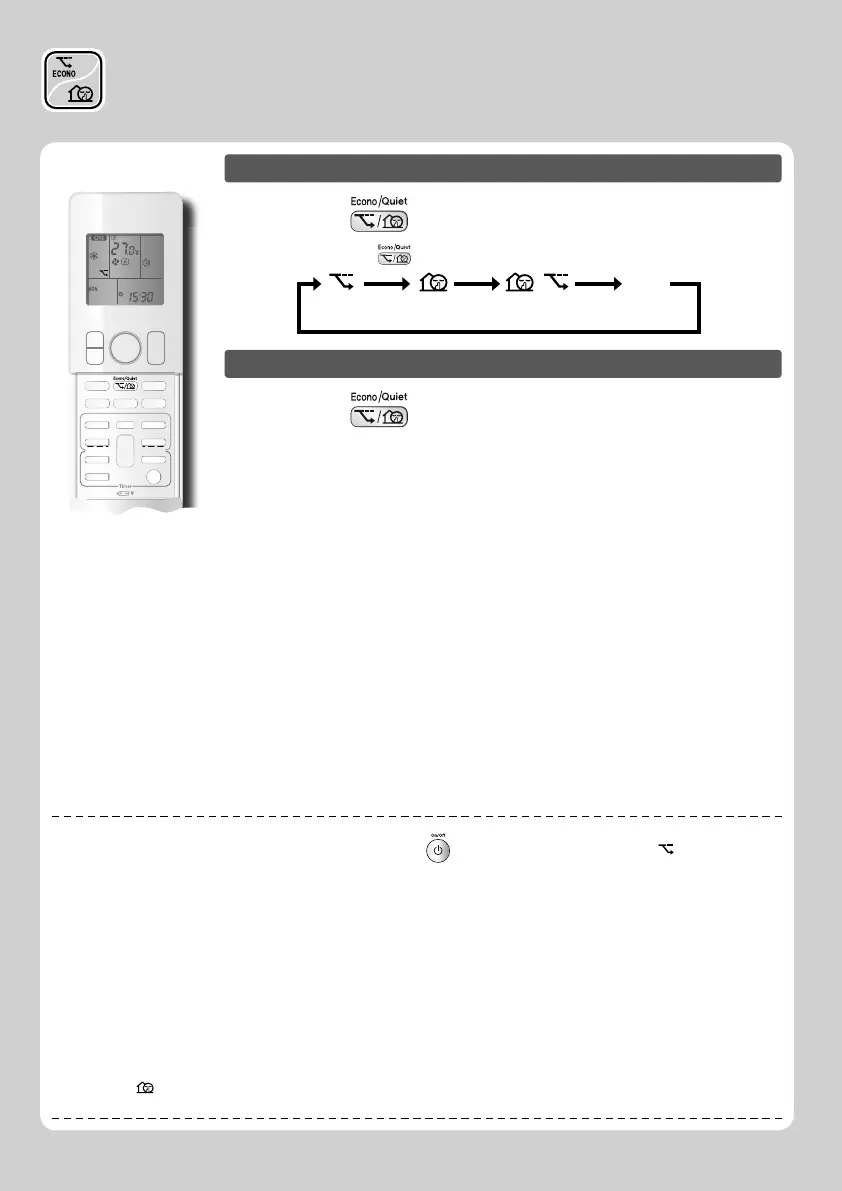
To start operation
Press and select the desired mode.
• Each time the is pressed a different setting option is displayed on the LCD.
ECONO OUTDOOR UNIT
QUIET
blank
No Setting
Combination
■
To cancel operation
Press and select “blank” on the LCD.
NOTE
■
Notes on ECONO operation
• ECONO operation can only be set when the unit is running. Pressing causes the settings to be canceled, and “ ” disappears from the
LCD.
• ECONO operation is a function which enables effi cient operation by limiting the power consumption of the outdoor unit (operating
frequency).
• ECONO operation functions in AUTO, COOL, DRY, and HEAT operation.
• POWERFUL and ECONO operation cannot be used at the same time.
Priority is given to the function of whichever button is pressed last.
• If the level of power consumption is already low, ECONO operation will not drop the power consumption.
■
Notes on OUTDOOR UNIT QUIET operation
• This function is available in COOL, HEAT, and AUTO operation.
This is not available in FAN and DRY operation.
• POWERFUL operation and OUTDOOR UNIT QUIET operation cannot be used at the same time.
Priority is given to the function of whichever button is pressed last.
• Even the operation is stopped by using the remote controller or the indoor unit ON/OFF switch when using OUTDOOR UNIT QUIET
operation, “
” will remain on the remote controller display.
• OUTDOOR UNIT QUIET operation will drop neither the frequency nor fan speed if they have been already dropped low enough.
ECONO/OUTDOOR UNIT
QUIET Operation















 To Next Page