
 To Next Page
B
beltrantravisSep 12, 2025
What to do if the operation switch on my Daikin FVXM25A3V1B Air Conditioner does not function properly?
- AAmber RoseSep 12, 2025
Turn OFF the power supply.

What to do if the operation switch on my Daikin FVXM25A3V1B Air Conditioner does not function properly?
Turn OFF the power supply.
Why are other electric appliances starting to operate when I use my Daikin FVXM25A3V1B?
If the wireless remote control signals operate other electric appliances, move the other appliances away, and contact your dealer.
Provides information about the document's purpose, target audience, and contents.
Explains the meaning of various warning and information symbols used in the manual.
General safety guidelines and warnings for users operating the air conditioner.
Provides specific instructions and precautions for safe operation of the unit.
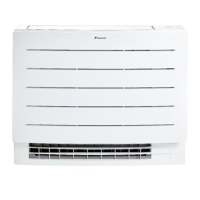
Details about the indoor unit, including components and safety precautions.
Explains the function and colours of the Daikin eye indicator lamp on the indoor unit.
Identifies and describes the components of the wireless remote control.
Explains the various icons and their meanings displayed on the wireless remote control LCD.
Provides instructions on how to operate the air conditioner using the wireless remote control.
Outlines the steps required before operating the air conditioner for the first time.
Instructions on turning on power and inserting remote control batteries.
Instructions for mounting the wireless remote control holder on a wall or surface.
Step-by-step guide to setting the internal clock of the air conditioner.
Instructions on how to adjust the brightness of the indoor unit display or turn it off.
Specifies operational ranges and guides feature selection for effective use.
How to adjust the operation mode and temperature for heating, cooling, or fan-only functions.
Detailed steps to start, stop, and set the operation mode and temperature.
Instructions on adjusting airflow rate and direction settings.
Steps to set vertical airflow direction and manually adjust louvers.
How to choose between automatic air outlet selection or top air outlet only.
Instructions to activate or deactivate the floor warming feature for targeted heat distribution.
Explains how to use Powerful and Heat plus operations for quick heating/cooling.
How to use Econo operation for energy efficiency and reduce outdoor unit noise.
How to activate or deactivate the Flash Streamer function for air cleaning.
Setting up the 24-hour clock timer to automatically turn the unit on or off.
Setting a countdown timer for automatic unit operation based on hours.
How to set up a weekly schedule for the air conditioner's operation.
Detailed steps to create and configure weekly timer settings for different days.
Instructions on how to copy existing timer reservations to other days.
How to check, deactivate, and reactivate timer reservations.
Instructions on how to delete individual or all weekly timer reservations.
Information about connecting the unit to a wireless network for smart device control.
Safety precautions for wireless LAN and guide to install the ONECTA app.
Steps to connect the wireless adapter to a smart device or home network.
How to check the current status of the wireless LAN connection.
Instructions to connect the unit to the network using the WPS button.
Steps to connect the unit to the network using SSID and password.
How to reset wireless LAN settings or turn off the function.
Overview of connecting multiple indoor units to a single outdoor unit.
Explains priority room settings for multi-unit systems.
Details on the Night quiet mode for reducing outdoor unit noise.
How to lock all indoor units in a multi-system to a single cooling or heating mode.
General information on maintenance requirements and refrigerant details.
Instructions for cleaning the indoor unit's exterior and the wireless remote control.
Steps for removing and cleaning the front panel of the indoor unit.
Explains the function and importance of air filters for unit performance.
Detailed procedures for removing and cleaning air filters and deodorising filters.
How to clean and replace the titanium apatite deodorising filter.
Steps for correctly reinstalling the air filters after cleaning or replacement.
Procedure for re-installing the front panel of the indoor unit.
Preparations needed before storing the unit for a long period.
Initial steps and warnings for common malfunctions and system issues.
Troubleshooting steps for issues like no operation or sudden stops.
Steps to diagnose and resolve issues with insufficient cooling or heating.
Troubleshooting for abnormal operations and remote control communication problems.
How to retrieve error codes from the remote control for fault diagnosis.
Troubleshooting for refrigerant leaks and sensor abnormalities, including error codes.
Solutions for common problems encountered with wireless LAN connectivity.
Explains normal operational sounds or appearances that are not malfunctions.
Explains various sounds and visual phenomena that are not system malfunctions.
Explains fan behavior, speed discrepancies, and timer setting differences.
How to identify and interpret error codes for fault diagnosis.
Lists system and indoor unit error codes and their meanings.
Lists error codes specific to the outdoor unit and their causes.
 General
| Brand | Daikin |
|---|---|
| Model | FVXM25A3V1B |
| Category | Air Conditioner |
| Language | English |