
 Need help?
Do you have a question about the Daikin FVXM35A3V1B and is the answer not in the manual?
Provides context about the document's purpose, scope, and target audience.
Covers general safety precautions, warnings, and prohibited actions for safe unit operation.
Details specific instructions and warnings for safe operation, including refrigerant hazards and electrical safety.
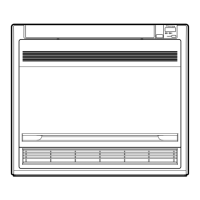
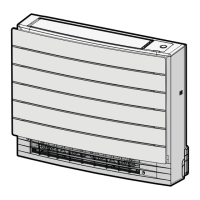
Describes the components, features, and specifications of the indoor unit.
Explains the wireless remote control and its functions for operating the unit.
Step-by-step guide on how to turn on the unit's power supply.
Instructions for correctly inserting batteries into the wireless remote control.
Guide on how to attach the wireless remote control holder to a wall.
Procedure for setting the internal clock, essential for timer functions.
Instructions on how to adjust the brightness of the indoor unit's display screen.
Specifies the recommended temperature and humidity ranges for safe and effective unit operation.
Explains how to select operation modes (Cooling, Heating, etc.) and set the desired temperature.
Details how to adjust the airflow rate and fan speed, including quiet operation.
Guides on adjusting vertical and horizontal airflow direction using louvers and flaps.
Explains options for automatic or top air outlet selection for optimal air distribution.
Describes how to activate and use floor warming for effective heating of large floor areas.
Details how to use Powerful operation for maximum effect and Heat Plus for increased warmth.
Explains Econo mode for energy saving and quiet mode for reduced noise levels.
Describes the air cleaning function that uses Flash Streamer technology for improved air quality.
Guides on setting automatic ON/OFF timers, including 24-hour and countdown options.
Explains how to set up and manage a weekly schedule for automatic operation.
Information on connecting the unit to a wireless LAN for smart device control.
Introduces the necessity of yearly maintenance and provides refrigerant information.
Step-by-step guide for cleaning the indoor unit's exterior and the wireless remote control.
Instructions on how to safely remove and clean the front panel of the indoor unit.
Procedure for carefully removing the air filters from the indoor unit.
Steps for cleaning the air filters using water or a vacuum cleaner.
Guide on cleaning the titanium apatite deodorising filter using water.
Instructions for replacing the titanium apatite deodorising filter as per schedule.
Steps for correctly reinstalling the filters after cleaning or replacement.
 General
| Brand | Daikin |
|---|---|
| Model | FVXM35A3V1B |
| Category | Air Conditioner |
| Language | English |



 To Next Page