EasyManua.ls Logo

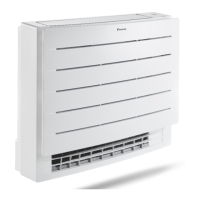
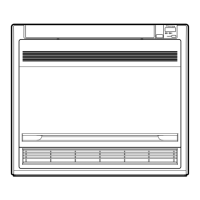
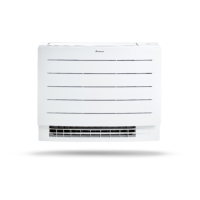
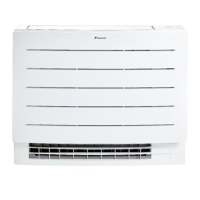
Daikin FVXM35A3V1B9 - User Manual

Daikin FVXM35A3V1B9
64 pages
Print Icon
To Next Page IconTo Next Page
Loading...
User reference guide
Split system air conditioners
CVXM20A3V1B
FVXM25A3V1B
FVXM35A3V1B
FVXM50A3V1B
CVXM20A3V1B9
FVXM25A3V1B9
FVXM35A3V1B9
FVXM50A3V1B9
FVXTM30A3V1B

Table of Contents

Other manuals for Daikin FVXM35A3V1B9

Questions and Answers

  • N
    Nancy WoodardAug 17, 2025
    What to do if my Daikin Air Conditioner system does not operate at all?
    • M
      mramirezAug 18, 2025
      First, verify that there is no power failure and wait until the power is restored. Note that if a power failure occurs during operation, the Daikin Air Conditioner system automatically restarts immediately after power is restored. Next, check if a fuse has blown or a breaker is activated; replace the fuse or reset the breaker if needed. Lastly, check the batteries of the wireless remote control.
  • T
    Tracey MilesAug 20, 2025
    Why is my Daikin FVXM35A3V1B9 Air Conditioner not cooling or heating sufficiently, even though air is blowing?
    • D
      Dalton Bennett DVMAug 20, 2025
      Begin by checking if the air filters are clogged and clean them if necessary. Ensure all doors and windows are closed to prevent wind from entering. Verify that the unit is not operating in Econo mode. Finally, check for any furniture placed directly next to the indoor unit and move it.
  • J
    Jason JonesAug 23, 2025
    What to do if my Daikin FVXM35A3V1B9 Air Conditioner suddenly stops operating?
    • A
      Amber PerezAug 23, 2025
      Check if the air inlet or outlet of the outdoor or indoor unit is blocked by obstacles. If there are any obstacles, remove them to ensure free airflow. The Daikin Air Conditioner may stop operating temporarily due to voltage fluctuations, but it should automatically resume operation after approximately 3 minutes.
  • M
    Michael ByrdAug 26, 2025
    Why doesn't my Daikin Air Conditioner receive signals from the wireless remote control?
    • D
      Dana BeckAug 26, 2025
      Check the batteries of the wireless remote control and replace them if necessary. Ensure that the transmitter is not exposed to direct sunlight. Check the room for electronic starter type fluorescent lamps. If problems persist, contact your dealer.
  • S
    Seth ColemanAug 28, 2025
    Why is the cooling or heating insufficient on my Daikin FVXM35A3V1B9?
    • P
      Patrick FieldsAug 28, 2025
      Check the airflow rate setting. Also check the temperature setting. Make sure the airflow direction setting is appropriate. Inspect the air inlet and outlet of both the outdoor and indoor units for any obstructions; remove any obstacles to ensure proper airflow.
  • S
    suzanne92Aug 30, 2025
    How to fix a blank display on my Daikin FVXM35A3V1B9 wireless remote control?
    • C
      Cynthia LaneAug 30, 2025
      Replace the batteries of the wireless remote control.
  • C
    Christopher JacksonSep 2, 2025
    What to do if my Daikin FVXM35A3V1B9 Air Conditioner is not blowing air and the cooling or heating is insufficient?
    • J
      Joshua LinSep 2, 2025
      The air conditioner may be warming up for heating operation, so wait for 1 to 4 minutes. The unit may also be in defrost operation.
  • E
    Erin ReyesSep 4, 2025
    What does it mean if my Daikin Air Conditioner beeps continuously and shows an error code?
    • C
      christopherhallSep 4, 2025
      The refrigerant leakage sensor has started working, indicating confirmed refrigerant leakage. Ventilate the room and contact your dealer.
  • T
    tanya10Sep 6, 2025
    What should I do if an abnormal function occurs during operation of my Daikin FVXM35A3V1B9 Air Conditioner?
    • E
      Elizabeth GilesSep 7, 2025
      The air conditioner may malfunction because of lightning or radio waves. Turn the breaker OFF and back ON.
  • Q
    qreynoldsSep 9, 2025
    What to do if a safety device actuates frequently on my Daikin Air Conditioner?
    • E
      Eric HoganSep 9, 2025
      Turn OFF the main power switch.

Summary

General safety precautions

Meaning of warnings and symbols

Explains the meaning of various warning and information symbols used in the manual and on the unit.

User safety instructions

General

General safety warnings and precautions for operating the unit, including for children and maintenance.

Instructions for safe operation

Provides warnings and cautions for safe operation, including refrigerant flammability and electrical safety.

About the system

About the user interface

Explains the components and layout of the wireless remote control for operating the unit.

To operate the wireless remote control

Provides instructions on how to aim and use the wireless remote control for operation.

Operation

Operation mode and temperature setpoint

Explains how to adjust the operation mode and set the desired temperature for the unit.

To start;stop operation mode and to set the temperature

Detailed steps for starting, stopping, and setting the operation mode and temperature.

Airflow rate

Instructions on how to select and adjust the airflow rate for the unit.

To adjust the airflow rate

Step-by-step guide to change the airflow rate setting.

Airflow direction

Details on how to adjust the airflow direction (swing or fixed position).

Powerful and Heat plus operation

Details on the Powerful and Heat plus operations for quick heating/cooling.

Powerful operation

Explains the Powerful operation mode and its effects on capacity and airflow.

Heat plus operation

Describes the Heat plus operation, which increases airflow temperature for more warmth.

To start;stop Powerful and Heat plus operation

Instructions on how to activate and deactivate Powerful and Heat plus operations.

Econo and Outdoor unit quiet operation

Explains Econo and Outdoor unit quiet operation for energy saving and noise reduction.

Econo operation

Details the Econo operation for limiting power consumption and saving energy.

OFF;ON timer operation

Explains the timer functions for automatically switching the air conditioner on/off.

24 hour clock OFF;ON timer setting

Detailed steps for setting the 24-hour clock OFF/ON timer.

Energy saving and optimum operation

Maintenance and service

Overview: Maintenance and service

Overview of the required yearly maintenance and service by an authorized installer.

Troubleshooting

General Malfunctions and Measures

Lists common malfunctions and their corresponding measures for general troubleshooting.

System Stop Troubleshooting

Details troubleshooting steps for when the system does not operate or stops suddenly.

Solving problems based on error codes

Guide on how to check and interpret error codes displayed by the unit for fault diagnosis.

System and Indoor Unit Error Codes

Lists system-level and indoor unit error codes and their corresponding descriptions.

Outdoor Unit Error Codes

Lists error codes specific to the outdoor unit and their meanings.

Additional Error Codes

Lists additional error codes related to thermistors, inverter, and compressor.

Daikin FVXM35A3V1B9 Specifications

General IconGeneral
BrandDaikin
ModelFVXM35A3V1B9
CategoryAir Conditioner
LanguageEnglish

Related product manuals