2 PREPARATION
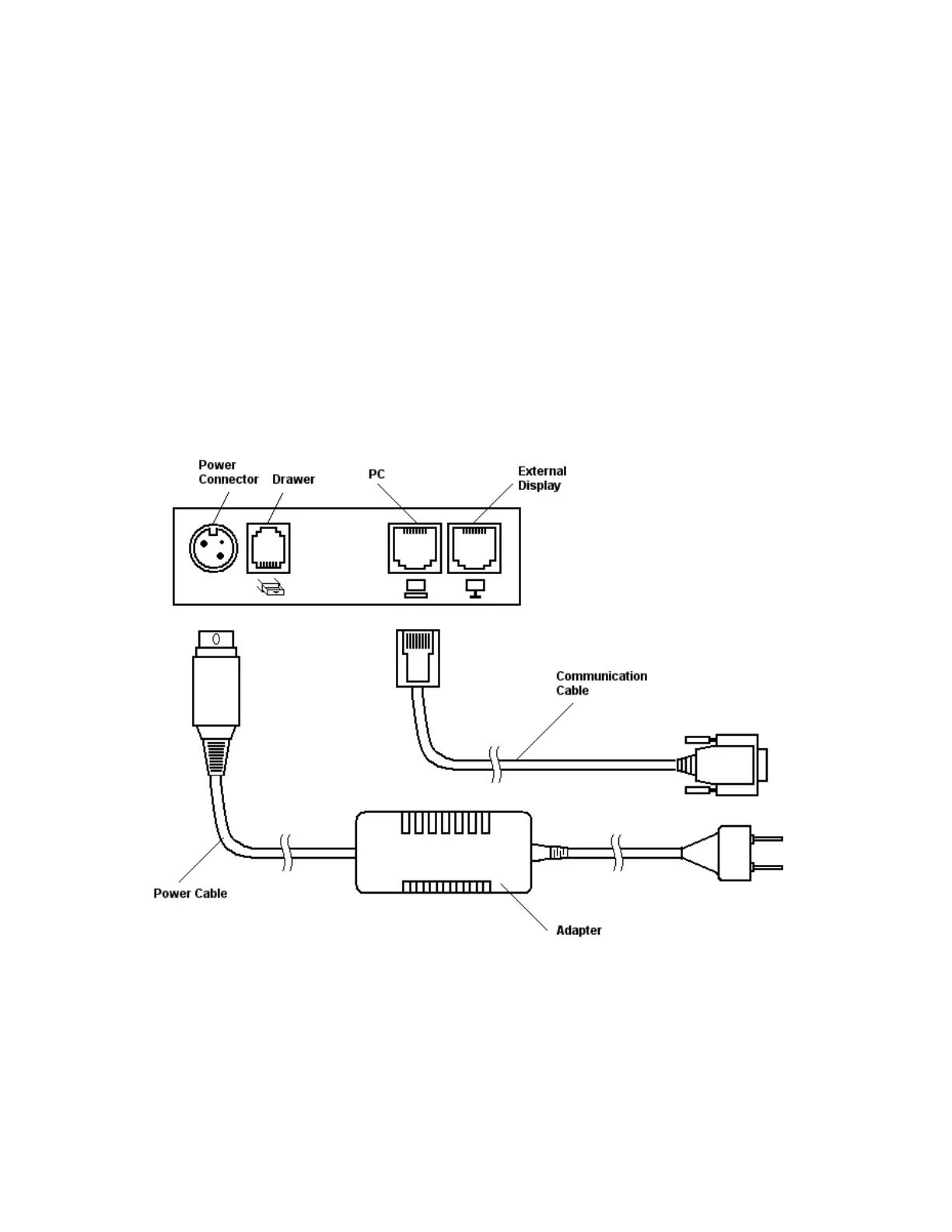
2.1 Connecting the AC adapter and AC power cord
2.1.1 Switch the printer's power button off.
2.1.2 Insert the power cable connector into the power connector
on the back side of the printer.
2.1.3 Connect the AC power cord to the AC adapter, and insert the
AC-power cord plug into a suitable wall outlet.


 To Next Page