30
8.2.4 Testing the detectors
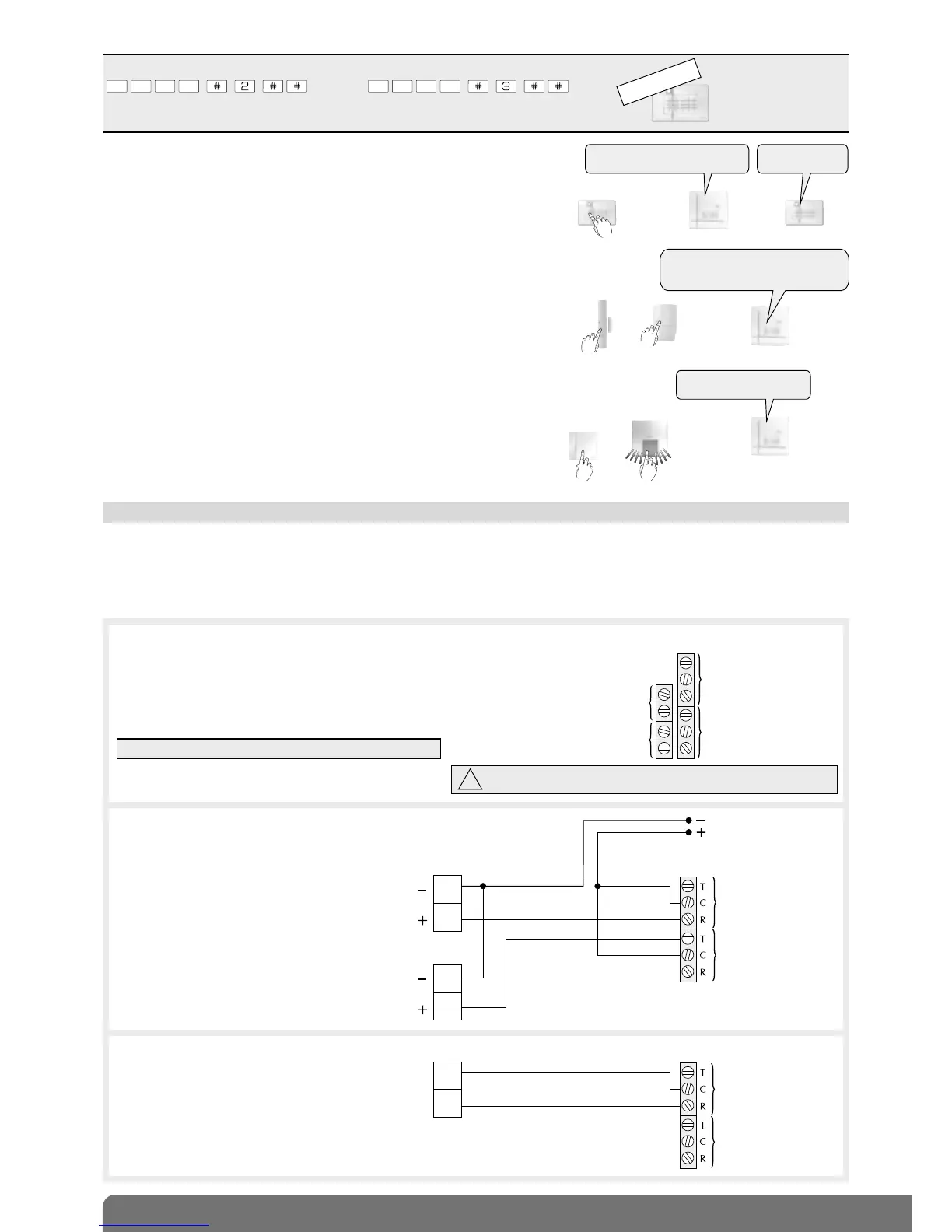
Press the “test” button on the detectors (> 5 s) and the control panel issues
the voice message: “bip, test, detector X, (personalised voice message),
group Y, (immediate, time-delayed or combined)”.
8.2.5 Testing the sirens
Press the “test” button (> 5 s) and the sirens issue a beep, their strobe flashes
for 3 s and the control panel issues the voice message:
“bip, siren X, (personalised message)”.
“bip, siren X,
(personalised message)”
)))))
)))))
“bip, test, detector X, (personalised
voice message), group Y, (immediate,
time-delayed or combined)”
(
(
(
(
(
(
(
(((
(
(
(
(
(
(
(
(
(
(
or
or
8.3 Connecting the relay outputs
If activated, the “Tamper” input (for connecting potential-free conductors only) protects one of the 2 wired outputs (see
“Summary of parameters, parameter 48” in control panel manual).
Use a 0.22 mm
2
twisted wire with a maximum length of 200 m for the connection.
Relay outputs 1 and 2 are activated in relation to the chosen parameters (see “Summary of parameters, parameters 46 and
47”).
Electrical characteristics of the connection terminal block
Electrical characteristics of relay outputs:
• relay outputs 1 and 2 have 3 terminals:
- 1 break: R
- 1 common: C
- 1 make: T
• 0.5 A 24 V AC or 1 A 30 V DC
Example 1: connection of relay 1 and 2
outputs to a recording controller
Example 2: connection of relay 2 output
to NO alarm input of video recorder
IMPORTANT: connect the outputs with the power off.
Do not connect the 230 V mains supply to the relay outputs.
Recording controller
Video recorder
Power supply
12 V back-up
Channel 1
OPERATING/NOT
NO
alarm
input
Channel 2
ALARM
(active with no alarm,
INACTIVE WITH ALARM)
8.2.3 Testing the keypads
Press the “Off” button on the keypads and the control panel issues the voice
message: “bip, off, remote control unit X, (personalised message)”.
)))))
The keypads must be in installation mode. If they are not, enter:
then
INSTALLATION
MODE
master code installer code
“bip, off, remote control unit X,
(personalised message)”
“beeep”



 To Next Page