5
2.4 Description
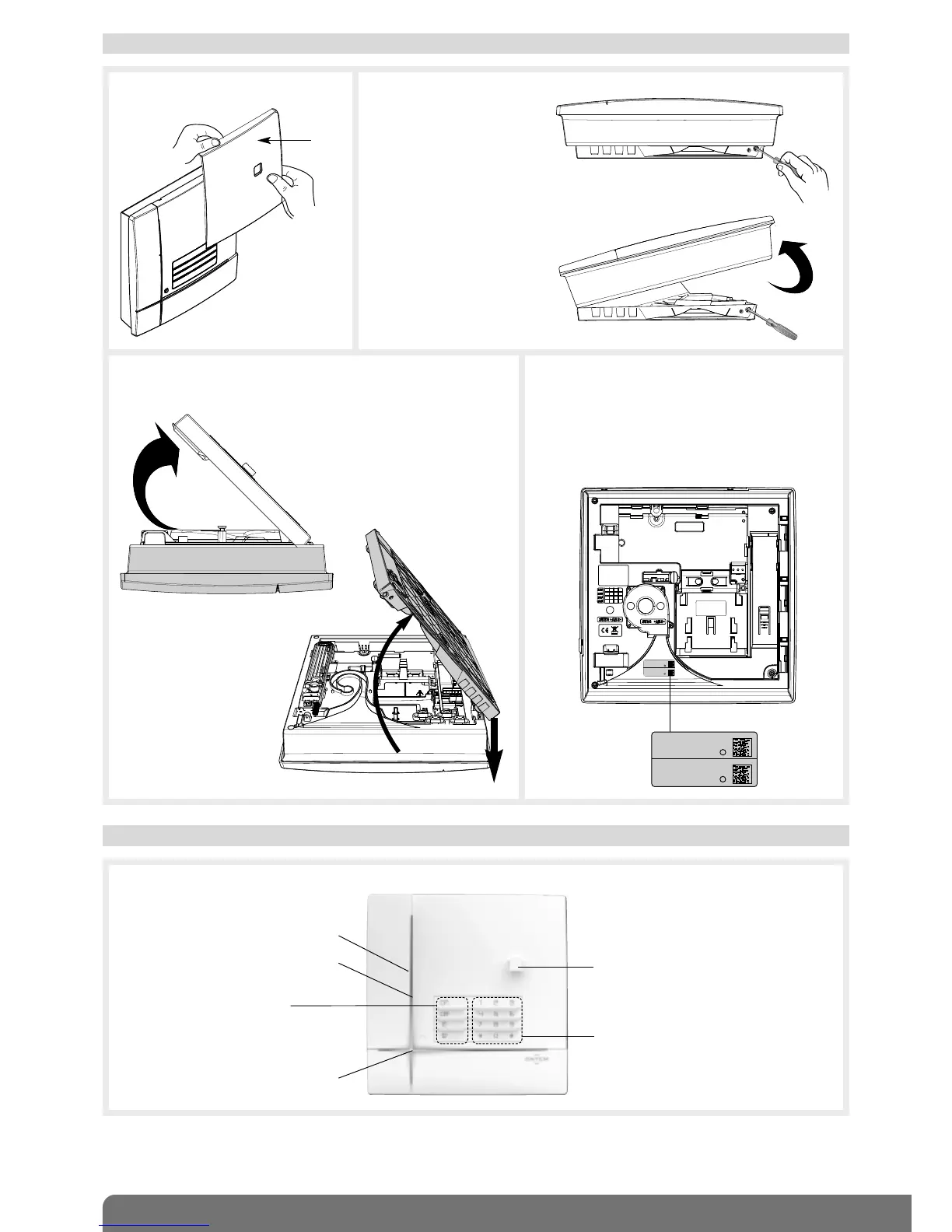
Control panel
Loudspeaker
12 programming buttons
2.3 Opening the control panel
Cover
1. Remove the cover. 2. Insert a screwdriver into
the bottom right-hand side
(A) of the base and push
on it in order to open the
control panel (B).
A
B
3. Place the dialler on a flat surface and then remove the base
by inclining it an angle of 45° and pulling it downwards.
4. Guarantee sticker
Remove the pre-cut part of the guarantee
sticker and stick it to the guarantee certificate
inside the user manual supplied with the
control panel. If you are adding to an existing
system, use the guarantee certificate supplied
with this product.



 To Next Page