Login
8
Forgot the password
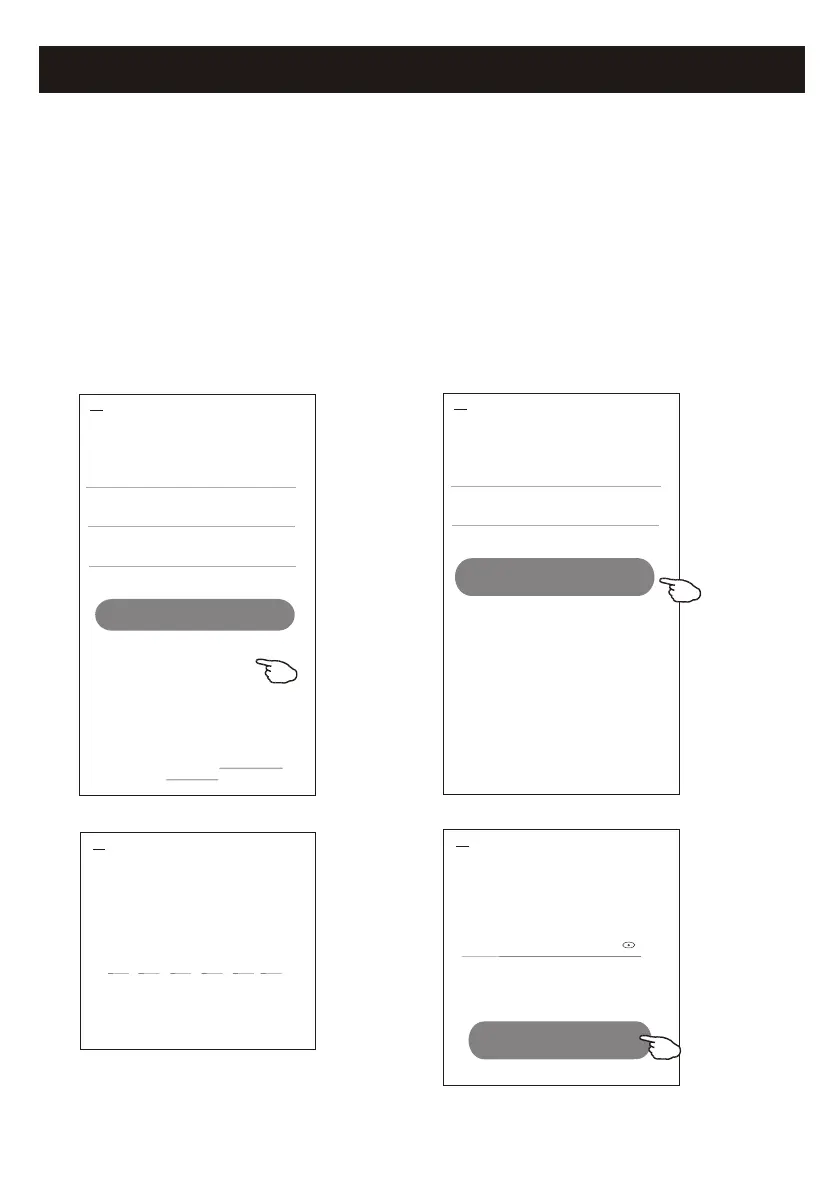
If you forgot the password or you want to reset the password, operate as below:
1. Tap "Forgot password".
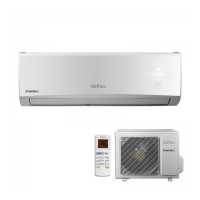
2. Enter your account(e-mail address) and tap button
"Obtain verification code".
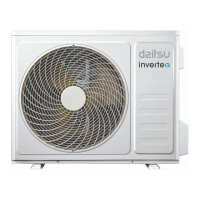
3. Enter the verification code received by your e-mail.
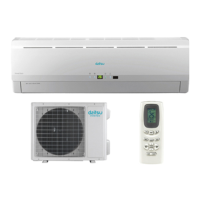
4. Set the new password and tap button "Done".
Login
******* >
Email address
<
Log in
Password
Forgot password
Forgot password
****** >
*********** X
<
Obtain verification code
Enter verification
code
Verification code is sent to your email:
***********,Resend(55s)
* * * * * *
<
Set Password
6-20 characters for password, including character, numbers
******
<
Done
Login means that you agree with User Agreement and
Privacy Policy



 To Next Page