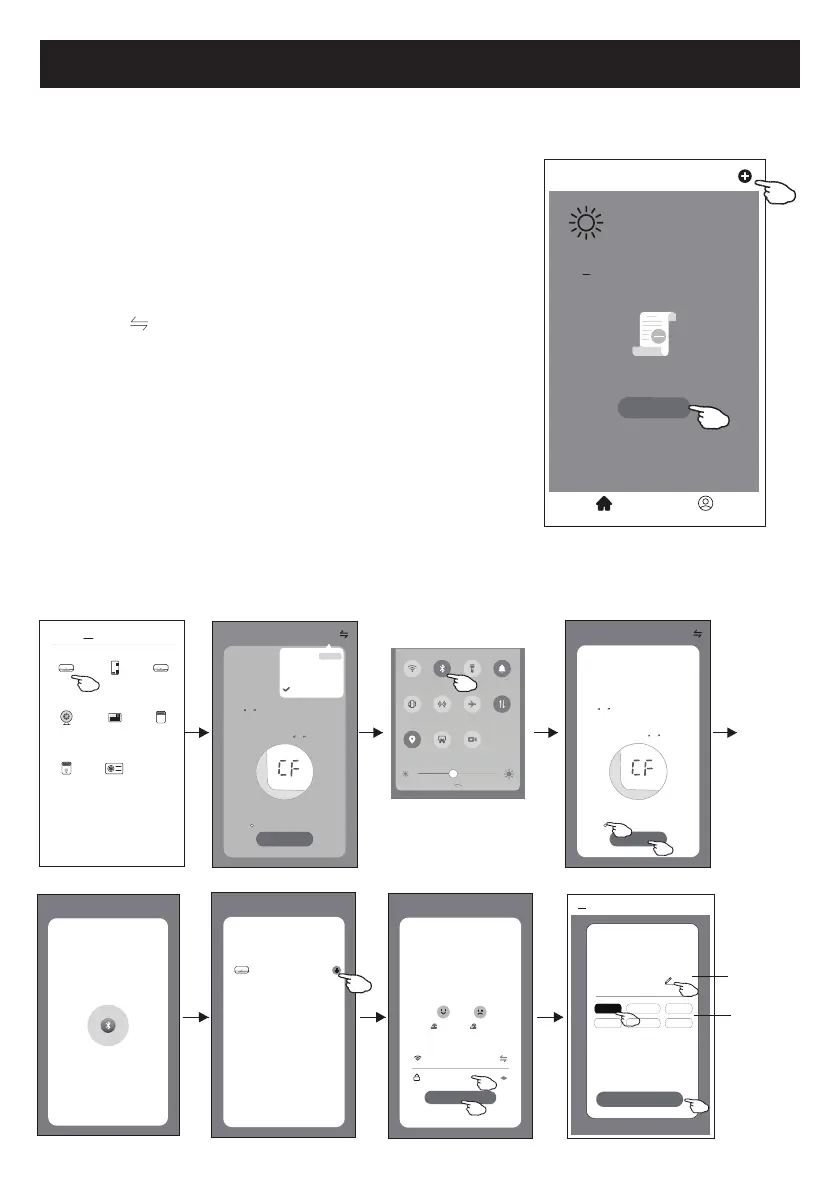
Aggiung
ere dispositivo
Ci sono 3 met
odi per aggiungere un dispositivo.
Modalità Bluetooth
1. Accendere l'un
ità interna, non è necessario avviare il
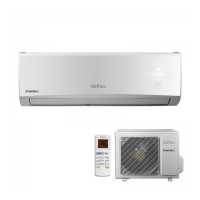
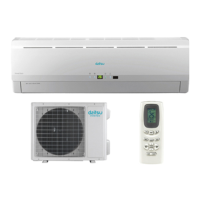
condiziona
tore d'aria
2. Far
e clic su "+" nell'angolo in alto a destra della schermata
"Home (Pagina iniziale)" o t
occare "Add device (Aggiungi
dispositivo)" nella stanza che non ha alcun dispositivo.
3. Tocc
are il logo "Air conditioner (Condizionatore d'aria) (BT + Wi-
Fi)".
4. Assicurar
si che il Bluetooth del smartphone sia disponibile.
5. Tocc
are
nell'angolo in alt
o a destra e scegliere "Bluetooth",
poi segui i commenti sullo schermo per ripristinare il modulo
Wi-Fi, poi selezionare "Confirm the blue tooth is rese (Conferma
che il Blue tooth è stato ripristinato)" e toccare "Next (Avanti)".
6. Selezionar
e uno dei dispositivi trovati e toccare " +"
7. Inserire la pas
sword Wi-Fi che è la stessa del smartphone
connesso
, quindi toccare "Next (Avanti)".
8. Si può veder
e la percentuale del processo di connessione, allo
st
esso tempo
"PP","SA","AP" si illuminano a turno sul display interno.
"PP" significa "Searching the router (Ricerca del router)"
"SA" significa "connected to the router (connesso al router)"
"AP" significa "connected to the server (connesso al server)"
<
Welcome Home
Set your home locaon for more
informaon
All Devices Living Room
Master
...
Add Device
Home Me
Work office
<
No devices
Select 2.4 Ghz
Wi-Fi Network and
enter password
Next
Cancel
If your Wi-Fi is 5GHz, please set it to
bo 2.4GHz.Common router seng
method
2.4
GHz
5
GHz
*******
Password
Help
Select Device to Add
Next
Cancel
Air condioner
WLAN
Bluetooth
Flashlight
Sound
Auto-rotate
Huawei Share
Airplane
mode
Mobile data
Locaon
Screenshot
Screen
Recorder
<
Add Manually
Auto Scan
Dehumidifier
Air Condioner
(BT+Wi-Fi)
Fresh Air
Purifier
Split Air
Conditioner
Window Type
Air Condioner
Portable Air
Conditioner
Security
Camera
Swimming
Pool H/P
AP Mode
Reset the devLFHILUVW
Method1:When there is a DISPLAY key on the
remote control, press the DISPLAY key 6 times
in the me of 8 seconds; when there is no
DISPLAY key on the remote control, press the
ECO key 6 mes in the me of 8 seconds unl
the device beeps twice and the LCD screen
show CF .
Next
Cancel
Confirm the device is reset.
Reseng Devices
<
Method2:Press the General key 9 mes in the
me of 8 seconds unl the device beeps twice
and the LCD screen show CF .
CF Mode
AP Mode
Bluetooth
Default
CF Mode
Reset the device first.
Method1:When there is a DISPLAY key on the
remote control, press the DISPLAY key 6 mes
in the me of 8 seconds; when there is no
DISPLAY key on the remote control, press the
ECO key 6 mes in the me of 8 seconds unl
the device beeps twice and the LCD screen
show CF .
Next
Cancel
Confirm the device is reset.
Reseng Devices
<
Method2:Press the General key 9 mes in the
me of 8 seconds unl the device beeps twice
and the LCD screen show CF .
Help
Bluetooth Search
The search process may take up to
two minutes. Please do not perform
any operaons during this me.
Next
Cancel
Scanning nearby devices...
Add Device
<
Device added
successfully
Sample1
Living Ro...
Dining R...
Master Be... Second B...
Kitchen Study Ro...
Done
Rinominare
il dispositiv
o
Selezionare
la stanza



 To Next Page