NOTE
When replacing ear pads
ensure that they are ro-
tated fully clockwise and
click twice into position.
Incorrectly fied ear
pads will impact on head-
phone bass reproduc-
tion and noise-cancelling
performance.
5. MAINTAINING YOUR DALI
IO-8 HEADPHONES
5.1 Ear Pads
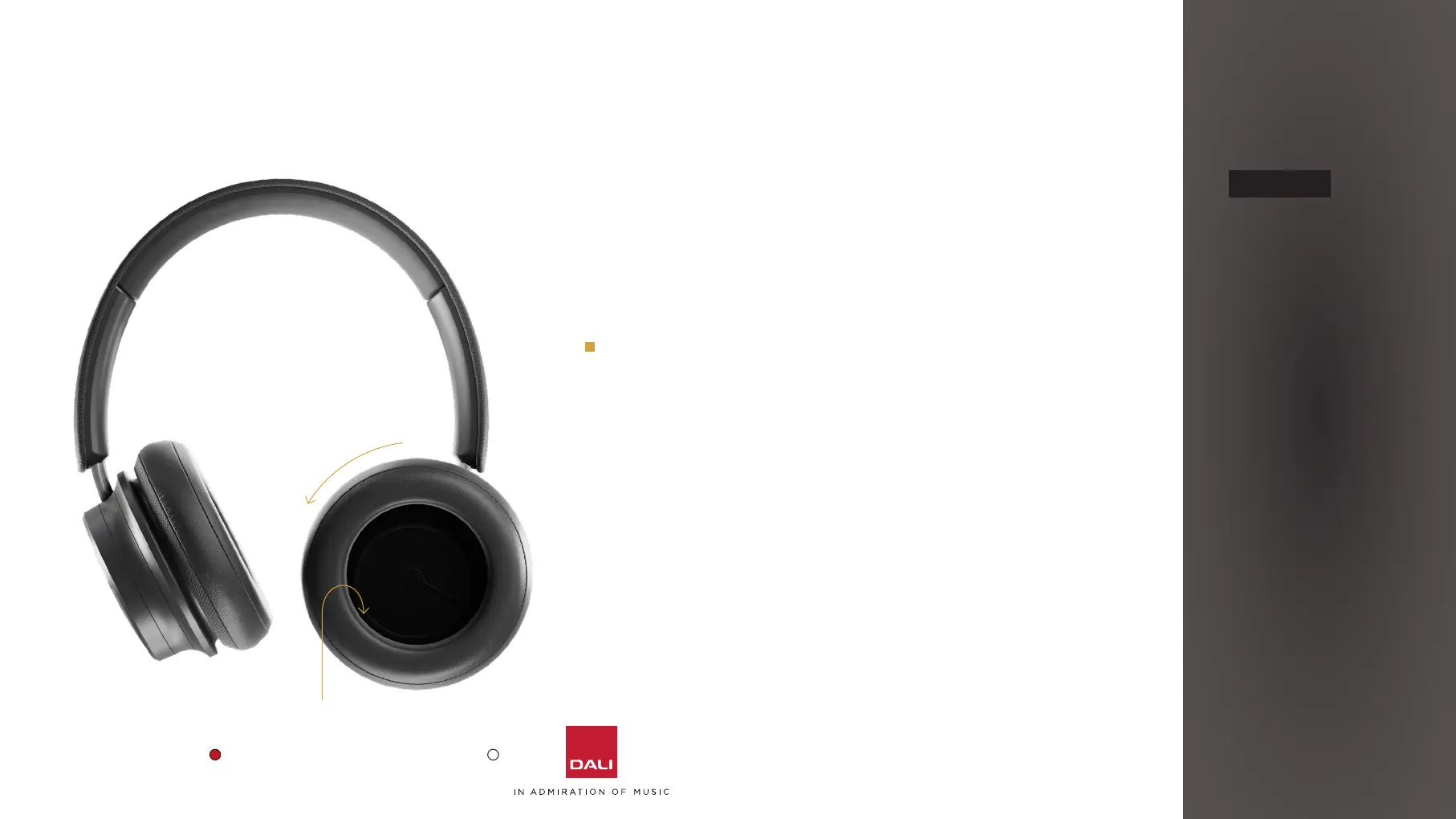
IO-8 headphone ear pads can be removed for cleaning or
replacement. The ear pads aach via a bayonet fiing.
To remove an ear pad, simply turn it anti-clockwise and li
it away from the headphone cup.
Replacement ear pads can be ordered through your local
DALI retailer or distributor, or directly from DALI at
www.dali-speakers.com
5.2 Cleaning
If your IO-8 headphones need cleaning, wipe their surfaces
with a so, lint-free cloth. A slightly damp cloth may be
used for stubborn marks, but it is important that your IO-8
headphones do not get wet. The use of abrasive or solvent
based cleaning fluids is not recommended.
Twist the ear pad
anti-clockwise to
remove it.
Use the colour coded markings on inside of ear pad
and housing to align ear pad correctly. Right ear pad is
marked in red and le ear pad is marked in white .
16



 To Next Page