3 x
2 x
1 x
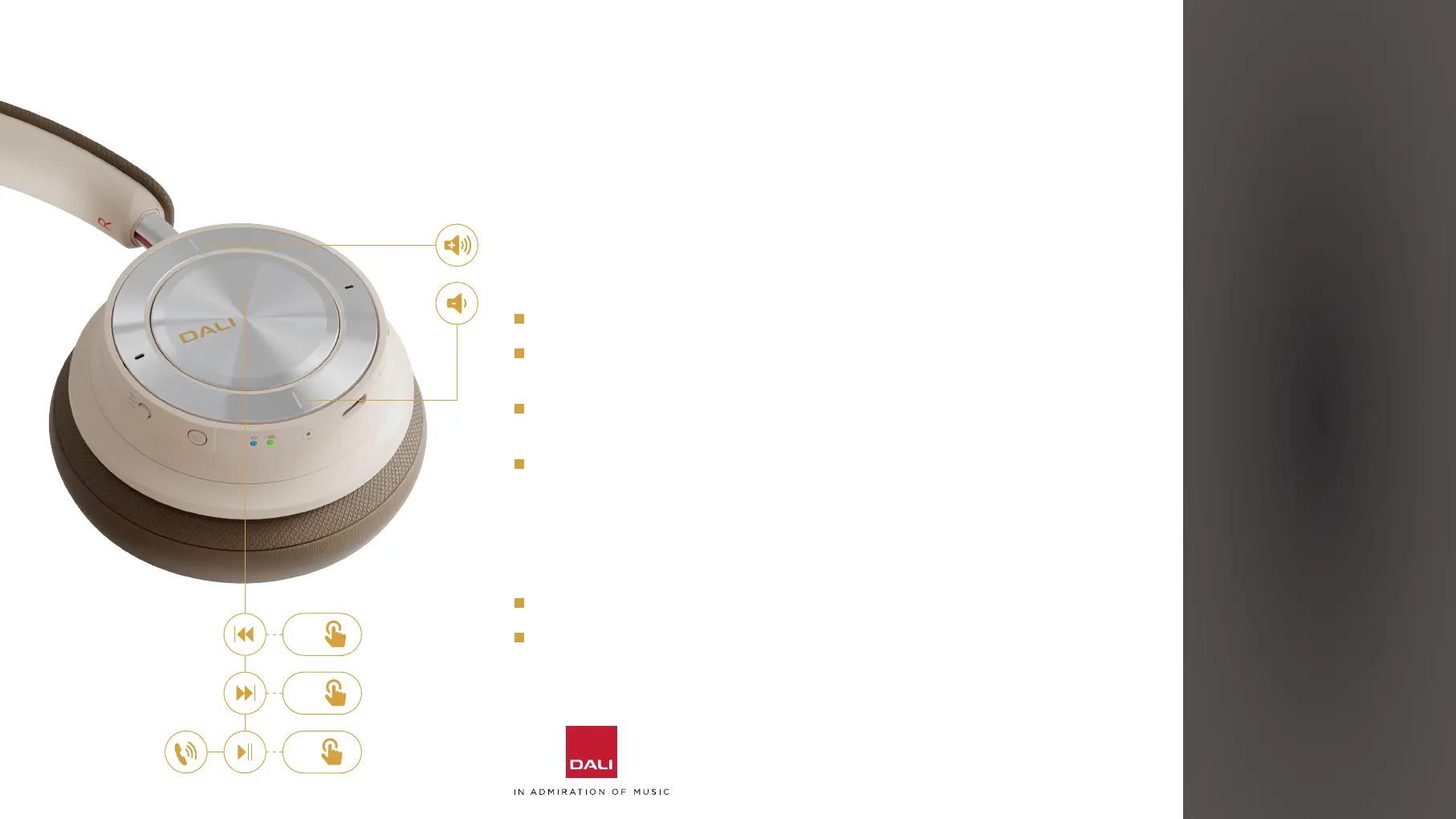
4.5 Controlling Your DALI IO-8 Headphones
When your IO-8 headphones are connected to an audio device via Bluetooth
you can control audio playback via a buon built into the centre panel of the
right headphone cup. If the Bluetooth audio device is a smart phone, the buon
can also be used to answer and end phone calls.
Press the buon once to play or pause audio, or to take or end a phone call.
Press the buon twice in quick succession to skip audio playback to the
next track.
Press the buon three times in quick succession to skip audio playback to
the previous track.
Press and hold the buon to engage a smart phone virtual assistant (Siri,
Google Assistant for example). Press the buon once to disengage the
virtual assistant.
Headphone volume for Bluetooth and USB audio sources is controlled via
buons built into the outer ring of the right headphone cup.
Press the upper side of the outer ring to increase headphone volume.
Press the lower side of the outer ring to decrease headphone volume.
4. USING YOUR DALI IO-8 HEADPHONES
13



 To Next Page