NOTE
If you have any ques-
tions concerning the
operation or perfor-
mance of your IO-8
headphones you can
contact DALI support at:
www.dalispeakers.com
5. MAINTAINING YOUR DALI
IO-8 HEADPHONES
5.3 Restart and Reset
If at any time your IO-8 headphones behave erratically they
may need to be restarted or, in some cases, reset to their
factory configuration.
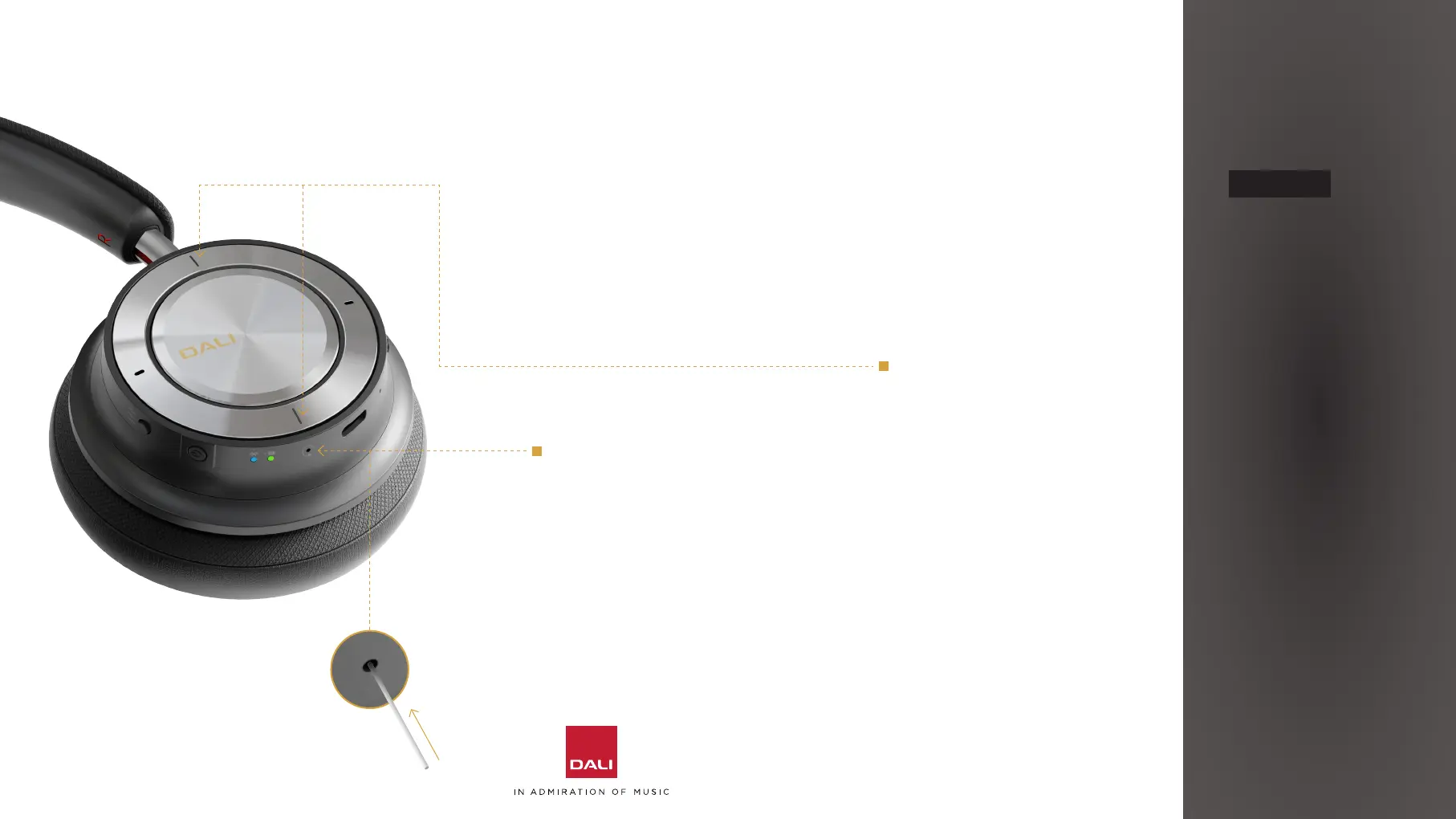
To restart your IO-8
headphones, use a small pin,
(e.g. a paper clip) to press
and hold the restart buon
located on the right ear cup
for three seconds.
The headphones will retain their
Bluetooth device memory when
they restart.
To reset your IO-8
headphones to their factory
configuration, press and hold
both the volume up and down
buons while at the same
briefly pressing the power
buon while the headphones
are switched on.
The headphones will restart
in factory (unused) condition
with no Bluetooth devices
memorised.
17



 To Next Page