33
(accessible by the user - no PW needed)
This function allows the user to start a periodic cleaning cycle of the grinding chamber (a week-
ly cleaning is suggested). This cleaning cycle must be carried out with a suitable cleaning product
purchased exclusively from the coffee grinder installer.
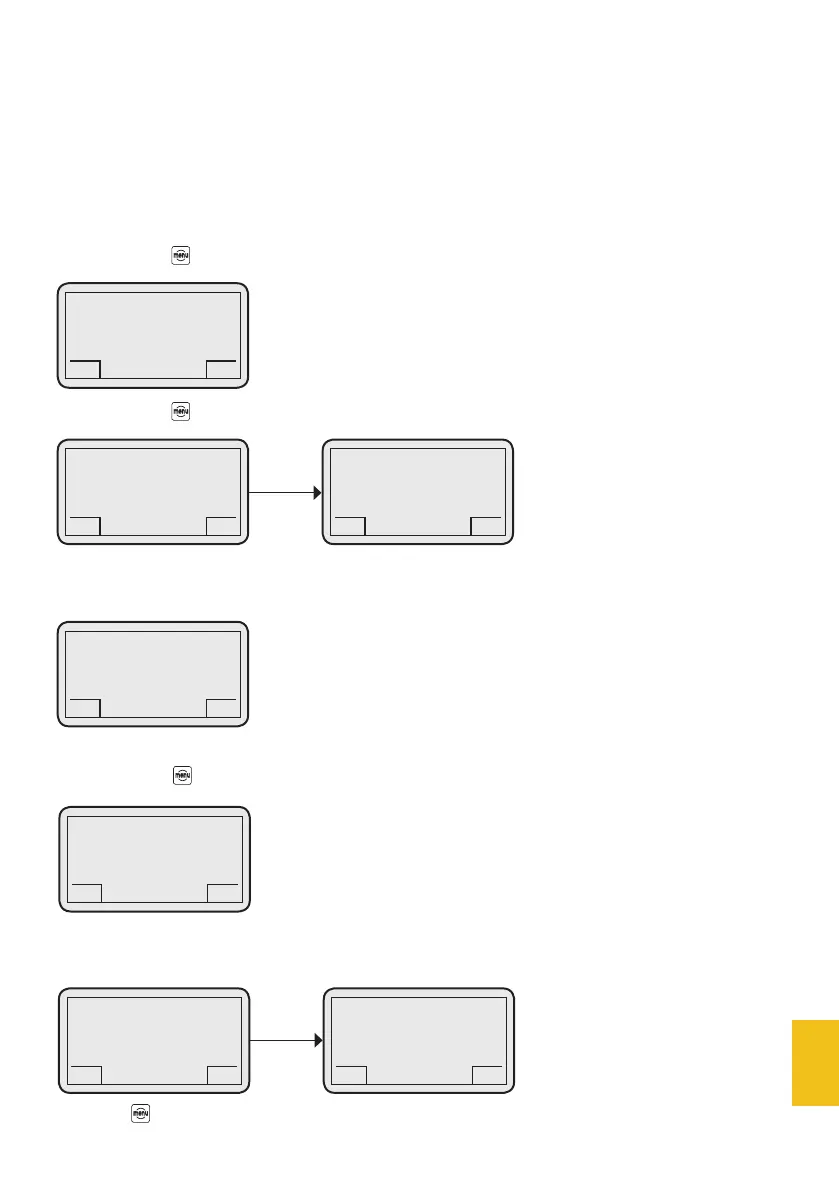
Remove all coffee beans from the hopper.
If you press the button, the display will show:
If you press the button, the display will show:
Collect the remaining ground coffee into a food container.
Right after the remaining coffee has been ground, the display will show:
Put the cleaning product in the hopper.
4. Burr cleaning
DC-ONE
GCS
4.1 Start
GCS
DC-ONE
GCS
Introduce cleaning
tablets
GCS
DC-ONE
GCS
Open gearmotor
GCS
DC-ONE
GCS
Grind remaining coffee
GCS
If you press the button, the display will show:
During this phase, collect the ground cleaning product and throw it in organic waste bin.
At the end of the cleaning cycle, the display will show:
Press the button for 3 seconds to go back to the main page.
DC-ONE
GCS
Close gearmotor
GCS
DC-ONE
GCS
Burr cleaning
completed
GCS
DC-ONE
GCS
Burr cleaning
GCS


 To Next Page