34
(accessible by the user - no PW needed)
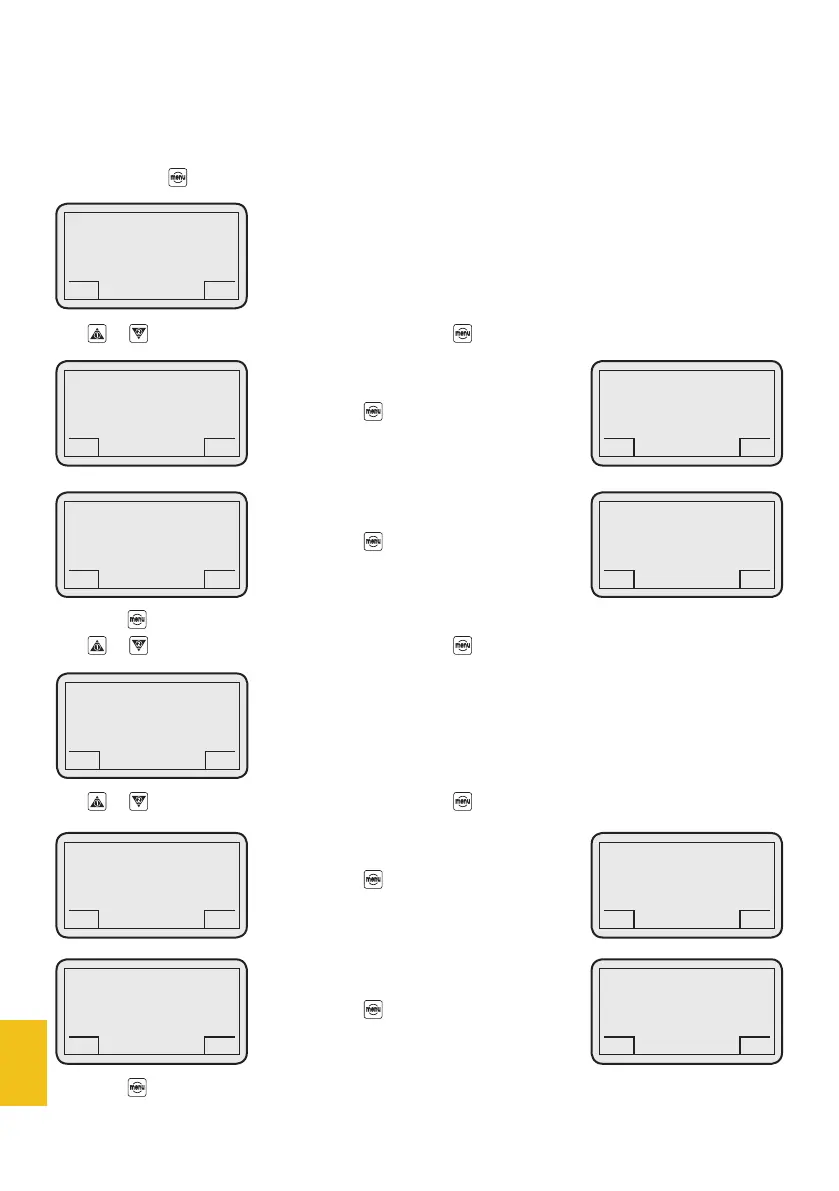
This function is used to display all coffee dose counters.
If you press the button, the display will show:
Use or to select the desired menu item and press to enter.
If you press the button, the display will show:
If you press the button, the display will show:
Press the button for 3 seconds to go back to menu 5- counters.
Use or to select the desired menu item and press to enter.
Use or to select the desired menu item and press to enter.
If you press the button, the display will show:
If you press the button, the display will show:
Press the button for 3 seconds to go back to menu 5. Counters.
5. Counters
DC-ONE
GCS
5.1 Partial
GCS
DC-ONE
GCS
5.2 Total counters
GCS
DC-ONE
GCS
5.1.1 Single
GCS
DC-ONE
GCS
5.2.1 Single dose total
GCS
DC-ONE
GCS
5.2.2 Double dose total
GCS
DC-ONE
GCS
Dose 1 0000000000
GCS
DC-ONE
GCS
Dose 1 0000000000
GCS
DC-ONE
GCS
Dose 1 0000000000
GCS
DC-ONE
GCS
5.1.2 Double
GCS
DC-ONE
GCS
Dose 2 0000000000
GCS


 To Next Page