E-
9
Airing Your Room
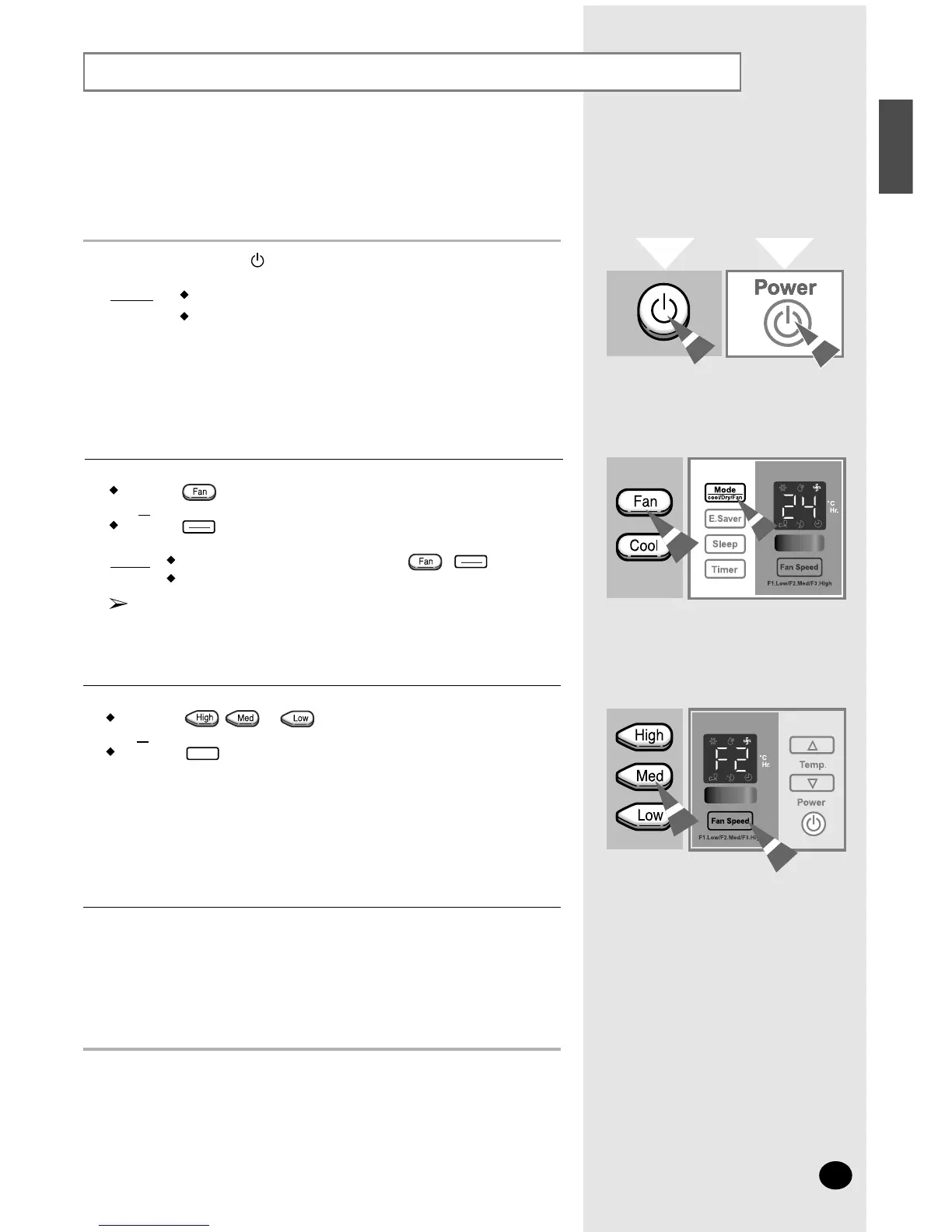
If you want to provide air circulation without cooling, you can use
the Fan mode.
If necessary, press the (On/Off) button.
Result: The air conditioner starts up in the Cool mode
.
The unit beeps twice.
1
To set the fan speed:
Press the , or button on the remote control as desired.
or
Press the button on the unit one or more times until the
desired fan speed(F1, F2 or F3) is displayed.
3
To control the direction of the air flow, refer to page 11.
4
If the fan speed(F1, F2 or F3) is not displayed on the control panel:
Press the button on the remote control
or
Press the button on the unit one or more times until the fan speed
(F1, F2 or F3) is displayed.
Result: The unit beeps each time you press the / button.
The air conditioner starts up in Fan mode.
You can change modes at any time.
When the air conditioner is in the Fan mode, the temperature
cannot be set or displayed.
2




 To Next Page