EasyManua.ls Logo

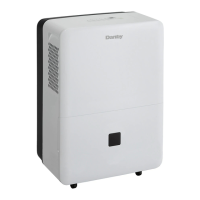
Danby DDR70B1CP - User Manual

Danby DDR70B1CP
39 pages
Print Icon
To Next Page IconTo Next Page
Loading...
Danby Products Limited, Ontario, Canada N1H 6Z9
Danby Products Inc., Findlay, Ohio, USA 45840
V1.12.12.DM
• Owners Use and Care Guide
• Guide d’utilisation et soins de Propriètaire
• Guía de uso y de mantenimiento del propietario
Model • Modèle • Modelo
DDR30B1GP, DDR45B1GP, DDR70B1CP
FOR YOUR SAFETY: Read these instructions carefully before operating the unit.
POUR VOTRE SÉCURITÉ: Lire attentivement ces instructions avant d’utiliser l’appareil.
PARA SU SEGURIDAD: Lea y observe todas las reglas de seguridad y las instrucciones de operación
antes de usar este producto.
USER’S MANUAL
ENGLISH
1
FRANÇAIS
13
ESPAÑOL
25

Questions and Answers

  • E
    Eric LozanoAug 8, 2025
    Why won't my Danby DDR70B1CP turn on?
    • E
      esmithAug 8, 2025
      Your Danby Dehumidifier might not be starting due to several reasons. First, ensure the dehumidifier is properly plugged into the outlet. Check your house's fuse or circuit breaker and replace the fuse or reset the breaker if necessary. The dehumidifier might have reached its preset level or the bucket could be full, in which case you should adjust the settings or empty the bucket. Also, make sure the bucket is correctly placed. Lastly, consider that after a power failure, there's a protective time delay of up to 3 minutes to prevent compressor overload.
  • H
    hgutierrezAug 18, 2025
    How to improve the drying performance of my Danby DDR70B1CP?
    • N
      Nicholas WalkerAug 18, 2025
      If your Danby Dehumidifier isn't drying the air effectively, consider these points: Allow at least 24 hours for the unit to reach the desired dryness when first installed. Ensure that airflow isn't restricted by curtains, blinds, or furniture. If the filter is dirty, clean it. Adjust the Humidity Control to a lower percentage or set it to CO (continuous) for maximum dehumidification. Check that all doors and windows are tightly closed. Ensure your clothes dryer isn't blowing moisture into the room, and if so, vent the dryer to the outside. Also, keep in mind that moisture removal is most effective at higher room temperatures above 41°F (5°C).
  • N
    nixonmichaelAug 27, 2025
    What to do if my Danby Dehumidifier bucket is not in the proper position?
    • B
      Brian MurphyAug 27, 2025
      If your Danby Dehumidifier doesn't start and you suspect the bucket's position, make sure the bucket is correctly placed and securely seated. The dehumidifier will not operate if the bucket is not in the proper position.

Summary

Users Manual Introduction

Safety Warning

Read and follow all safety instructions before operating the unit.

Important Safety Information

Safety Precautions

General Safety Precautions

Lists essential safety measures for operating the dehumidifier.

Control Panel and Controls

Control Panel Overview

Identifies and explains the functions of each button and display element.

Dehumidifying Operation

Water Tank Operation

Explains how the water tank and float switch manage operation.

Air Filter Maintenance

Air Filter Care

Instructions for checking, cleaning, and re-installing the air filter.

Water Removal Methods

Bucket Water Removal

Step-by-step guide to emptying the water bucket.

Continuous Draining Setup

How to connect a hose for automatic water drainage.

Troubleshooting Guide

Danby DDR70B1CP Specifications

General IconGeneral
TypeDehumidifier
Capacity70 pints per day
Energy Star RatedYes
Noise Level51 dB
Continuous Drain OptionYes
Automatic DefrostYes
RefrigerantR410A
Operating Temperature41°F - 95°F
Voltage115 V / 60 Hz
ColorWhite
Filter TypeWashable
Coverage Area4, 500 sq. ft.

Related product manuals