17
5.8 Using as a Peripheral Storage Device
The first time it is used as a peripheral storage device, a driver must be installed if the computer’s
storage system is an older one.
For the first use, turn the So Speaky HDMI on, and connect it to the computer via the USB cable.
The installation process will begin on the computer.
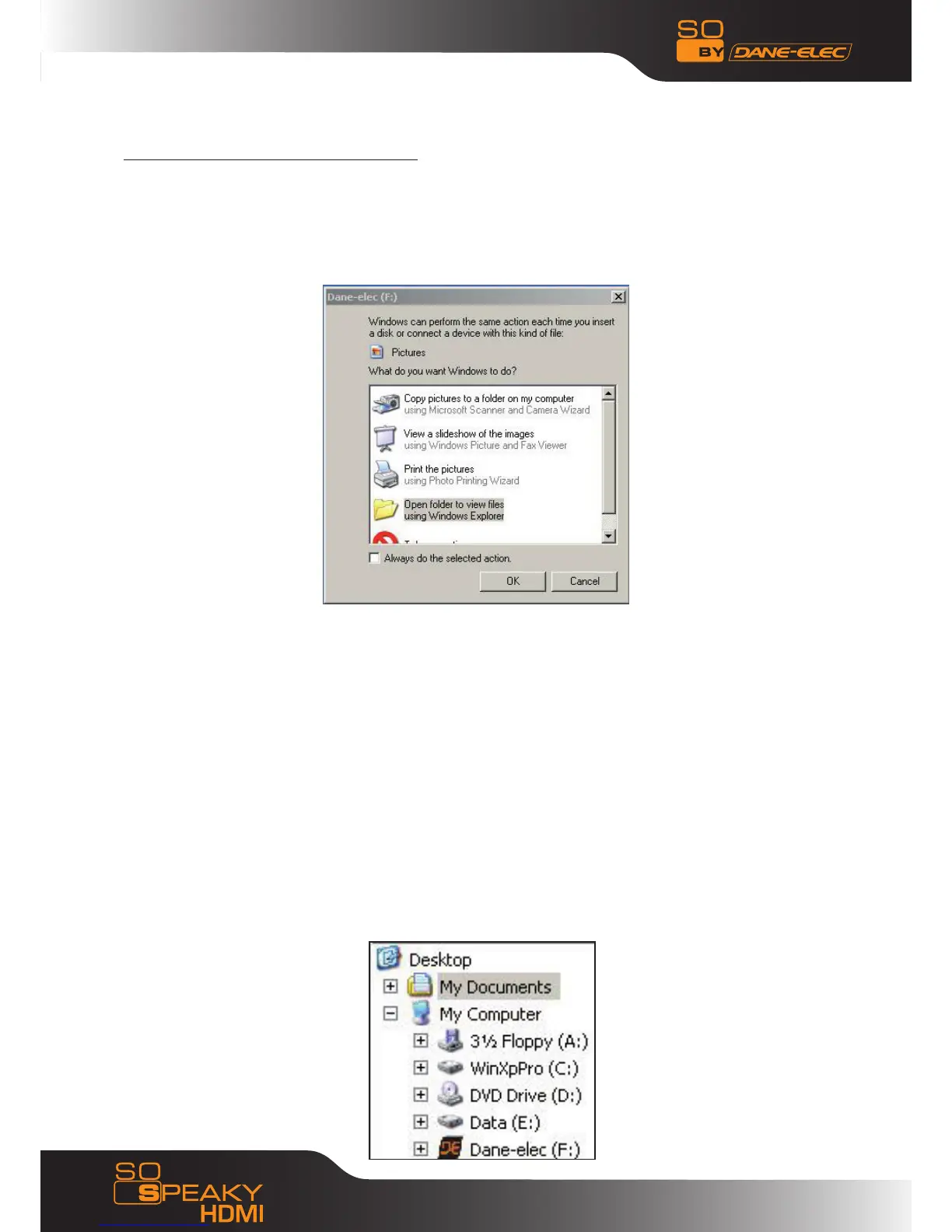
Then, in a Windows Explorer window, the Black&Orange “DE” Dane-Elec logo will be displayed,
followed by letter in parentheses that corresponds to your So Speaky HDMI’s address.
A green arrow-shaped icon shaped will appear in the task bar. The media player can now be
used as an external peripheral storage device
Comment: Your So Speaky HDMI’s hard disk was pre-formatted in FAT32, so it can be used right
away.
Step-by-Step:
- Turn on your computer and launch Windows
- Connect the So Speaky HDMI
- Let Windows search for and automatically install the driver.
- Open “My Computer” to view your external hard drive.
If the system does not recognize the player before the cable has been connected, connect the
device before launching your operating system.



 To Next Page