Default screen
• Press
• Press
• Press
Enter password:
• Press
6 times
• Press
• Press
• Press
or
to see the language
possibilities
Press to conrm.
• Press 3 times
• Press
or
to select between
STORE NO or STORE YES.
Select STORE YES by pressing
Default screen appears:
Language setup completed
How to change the language setting (Default: English)
• Go to SUPERVISOR menu (see page 7).
• Go to parameter 2.9.4 Reset Factory.
• Select RESET FACTORY YES
• Press 3 times to return to default screen.
Factory reset completed.
Reset to factory setting
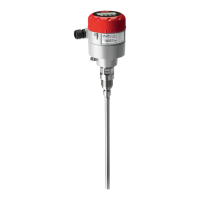
AKS 4100
DISTANCE
5000 mm
AKS 4100
1.0.0
QUICK SETUP
AKS 4100
2.0.0
SUPERVISOR
AKS 4100
2.0.0
___________
AKS 4100
2.1.0
INFORMATION
AKS 4100
2.7.0
DISPLAY
AKS 4100
2.7.1
LANGUAGE
AKS 4100
LANGUAGE
ENGLISH
AKS 4100
2.7.1
LANGUAGE
AKS 4100
1.0.0
STORE NO
AKS 4100
DISTANCE
5000 mm
12 | AN23828644201102-000601
© Danfoss | Climate Solutions | 2022.07


 To Next Page
 Loading...