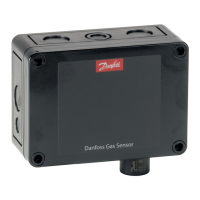
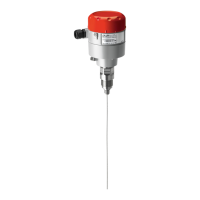
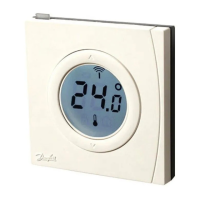
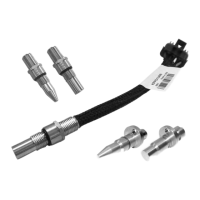
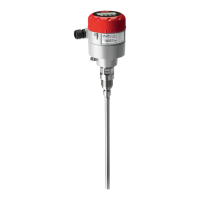
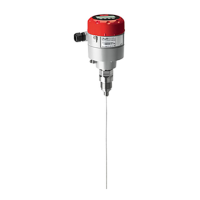
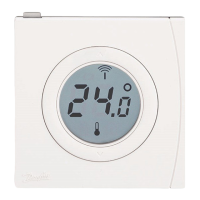
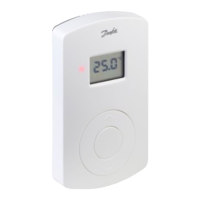
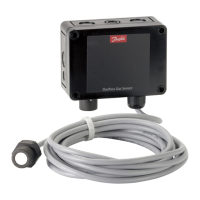
The Danfoss Gas Sensor, Type DGS, is a safety device designed to detect high gas concentrations and provide alarm functions. It is intended for use in refrigeration systems and is available in configurations with one or two sensors, and optionally with a Buzzer & Light (B&L) unit. The DGS operates as a digital device with self-monitoring capabilities, displaying internal errors via an LED and MODBUS alarm messages.
Function Description:
The DGS detects various gases, including HFC groups 1, 2, and 3, CO2, and propane. It provides alarm functions when gas concentrations exceed predefined thresholds. The device can be integrated with Building Management Systems (BMS) via a MODBUS interface or operated using a hand-held Service Tool. The DGS offers both warning and critical alarm relays, with configurable room modes for single or dual sensor applications. In a "1 Room" mode, both sensors share the same warning and critical relays. In a "2 Rooms" mode, each sensor has its own critical alarm relay. The device also features an analog output (AO) that can be configured for either voltage (0-10V) or current (0-20mA) output, reflecting the measured gas concentration.
Important Technical Specifications:
- Power Supply: The DGS is powered by 24 V AC/DC. A Class II power supply is recommended. For Modbus network communication with other devices powered by the same supply, direct current power supply is strongly recommended, especially for more than 5 DGS units or bus cable lengths exceeding 50m.
- Baud Rate: Configurable via jumper JP4, default is 38400 Baud, can be changed to 19200 Baud.
- Analog Output (AO_01): Configurable via jumper JP5 for 0-20mA or 0-10V output. The output signal can be scaled to represent 50% or 100% of the sensor head range.
- Relays: Includes Rel. 1 (warning) and Rel. 3 (critical). Relay 3 is normally closed (NC) for critical alarms, while Relay 1 is normally open (NO) for warning alarms. In "2 Rooms" mode, Relay 1 acts as a critical relay for sensor 1, and Relay 3 for sensor 2, both becoming SPDT NC.
- Digital Input (DI_01): Dry-contact input behaving identically to the Ackn./Test button.
- Voltage Alarm Limits: The DGS goes into voltage alarm if the supply voltage is below 16V or above 28V (for DGS software version lower than 1.2) or 33.3V (for all other cases).
- Sensor Types: Supports HFC grp 1 (R1234ze, R454C, R1234yf, R454A, R455A, R452A, R454B, R513A), HFC grp 2 (R407F, R416A, R417A, R407A, R422A, R427A, R449A, R437A, R134A, R438A, R422D), HFC grp 3 (R448A, R125, R404A, R32, R507A, R434A, R410A, R452B, R407C, R143B), CO2, and Propane (R290).
- Sensor Head Placement: For gases heavier than air (all supported DGS gases), the sensor head should be placed approximately 30 cm (12") above the floor, preferably in the air flow.
- Hysteresis: Alarm thresholds have a hysteresis of approximately 5%.
Usage Features:
- Keypad Operation: The hand-held Service Tool features 6 buttons for operation: ESC (exits programming, returns to previous menu), ENTER (enters sub-menus, saves settings), UP/DOWN arrows (scrolls, changes values), and LEFT/RIGHT arrows (changes cursor position).
- LED Indicators:
- GREEN: Continuous for power on, flashing for maintenance needed.
- YELLOW: Continuous for error (sensor disconnected/wrong type, AO configured but no current, supply voltage out of range), flashing for special mode (e.g., parameter changes).
- RED: Flashing for alarm due to gas concentration.
- Ackn./Test Button (DI_01):
- TEST (8 sec press): Simulates critical and warning alarms, AO goes to max.
- ACKN (during critical alarm): Resets relays and Buzzer for 5 minutes (user-defined duration and relay inclusion).
- Code Levels: All parameter changes are protected by a four-digit numeric code ('1234' for service technician access). Status messages and measuring values are visible without a code.
- Menu Structure: Clear, intuitive, and logical menu structure with a starting menu, main menu, and 5 sub-menus under "Installation and Calibration."
- Display: Shows device type, gas concentrations (scrolling for multiple sensors), warm-up time, error status, alarm status, relay status, measuring values, display parameters, and calibration options. The display backlight changes from green to red during an active alarm.
- Sensor Replacement: Simple sensor exchange via a plug connection. The internal routine automatically recognizes the new sensor, checks its type and measuring range against the configuration, and restarts measurement.
- System Integration: MODBUS address can be set via the DGS Service Tool for integration with Danfoss system managers (AK-SM 720/350/800).
Maintenance Features:
- Regular Testing: DGS must be tested regularly to maintain product performance and comply with local requirements. A test button is provided to validate alarm reactions.
- Bump Test/Calibration: Sensors must be tested by bump test or calibration. Danfoss recommends minimum calibration intervals: DGS-IR: 60 months, DGS-SC: 12 months, DGS-PE: 6 months. For DGS-IR, an annual bump test is recommended in years without calibration.
- Zero-point Test: Can be performed with fresh outdoor air to read out potential zero offset using the Service Tool.
- Trip Test: Involves gassing the sensor with reference gas to exceed alarm thresholds and verify output functions.
- Calibration Menu: Accessible via the Service Tool, includes zero calibration, gain calibration, and zero point calibration of the analog output.
- Zero Calibration: Stepwise process to calculate and save a new zero point.
- Gain Calibration: Stepwise process to calculate and save a new gain based on a test gas concentration.
- Burn Clean: Only available for combustible gases (propane).
- Analog Output Zero Point Calibration: Adjusts the zero point of the analog output (4mA) when the minimum output is 2V or 4mA.
- Operating Data Menu: Retrieves relevant operational data from the sensor head, such as software version, days of operation, expected remaining lifetime, min/max temperature, number of calibrations, sensitivity, days since last calibration, and maintenance days remaining. No modifications are possible in this menu.
- Error Status Menu: Displays pending faults and error messages related to the sensor (Out of Range, Wrong type, Removed, Calibration due, Voltage Error).


 To Next Page
 General