EasyManua.ls Logo

Danfoss VLT LCP 21 - User Manual

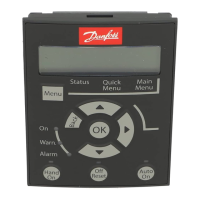
Danfoss VLT LCP 21
2 pages
Print Icon
To Next Page IconTo Next Page
Loading...
Mounting
Ordering number for the VLT
®
Control Panel LCP 21: 132B0254
1.
Slide the VLT
®
Control Panel LCP 21 into the display
cradle on the top of the frequency converter.
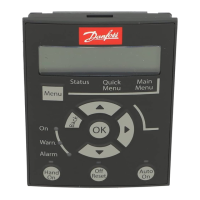
Illustration 1.1 Mount the VLT
®
Control Panel LCP 21
Installation Instructions
VLT® Control Panel LCP 21
Danfoss A/S © 11/2015 All rights reserved. MI06B202

Other manuals for Danfoss VLT LCP 21

Question and Answer IconNeed help?

Do you have a question about the Danfoss VLT LCP 21 and is the answer not in the manual?

Summary

Mounting

Slide into Display Cradle

Slide the VLT® Control Panel LCP 21 into the display cradle on the frequency converter.

Push into Place

Push the VLT® Control Panel LCP 21 into its final position.

Summary

Mounting

Slide into Display Cradle

Slide the VLT® Control Panel LCP 21 into the display cradle on the frequency converter.

Push into Place

Push the VLT® Control Panel LCP 21 into its final position.

Danfoss VLT LCP 21 Specifications

General IconGeneral
TypeLocal Control Panel
Display TypeLCD
BacklightYes
Keypad TypeMembrane
Input Voltage24 V DC
Communication ProtocolsFC Protocol
Operating Temperature0°C to 55°C
Storage Temperature-25°C to 70°C
Relative HumidityMax. 95% RH, non-condensing
Compatible DrivesVLT series drives
CompatibilityVLT AQUA Drive FC 202

Related product manuals