DB-70 Automatic Wheel Balancer 21 P/N 5900261 — Rev. A1 — January 2021
⚠ WARNING Always wear ANSI-approved eye protection. An accident could cause significant
injuries to your eyes.
• The Wheel Balancing Machine may operate differently than other Wheel Balancing Machines you
have used. Dannmar recommends that Operators practice on multiple non-customer wheels to get
familiar with how the product works before starting work on customer Tires.
• Keep the work area clean and well lit. Dirty, cluttered, and dark work areas increase the chances of
an accident occurring.
• Do not access the inside of the unit unless instructed to do so by Dannmar Support.
⚠ WARNING Do not use the Wheel Balancing Machine in a wet environment or expose it to rain
or excess moisture.
• If you need to use an extension cord to supply power to the unit, use one with a current rating
equal to or greater than that of the Wheel Balancing Machine. Cords rated for less current than the
Wheel Balancing Machine could overheat. If used, arrange the extension cord so that it will not be
tripped over or pulled out.
• Do not use the Wheel Balancing Machine in the vicinity of open containers of flammable liquids.
• Clean the unit according to the instructions in the Maintenance section.
• Read the enTire
Installation and Operation Manual before using the Wheel Balancing Machine.
• Make a visual inspection of the Wheel Balancing Machine
before each use
Do not operate the
Wheel Balancing Machine if you find an issue. Instead, take it out of service, then contact your
dealer, visit
Dannmar.com/support, or call Dannmar at (877) 432-6627.
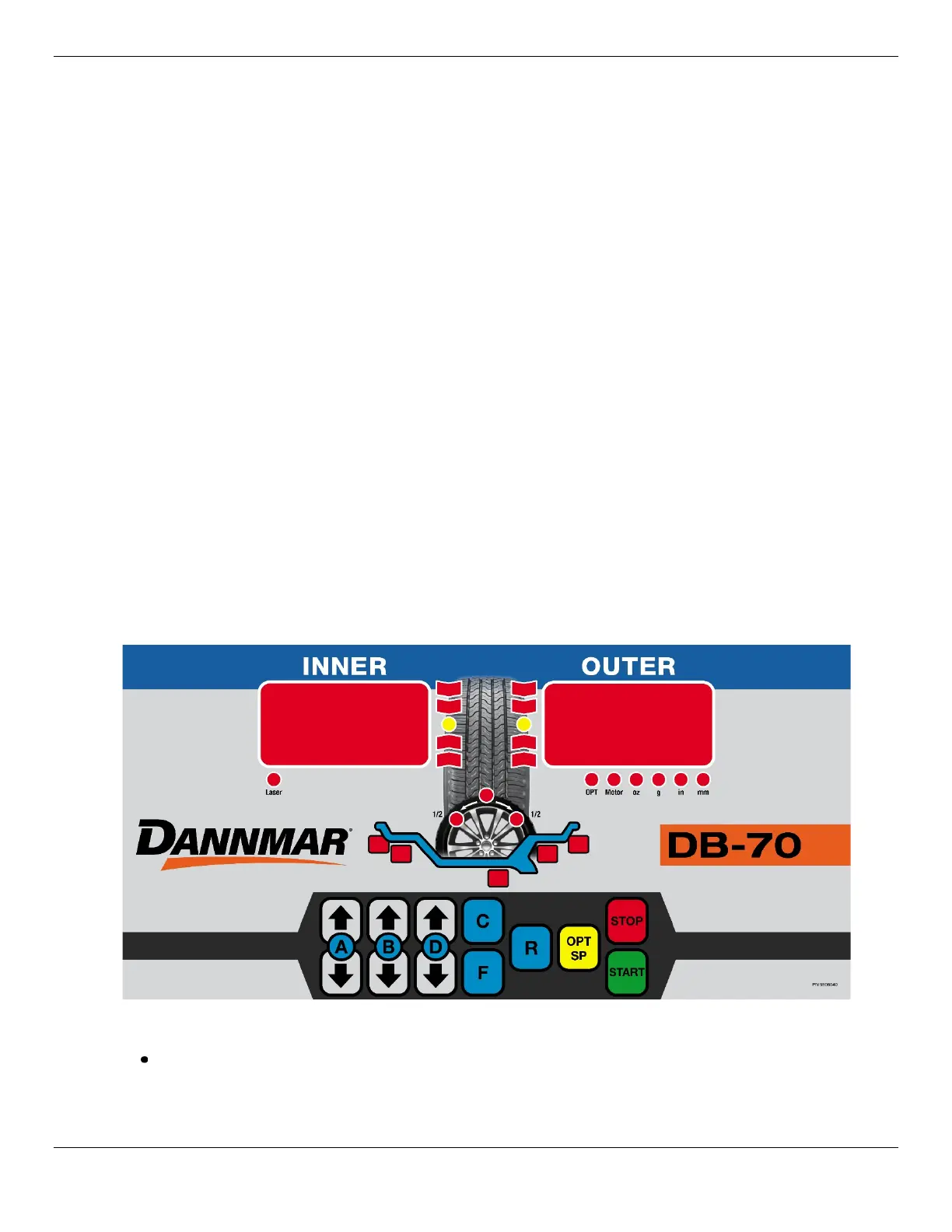
Front Panel Display and Controls
The parts of the Control Panel include:
Inner Display Window. During Measurements—before testing the Wheel for balance—this
Window indicates which measurement need to be entered. After testing the Wheel—it displays the
weight that needs to be added to the inner side/plane of the Wheel, if any.


 To Next Page