DB-70 Automatic Wheel Balancer 48 P/N 5900261 — Rev. A1 — January 2021
System Parameter Settings
Accessible system parameters include hidden weight rounding, operation sound reminder, display
brightness adjustment, Tire cover switch, lengthened inner distance measurement.
1. Press F + Stop
to enter the parameter settings menu.
2. Adjust the Hidden Weight: press the up or down arrow to modify the hidden value. Options are
05, 10, and15. Press
to save and move to the next parameter menu item, or press
to save
and exit.
3. Operation Sound. Press the up or down arrow to turn the sounds ON or OFF. Press R to save and
enter the next menu item. Press STOP
to save and exit parameter menus.
4. Display Brightness Adjustment. Press the up or down arrow to adjust the display brightness up
and down. Press R
to save and enter the next parameter menu item. Press STOP
to save and exit.
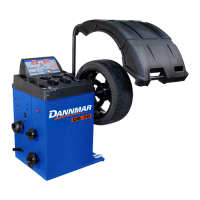
5. Tire Cover Control Switch. Balance testing will
begin automatically when the Tire Cover is in the down
position or balance testing will begin when the start
button is pressed only.
Press the up or down arrow to control this parameter On-Off. Press R
to save and enter the next
parameter menu item. Press STOP
to save and exit.
6. Lengthened Inner Distance Arm.
Press the up or down arrow to control this parameter On-Off.
Press R
to save and enter the next parameter menu item. Press STOP
to save and exit.
When the lengthened distance arm in set is set to on the default balancing mode is set to STA
Static for motorcycle Wheel Balancing. When
operating the Balancer the display shows:


 To Next Page