PAGE 6 46210/46220-0998 <90-00036>
DISTRIBUTION FRAME MOUNTING
Install the 46210/46220 using mounting holes A, B, C, or D or
mounting holes E, F, G, and H (refer to Fig. 3).
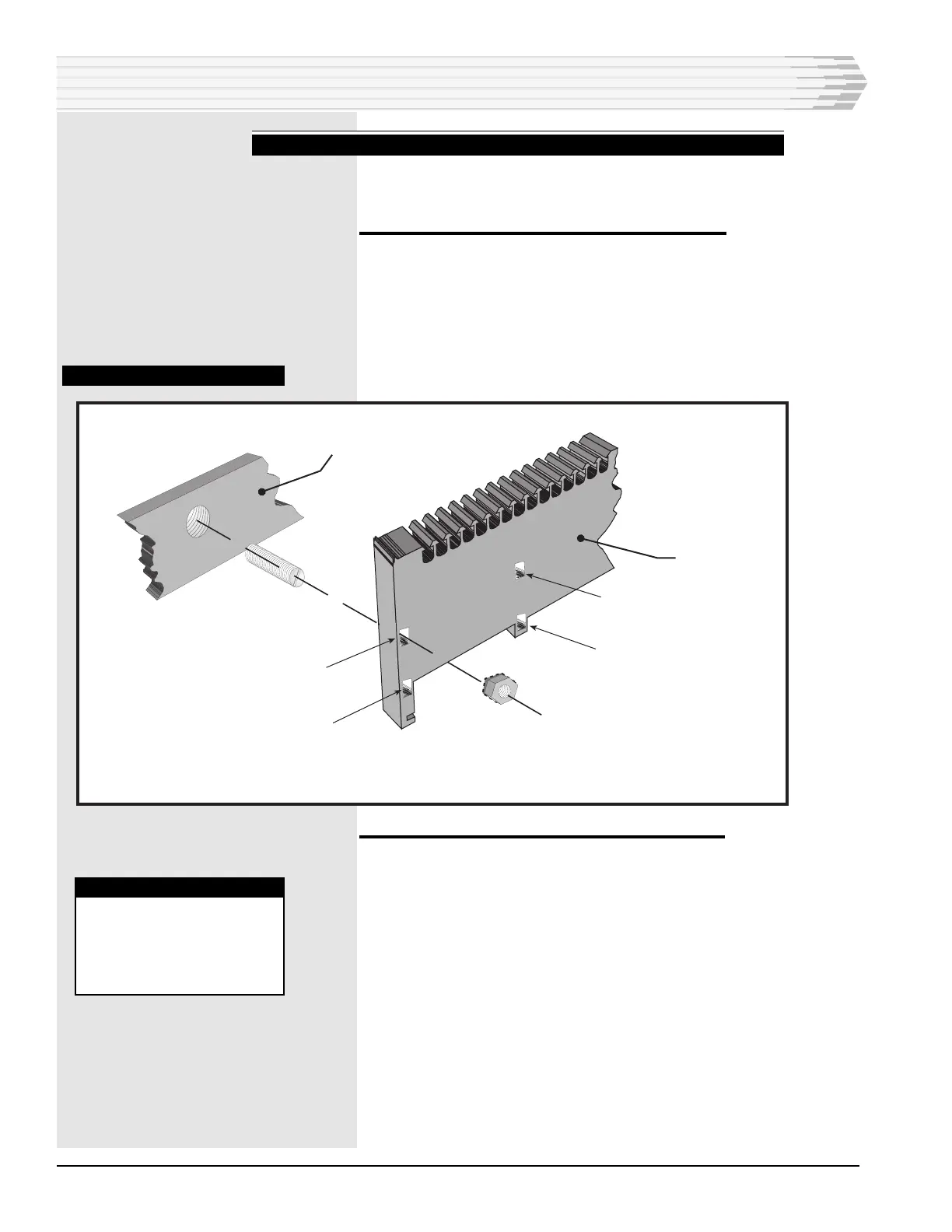
To install using mounting holes A, B, C, and D:
1. Screw the threaded studs into the distribution frame (refer to
Fig. 4).
2. Place the unit on the studs.
3. Secure the unit with the locking hex nuts.
FIG. 4 - INSTALLING STUD
INSTALLATION
To install using mounting holes E, F, G, and H:
1. Place the unit on a flat surface.
2. Hold the sides of the unit and pull out to separate the circuitry
section from mounting chassis (refer to Fig. 5).
For each mounting hole:
3. Place a lockwasher on a pan head screw (refer to Fig. 6).
4. Put the screw and lockwasher through the mounting hole of the
unit.
5. Screw the screw securely into the distribution frame.
6. Reinstall the circuitry section in the chassis. Make sure the posts
on the circuitry section are seated firmly in the holes of the chassis.
7. Installation using E, F, G, and H complete.
46210
Smart Block
Distribution Frame
A
B
E
F
WARNING:
Do not use studs and
nuts when using mount-
ing holes E, F, G, & H.
Use pan head screws
only. Refer to Figs. 3 & 6.



 To Next Page