EasyManua.ls Logo

Dantherm HCV 5 - User Manual

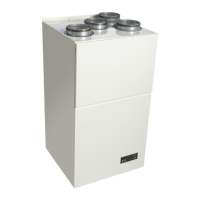
Dantherm HCV 5
88 pages
Go to English
Print Icon
To Next Page IconTo Next Page
Loading...
Focus. Trust. Initiative.
HCV 3 og HCV 5
Brugervejledning
DA GB DE FR
No. 060793 • Rev. 1.2 • 07.10.2011

Other manuals for Dantherm HCV 5

Questions and Answers

  • D
    dwilliamsAug 20, 2025
    Why does my Dantherm Fan make abnormal noises?
    • T
      Toni HullAug 20, 2025
      Abnormal noise levels from the Dantherm Fan can be caused by Fan Step 4 running (intended for short periods), a blocked filter, or incorrect installation/blocked air ducts. To resolve this, turn the unit down to Fan Steps 1, 2, or 3, or activate Automatic On-Demand Mode. Check and change the filter if needed. Also, ensure the ducts are correctly mounted and not blocked, and adjust the airflow.
  • M
    Marc JonesAug 22, 2025
    What to do if my Dantherm Fan is not cooling enough?
    • B
      brobinsonAug 22, 2025
      If the Dantherm Fan unit is not cooling sufficiently, it could be due to several reasons: if the unit is an HCV 4, it has no built-in bypass module and is functioning correctly. The outside air may be heated before entering the house, in that case move the inlet grille to the north side of the house. Temperatures may be exceeding the limits for bypass cooling, press the manual bypass to achieve cooling for the next 6 hours. Finally, the bypass damper may be jammed or the motor defective, check the bypass module and replace the bypass motor if required.
  • G
    gregory06Aug 25, 2025
    How to prevent dampness on windows with Dantherm Fan?
    • V
      vreeseAug 25, 2025
      If you observe dampness on the inside of windows and other cold surfaces, it indicates that the air replacement is too low or poorly distributed, leading to insufficient air replacement in critical rooms. Adjust the airflow and distribution from the ceiling valves to ensure adequate air replacement in critical areas. Setting the Dantherm Fan unit to Automatic Mode can help maintain appropriate dampness levels automatically. Avoid constant operation at Fan Step 1 or 2 in Manual Mode, as it may not effectively manage humidity when the moisture load in the house is high.
  • D
    danielbarnesAug 26, 2025
    How to fix yellow LED and beeping on Dantherm Fan?
    • C
      charles36Aug 26, 2025
      A yellow LED (30/min) and beeping from the Dantherm Fan indicates that the filters need to be checked or replaced. Replace the filters and reset the unit filter timer.
  • C
    Carla BerryAug 28, 2025
    What does constant red LED on Dantherm Fan mean?
    • K
      Kelly HollandAug 28, 2025
      A constant red LED and beeping on the Dantherm Fan indicates a defect on the T1 outside air sensor or the T2 supply air sensor. Check and replace the sensor set, if required.
  • H
    Heather AndersonAug 30, 2025
    How to adjust Dantherm Fan speed automatically?
    • D
      Dylan HawkinsAug 30, 2025
      If the Dantherm Fan unit is constantly running at the same speed, it is likely set to Manual Mode at a fixed speed. To resolve this, set the unit to Automatic On-Demand Mode, which will automatically adjust the airflow based on the house's requirements.
  • S
    Sarah CrawfordSep 1, 2025
    What does flashing red LED on Dantherm Fan mean?
    • J
      Joseph HartmanSep 1, 2025
      A flashing red LED (30/min) and beeping on the Dantherm Fan indicates that one of the following components is defective or has a bad connection: T3 extract air sensor, T4 exhaust sensor, or the built-in RH sensor. Alternatively, one of the two fans may not be achieving the required speed. Check and replace the sensor set if needed. Also, ensure that the fans can rotate freely and that the cables are securely connected.
  • F
    fbenitezSep 3, 2025
    Why does Dantherm Fan airflow fluctuate?
    • T
      Tamara KaiserSep 3, 2025
      The Dantherm Fan unit may be set to Automatic On-Demand Mode, which varies the airflow based on the house's needs and the outside air's relative humidity. It is recommended to set the unit to Manual Operation and select an appropriate fan step (usually Fan Step 3). Operating at airflow rates below the statutory rate may cause damage from damp and reduced air quality.
  • D
    Dawn FloresSep 5, 2025
    Why is Dantherm Fan supply air too cold?
    • W
      William WatkinsSep 5, 2025
      If the T2 supply air sensor on the Dantherm Fan has detected a temperature below 5°C, it poses a risk of frost damage to the afterheat coil. This can be due to a lack of duct insulation, very low outside temperature (below -10°C), the house not being heated, or incorrect system adjustment. Examine and correct the cause of the low supply air temperature. Insulate the ducts, install pre-heat, and perform a correct initial adjustment. Activate Installation Mode by pressing Manual + Auto for 6 seconds.
  • G
    Gregory NicholsonSep 7, 2025
    How to align Dantherm Fan drain?
    • D
      Denise SullivanSep 7, 2025
      If the Dantherm Fan unit has been misaligned, causing a gradient away from the drain, straighten the unit so that it hangs/stands horizontally/vertically.

Summary

Introduction

Warning

The power must not be connected until the ducting system has been mounted.

Description of the product

Air flow

Functional description

Important

The ventilation system must always be operating!

Manual operation and bypass

Manual bypass

The purpose of bypass is to cool down the house by leading the cold outside air flow directly into the house avoiding it is heated up in the heat exchanger.

Description of the control panel

Bypass (Only HCV 5)

The button will lit when activated and warm, moist extract air will be redirected...

Manual operation

By activating manual operation you are able to shift between 'turned off 'and Fan Step 1 to 4.

Control panel functions

Users guide

Control panel

This is the control panel which is delivered with every unit. See a description of each button below:

Manual Bypass Mode

Push this button to active Manual Bypass.

Automatic Demand Mode

Push this button to activate Automatic Demand mode of the air volume.

Manual Operation Mode

Push this button to activate Manual Operation Mode.

Advanced user functions

Preventive maintenance

Introduction

In order for home ventilation to operate safely it is necessary to carry out preventive maintenance, e.g. replacing filters and cleaning the unit.

Changing of filters

Change the filters when the filter alarm is visible on the control panel (the diode flashes yellow on and off) and the acoustic filter alarm bleeps (once every hour).

Fault finding guide

Dantherm HCV 5 Specifications

General IconGeneral
BrandDantherm
ModelHCV 5
CategoryAir Handlers
LanguageEnglish

Related product manuals