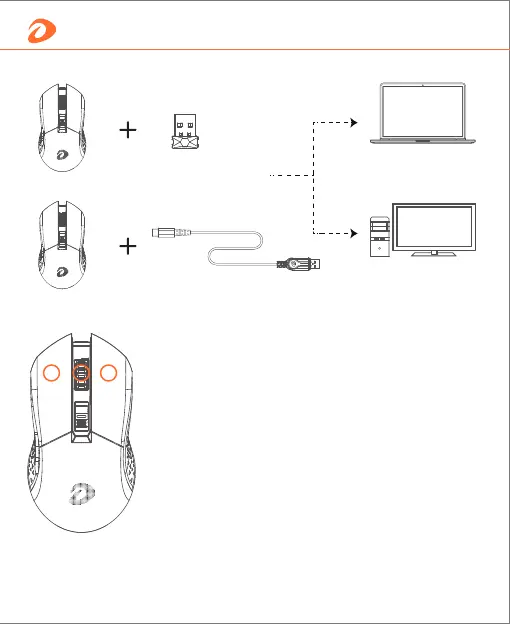
Insert the dongle into
the device, then turn
on the mouse
Plug and play
If the 2.4G wireless is not automatically paired
successfully, manual pairing is required.
1- Pull out 2.4G dongle, and turn on mouse;
Pairing Steps
2- Press Left+Middle+Right buttons in 5 seconds, Logo
indicator light will flash in yellow;
3- Insert the dongle;
4- Move the mouse close to the receiver, and the LOGO
indicator light will become constant when successful.
Laptop
PC
How to connect
4 English


 To Next Page