Combination keys
Further knowing
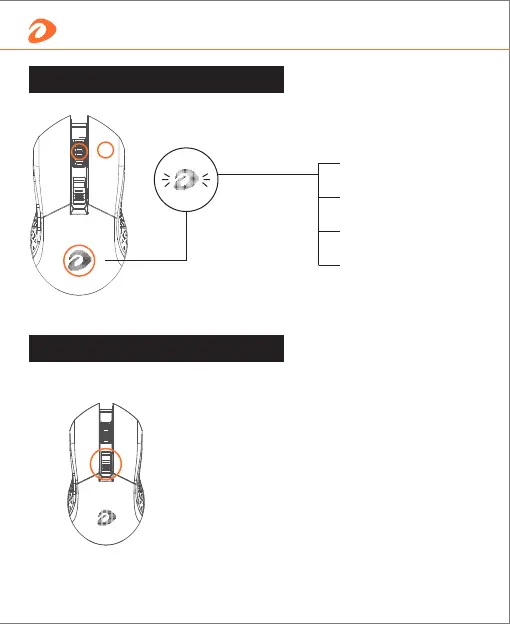
Press wheel button
+ right button for 3s,
and white indicator
light will be on.
DPI indicator light
*We can change it by software as well.
White light flashes one time
(Power-saving mode): 125Hz
White light flashes twice
(Office mode): 250Hz
White light flashes three times
(Gaming mode): 500Hz
White light flashes four times
(E-sport mode): 1000Hz
By default DPI is adjustable in 6 steps by DPI+/- button.
Red (600dpi) Blue (1200dpi)
Green (2400dpi) Yellow (3600dpi)
Orange (4800dpi) Purple (10000dpi)
Colors above are default color
DPI value/lighting color
5 English


 To Next Page