Quick Installation Guide H B 51 Hybrid inverter
Rev.1 ©2018 Darfon Electronics Corp. 8 | Page
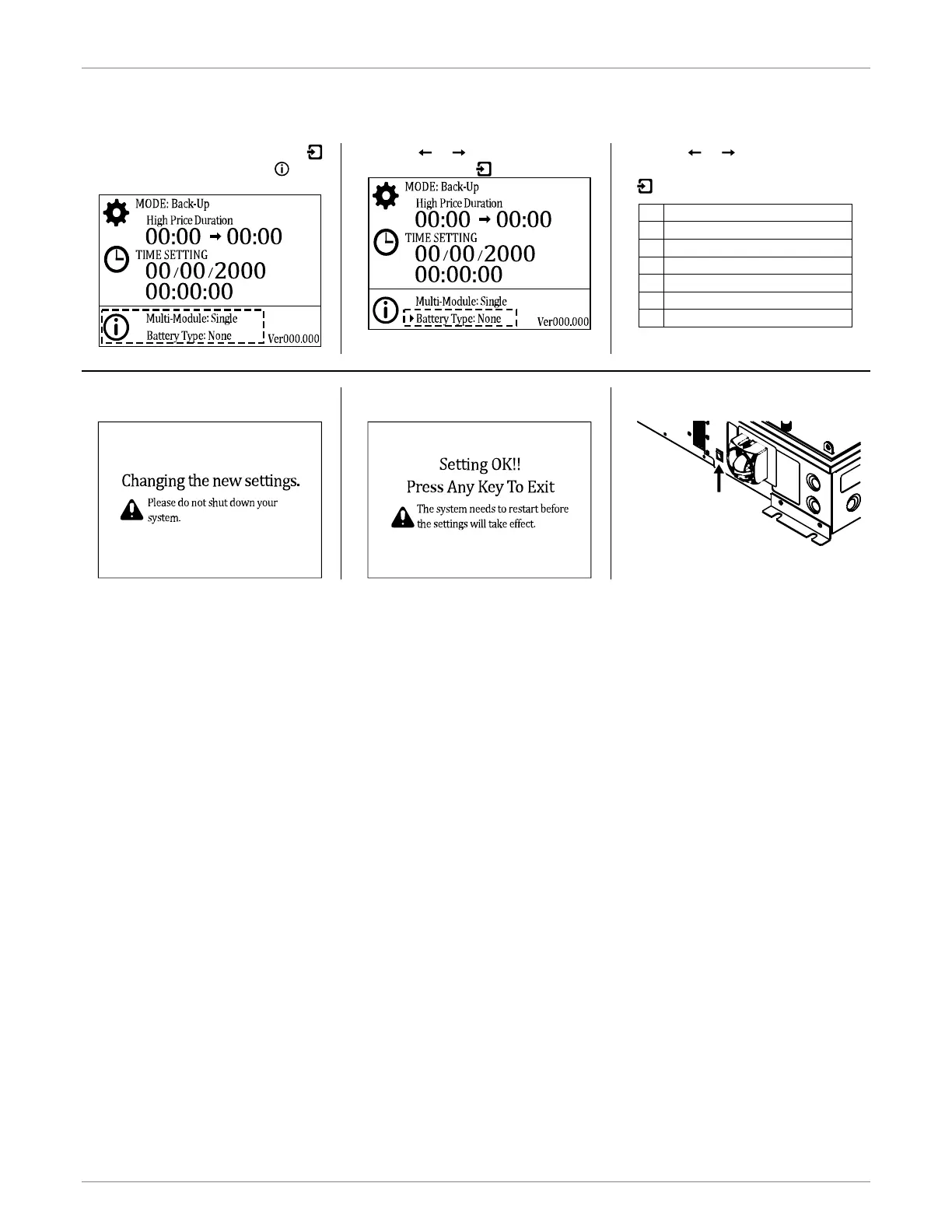
SETTING BATTERY TYPE
1. In the System Setting Page, press
to enter the page and select to
select Battery Type.
2. Use the or keys to select
Battery Type and to select it.
3. Use the or keys to toggle
between the battery types and press
to select it.
4. You will see a message stating the
settings are being updated.
5. When you see “Setting OK!!”
message, pess any key.
6. Manually restart the inverter using
the main switch.


 To Previous Page