18
Manual del Usuario / action 500 series / User’s Manual
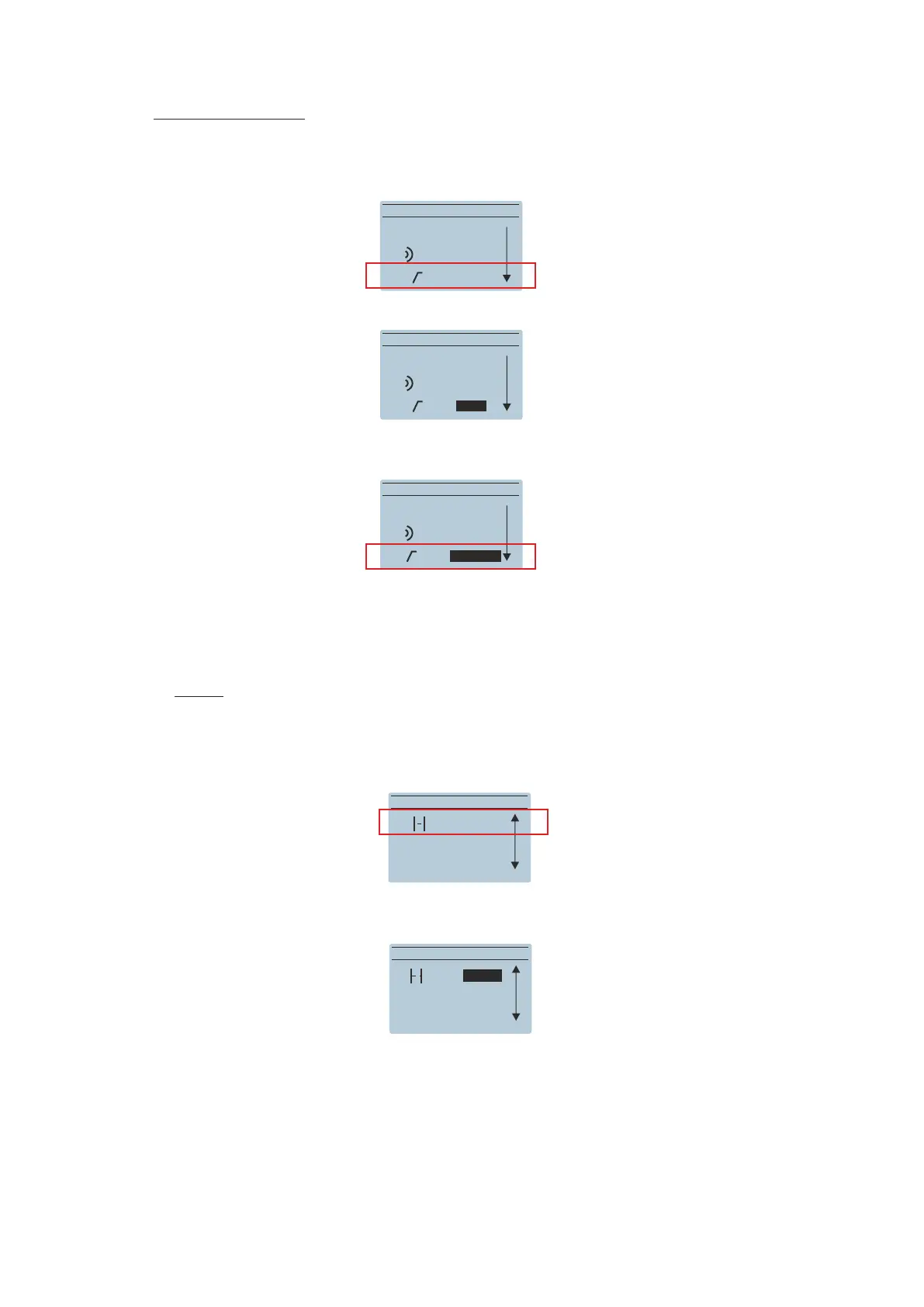
HPF (High Pass Filter):
Two options are available for the cabinets. Go to the HPF Sub-menu and press the encoder. Options
appear:
MAIN MENU
Delay: 9.9m
MAIN MENU
BACK
OPTIONS
Delay: 0.0m
MAIN MENU
BACK
PRESET: Live
HPF: Off
MAIN MENU
MAIN MENU
BACK
BACK
PRESET:Live
PRESET:Live
HPF: Off>
HPF: <SUB>
when combining with subwoofer :
ACTION-S18A, ACTION-S118A or ACTION-S218A
DELAY:
The user can set up a delay in the cabinets by using the delay Sub-menu; from 0 to 9.9m in 0.1m
steps. Delay units can be selected between meters or feet:
BACK
OPTIONS


 To Next Page