FUNCTIONS APPLICATION
Wired Android Auto:
1.Turn on Android Auto on your phone.
2.Prepare a phone USB Cable, and make sure it is original or available for data trans-
fer.
3.Use the phone USB cable to wire the “Phone Link” cable, then wait and Agree “Allow
to read phone data”
4.Turn on Android Auto on the stereo and wait for the connection to be successful.
Note: Make sure phone system in Android 12 version, support 5GHz Wi-Fi's Connec-
tivity, and your Android Auto is the latest version.
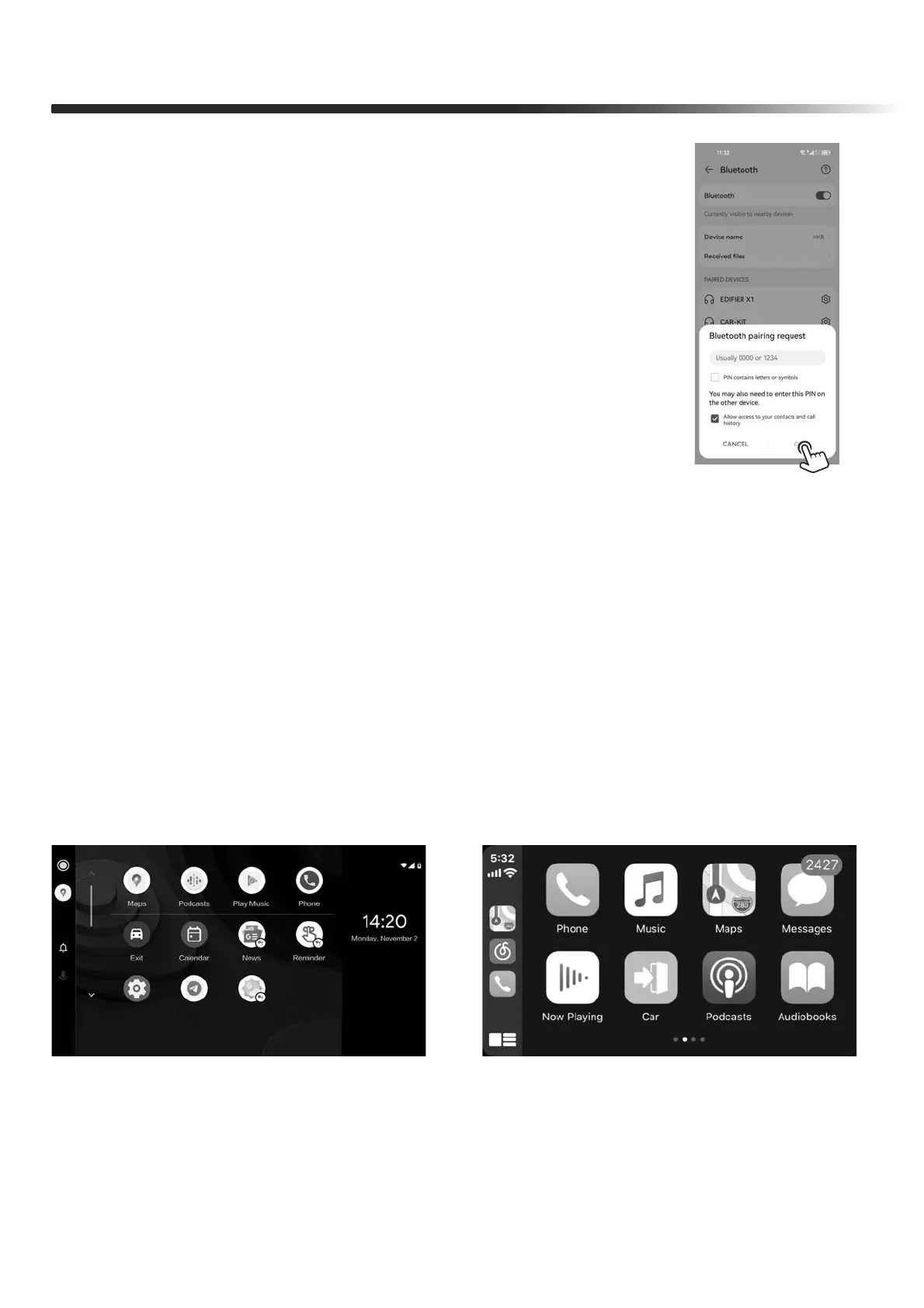
Android Auto UI
Carplay UI
Wireless Android Auto:
1.Turn on Android Auto and enable Hotspot on your An-
droid Phone and connect the stereo to it.
2.Search Bluetooth “CARKIT” on your phone, enter default
PIN “0000” and pair it, then Agree ”OK”.
3.Turn on Android Auto on the stereo and wait for the
connection to be successful.


 To Next Page