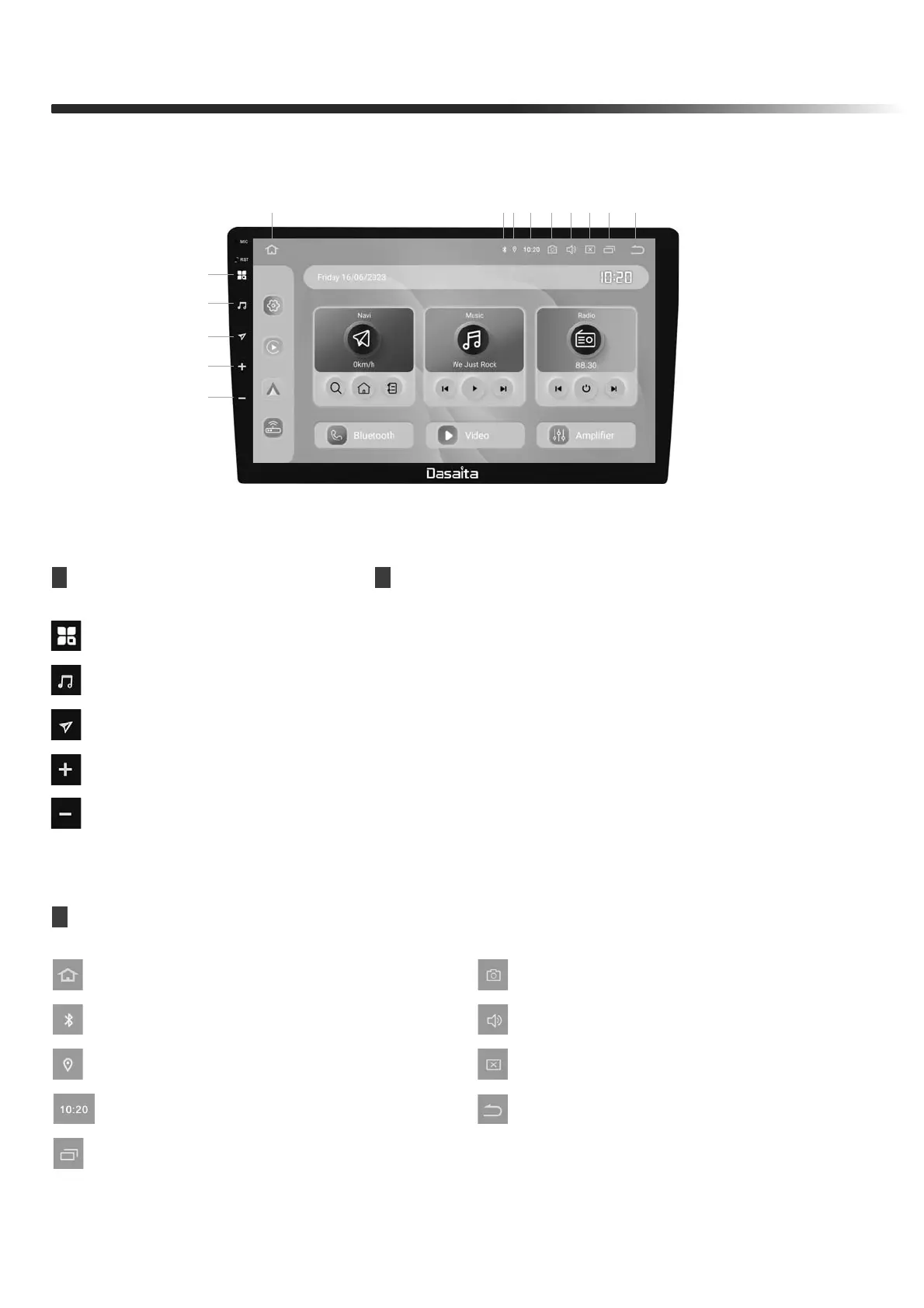
FRONT PANEL
The Screen Design used in the Quick Reference Guide may differ from the actual screen
1
2
3
6 7 8 9 10 11 12 13 14
4
5
FUNCTION OPERATIONS & CONTROLS
Press to enter main menu
Short press to increase volume
Short press to decrease volume
Press to enter the music interface
Press to enter the navigation interface
1. Home
4. Volume +
5. Volume -
2. Music
3. Navigation
APPBAR
6. Home
7. Bluetooth
8. GPS
10. screenshot
12. Brightness level
13. Task Manager(short click)/Split Screen (long press)
14. Back
11. Volume Adjustment
9. Time
【 Note: Reprogram steps , please check page 24 】


 To Next Page