FUNCTIONS APPLICATION
AUX IN
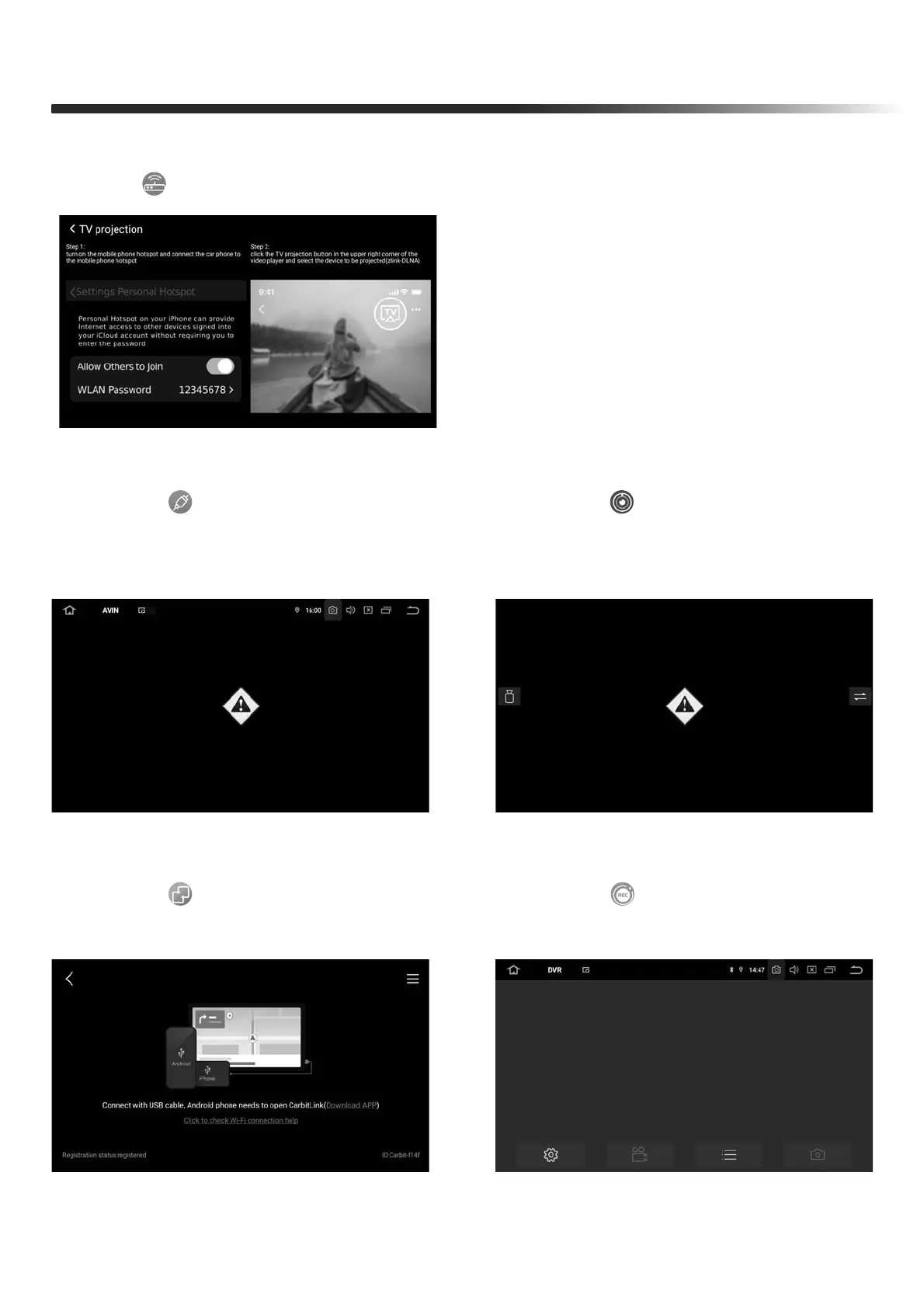
Click the " " icon on the software
menu to enter the AUX IN page
Step 1:turn on the mobile phone hotspot
and connect the car phone to the mobile
phone hotspot
Step 2:click the TV projection button in the
upper right corner of the video player and
select the device to be projected (zlink-DL-
NA)
Dlna
Touch " " in main menu to enter TV projection interface
Front View
Click the " " icon on the software
menu to enter the Front view page
(for aftermarket front camera)
Carbitlink
Click the " " icon on the software
menu to enter the Carbitlink page
DVR
Click the " " icon on the software
menu to enter the DVR page


 To Next Page