EasyManua.ls Logo

Dash StaR - User Manual

Dash StaR
32 pages
Print Icon
To Next Page IconTo Next Page
Loading...
StaR
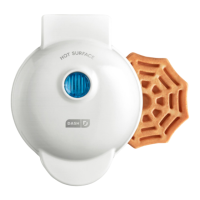
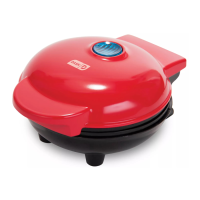
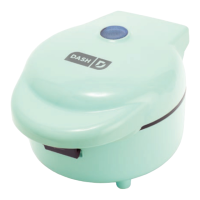
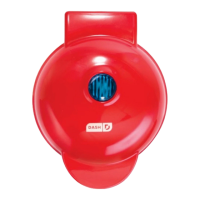
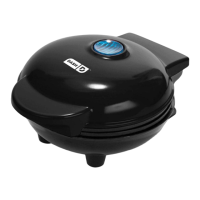
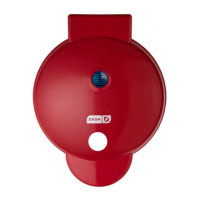
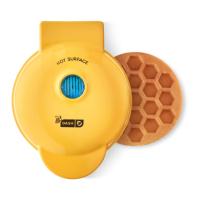
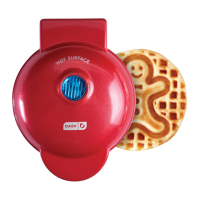
Mini waffle maker
r
e
c
i
p
e
s
i
n
s
i
d
e
!
# DMWR001NM
Instruction Manual | Recipe Guide

Questions and Answers

  • M
    Meredith Moore DDSJul 29, 2025
    What to do if food sticks to my Dash Mini Waffle Maker?
    • J
      Jasmine MartinJul 29, 2025
      If food starts sticking to your Dash Mini Waffle Maker after a few uses, it's likely due to a build-up of burnt food residue on the Cooking Surface. To resolve this, allow the appliance to cool completely, then pour a little cooking oil onto the surface and let it sit for 5–10 minutes. Scrub the surface with a sponge or soft-bristled brush to dislodge the food. Next, use a damp, soapy cloth to wipe down the Cooking Surface, rinse the cloth, and wipe it again. If food remains, pour on cooking oil and let sit for a few hours, then scrub and wipe clean.
  • M
    Michelle ReyesAug 3, 2025
    How do I know when my Dash Mini Waffle Maker is ready?
    • M
      Maurice McdonaldAug 3, 2025
      The Indicator Light will shut off when the Dash Waffle Maker reaches the optimal temperature. This indicates that it is ready for cooking.
  • C
    Christopher ThompsonAug 10, 2025
    Why won't the indicator light turn on on my Dash Mini Waffle Maker?
    • J
      John CastroAug 10, 2025
      If the Indicator Light on your Dash Mini Waffle Maker will not turn on and the Cooking Surface isn't heating, take the following steps: 1. Ensure that the power cord is properly plugged into the power outlet. 2. Check to make sure the power outlet is operating correctly. 3. Determine if a power failure has occurred in your home, apartment, or building.
  • A
    Amanda EdwardsAug 15, 2025
    Is it normal for the Dash Mini Waffle Maker cover to get hot?
    • A
      Ashley HoAug 16, 2025
      Yes, it is completely normal for the Cover of the Dash Mini Waffle Maker to get very hot during use. Always lift and lower the Cover by the Cover Handle. To prevent injury, DO NOT lift the Cover so that your arm is over the Cooking Surface as it is hot and may cause injury. Lift from the side.
  • G
    Gerald HortonAug 22, 2025
    Why does the light on my Dash Mini Waffle Maker keep shutting off?
    • S
      Sara SmithAug 22, 2025
      It is normal for the light on the Dash Mini Waffle Maker to keep shutting off. During cooking, the heating element automatically turns on and off to regulate the temperature and ensure that the Cooking Surface does not get too hot or cold. When this occurs, the Indicator Light turns on and off.

Summary

Important Safeguards

General Safety Guidelines

Basic safety rules like reading instructions, cleaning, and intended use.

Hot Surface Handling

Warnings and instructions for safely touching hot parts of the appliance.

Electrical and Liquid Safety

Precautions regarding electricity, water, and dishwasher use.

Appliance Condition and Malfunction

Safety advice for damaged or malfunctioning appliances and repair.

User Limitations and Supervision

Guidelines for use by individuals with reduced capabilities.

Contact for Maintenance

How to contact StoreBound for service beyond cleaning.

Appliance Placement and Cooling

Safe placement near heat sources and cooling before handling.

Cord and Outlet Safety

Precautions for power cords, plugs, and extension cords.

Misuse and Liability

Warnings about improper use and liability disclaimers.

Parts & Features

Appliance Cover

The removable top part of the waffle maker.

Cover Handle

The part used to safely lift the appliance cover.

Non-slip Feet

Rubber feet for stability during use.

Indicator Light

A blue light indicating heating status.

Main Body

The primary housing of the waffle maker.

Cooking Surfaces

The non-stick plates where waffles are cooked.

Using Your Mini Waffle Maker

Safe Operation and Handling

Instructions for safely operating and handling the waffle maker during use.

Preheating and Indicator Light

How to preheat the waffle maker and interpret the indicator light.

Adding Batter and Cooking

Steps for preparing and cooking waffles with batter.

Waffle Removal and Cooling

How to remove cooked waffles and cool the appliance.

Cleaning & Maintenance

Pre-Cleaning Safety

Ensure the appliance is cool and unplugged before cleaning.

Cleaning Procedures

Steps for cleaning with a soapy cloth and handling stuck food.

Cleaning Agent Restrictions

Avoid abrasive cleaners and submerging in liquids.

Troubleshooting

Indicator Light Behavior

Explanation for the indicator light turning on/off during cooking.

Readiness Indicator

How the indicator light signals the appliance is ready.

Power Control Method

How to turn the waffle maker on and off using the power cord.

Hot Cover Warning

Explanation for the cover becoming hot during use.

Food Sticking Issues

Solutions for food sticking to the cooking surface.

Heating or Power Issues

Troubleshooting steps for no heat or indicator light.

Recipes

Classic Waffles Recipe

Recipe for making traditional waffles with standard ingredients.

Pizza Chaffle Recipe

Recipe for a savory chaffle using cauliflower, cheese, and pizza sauce.

Carrot Cake Waffles Recipe

Recipe for waffles with carrot cake flavors, including nuts and raisins.

Snickerdoodle Waffles Recipe

Recipe for snickerdoodle flavored waffles with cinnamon sugar garnish.

Confetti Waffles Recipe

Recipe for colorful waffles incorporating rainbow sprinkles.

Notes

Customer Support

Feel Good Guarantee

Information about the product's quality guarantee and where to learn more.

Contact Information and Hours

How and when to contact customer support via phone or email.

Support Hours by Time Zone

Customer support availability across different US time zones.

Warranty

1 Year Limited Warranty

Details of the product's one-year limited warranty coverage.

Repair Information

Guidance on appliance repairs and safety warnings.

Technical Specifications

Electrical ratings and stock number for the waffle maker.

Dash StaR Specifications

General IconGeneral
Non-StickYes
Indicator lightsYes
Cord length30 inches
ColorBlack
ShapeRound

Related product manuals