EasyManua.ls Logo

Dash DMW001H - User Manual

Dash DMW001H
32 pages
Print Icon
To Next Page IconTo Next Page
Loading...
heart
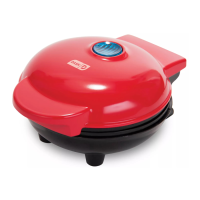
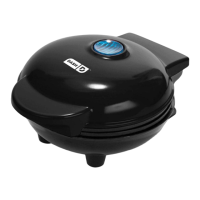
mini waffle maker
#DMW001H
Instruction Manual | Recipe Guide
r
e
c
i
p
e
s
i
n
s
i
d
e
!

Questions and Answers

  • Z
    zedwardsAug 7, 2025
    What to do if food is sticking to my Dash Mini Maker Waffle?
    • D
      Denise BurkeAug 7, 2025
      If food starts sticking to the surface of your Dash Mini Maker Waffle after a few uses, it's likely due to a buildup of burnt food residue on the cooking surface. To resolve this: * Allow the appliance to cool fully. * Pour a little cooking oil on the surface and let it sit for 5–10 minutes. * Scrub the surface with a sponge or soft-bristled brush to dislodge the food. * Use a damp, soapy cloth to wipe down the cooking surface, then rinse the cloth and wipe again. If food remains, pour on cooking oil and let it sit for a few hours, then scrub and wipe clean.
  • K
    Karen NavarroAug 12, 2025
    Why is the indicator light not turning on on my Dash DMW001H Waffle Maker?
    • J
      Jacob SilvaAug 12, 2025
      If the indicator light on your Dash Waffle Maker isn't turning on and the cooking surface isn't heating, ensure that the power cord is properly plugged into the power outlet. Also, check to make sure the power outlet is operating correctly. Finally, determine if a power failure has occurred in your home, apartment, or building.
  • T
    Tanya KingAug 18, 2025
    How do I know when Dash Mini Maker Waffle is ready?
    • M
      Mrs. Judy MarshAug 18, 2025
      The indicator light will shut off when your Dash Mini Maker Waffle reaches the optimal temperature. This indicates that it is ready for cooking.
  • L
    Lisa BarberAug 25, 2025
    Why does the Dash Mini Maker Waffle cover get so hot?
    • T
      Tammy PatelAug 26, 2025
      It is completely normal for the cover of your Dash Mini Maker Waffle to get very hot during use. Always lift and lower the cover by the cover handle. To prevent injury, do not lift the cover so that your arm is over the cooking surface, as it is hot and may cause injury. Lift from the side.
  • M
    Mrs. Michele WheelerAug 30, 2025
    Why does the light keep shutting off on my Dash Mini Maker Waffle?
    • S
      sullivanangelaAug 30, 2025
      It is normal for the light on the Dash Mini Maker Waffle to keep shutting off. During the cooking process, the heating element will automatically turn on and off to regulate the temperature and ensure that the cooking surface does not get too hot or cold. When this occurs, the indicator light turns on and off.

Summary

Important Safeguards

Parts & Features

Using Your Mini Maker Waffle

Before First Use

Instructions for preparing the waffle maker before initial operation.

Cleaning & Maintenance

Troubleshooting

Recipe Guide

Classic Waffles

Recipe for standard waffles, yielding 12 servings.

Pizza Chaffle

Recipe for a pizza-flavored waffle using cauliflower.

Waffle Pops

Recipe for creating waffle-based treats on sticks with coating.

More Recipe Ideas

A table listing various alternative recipe ideas and their ingredients.

Customer Support

Warranty

Repairs

Instructions and warnings regarding appliance repairs.

Technical Specifications

Details on voltage, power rating, and stock number.

Dash DMW001H Specifications

General IconGeneral
ModelDMW001H
TypeWaffle Maker
Non-Stick PlatesYes
Indicator LightsYes
Dimensions6.4 x 5 x 2.8 inches
ColorBlack
Voltage120V
Non-Stick SurfaceYes
Cord Length30 inches
Weight3.5 pounds
Plate TypeWaffle
Power350 watts
Wattage350 watts

Related product manuals