Display User Manual
DDJ08001001 1-Mar-04
Page 12
4.5 The Menu Bar
This menu provides options for dealing with single bitmaps only. Only the working
frame is effected using options in this menu.
Blanks/clears the current frame.
This option allows you to delete any frame from the frame list/sequence provided
that there are two or more frames in the sequence.
This option is like the 'Frame/Load' except that the frame loaded is inserted into the
frame list after the current frame, provided that there is frame space left in which to
store it. This allows you to insert a frame into a sequence.
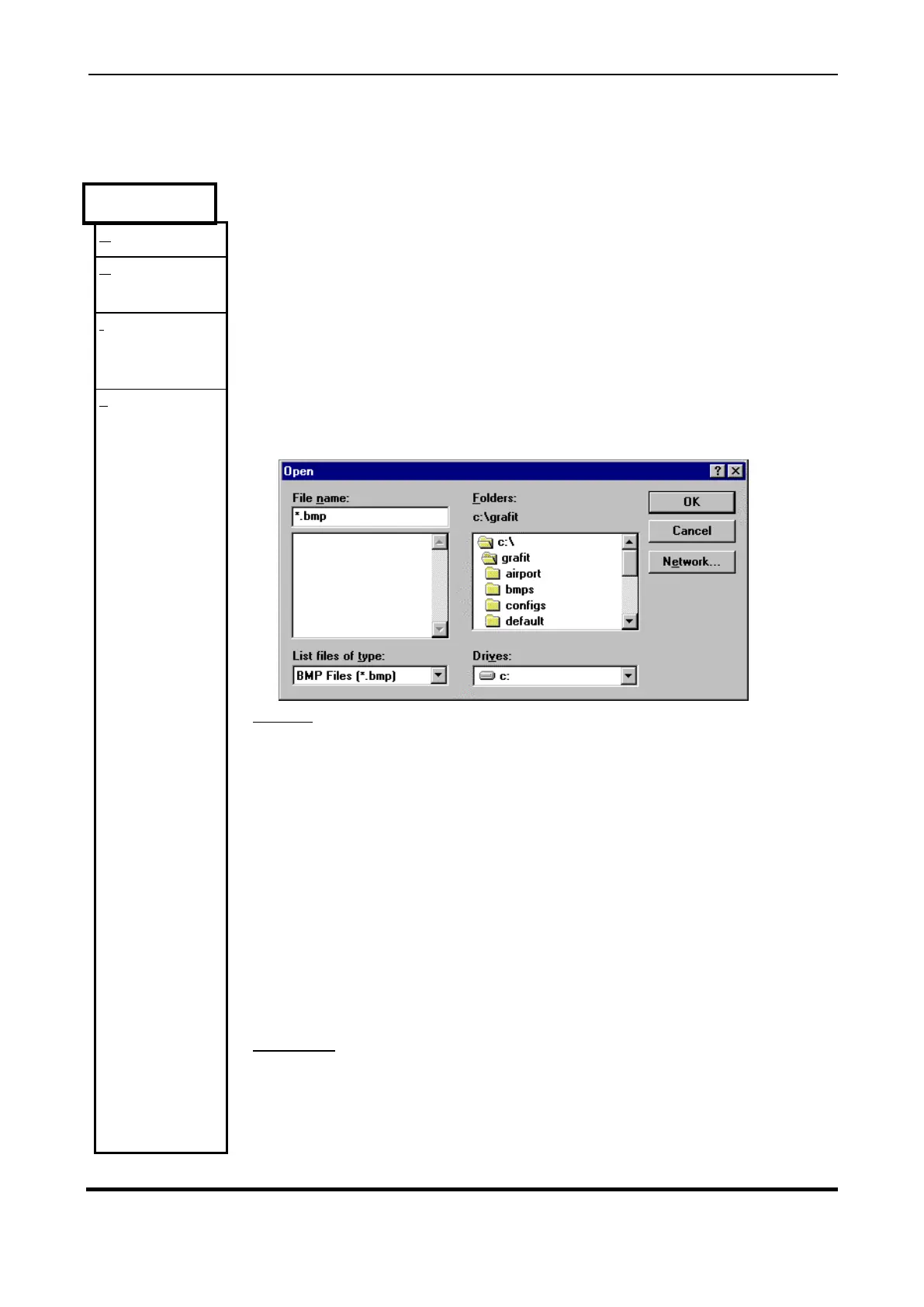
Selecting 'Load' under the 'Frame' menu produces a dialog box from which the user
may select any of the file types listed. For example
.bmp, .gif, .pcx, .tga or .tif.
To select a file, click on a '.BMP' file listed under 'File Name' in the dialog box or type
in the name of the required '.BMP' file in the space given under 'File Name'.
Clicking on this option with the left mouse button pulls down a menu from which the
user may choose what type of files he wishes to see in the 'File Name' selection
menu.
Option to select the subdirectories from which the user is able to view the files
contained in the subdirectory under the field 'File Name'.
Lists local Drives where images may be stored.
Accept configuration as entered and load file.



 To Next Page