Display User Manual
DDJ08001001 1-Mar-04
Page 4
2 Hardware
2.1 Unpacking
Carefully remove the items from their package and store the packaging safely. After unpacking,
inspect the contents for any damage that may have occurred during shipment. In the event of
damage, refer to the '
Technical Support'
section of this manual.
2.2 Installation
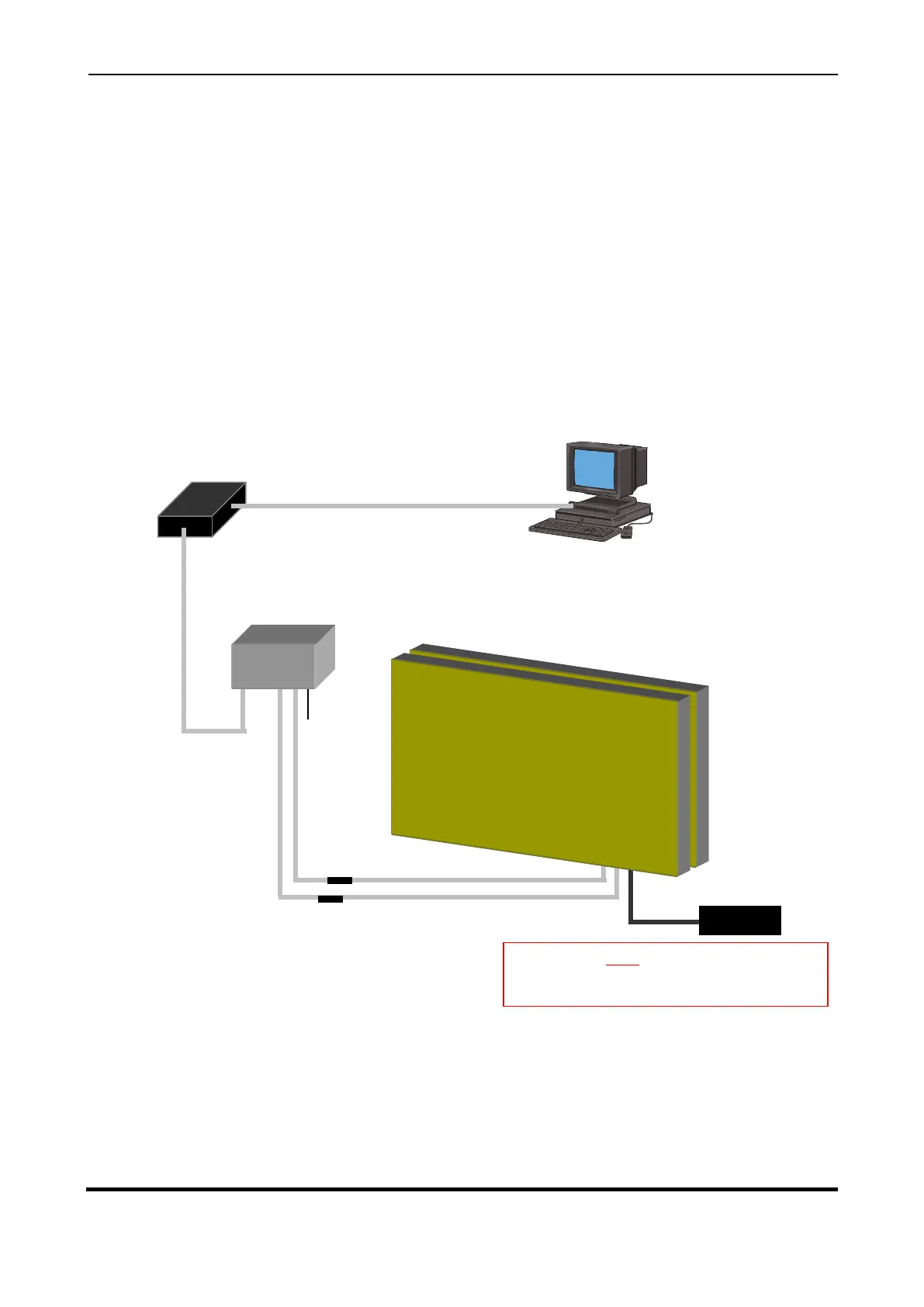
Refer to Figure 1 for wiring instructions. Mount the Board securely and connect the cables as shown
in the Figure below.
Figure 2.1 – System Configuration
INSTALLATION INSTRUCTIONS
1. Remove contents from Crate.
2. Mount the Display securely.
3. Connect the SERIAL, TEMP, POWER cables from Serial Box to the Display.
4. Connect same color wires on POWER Terminal Blocks, i.e. Black to Black (LIVE), White to White (NEUTRAL) and
Green to Green (EARTH).
Warning: Do NOT power up the Display
Board until all cabling is connected.
Power Consumption for Display: 1000W
Graphic Board Display
Back to Back 64 x 24 Pixels
Control PC with GRAFIT
Software
RS232 Serial Cable, 9-way on PC to
5 Pin Maplin on RS485 Box
RS485 Card converts the
RS232 signal to RS485



 To Next Page