Display User Manual
DDJ08001001 1-Mar-04
Page 21
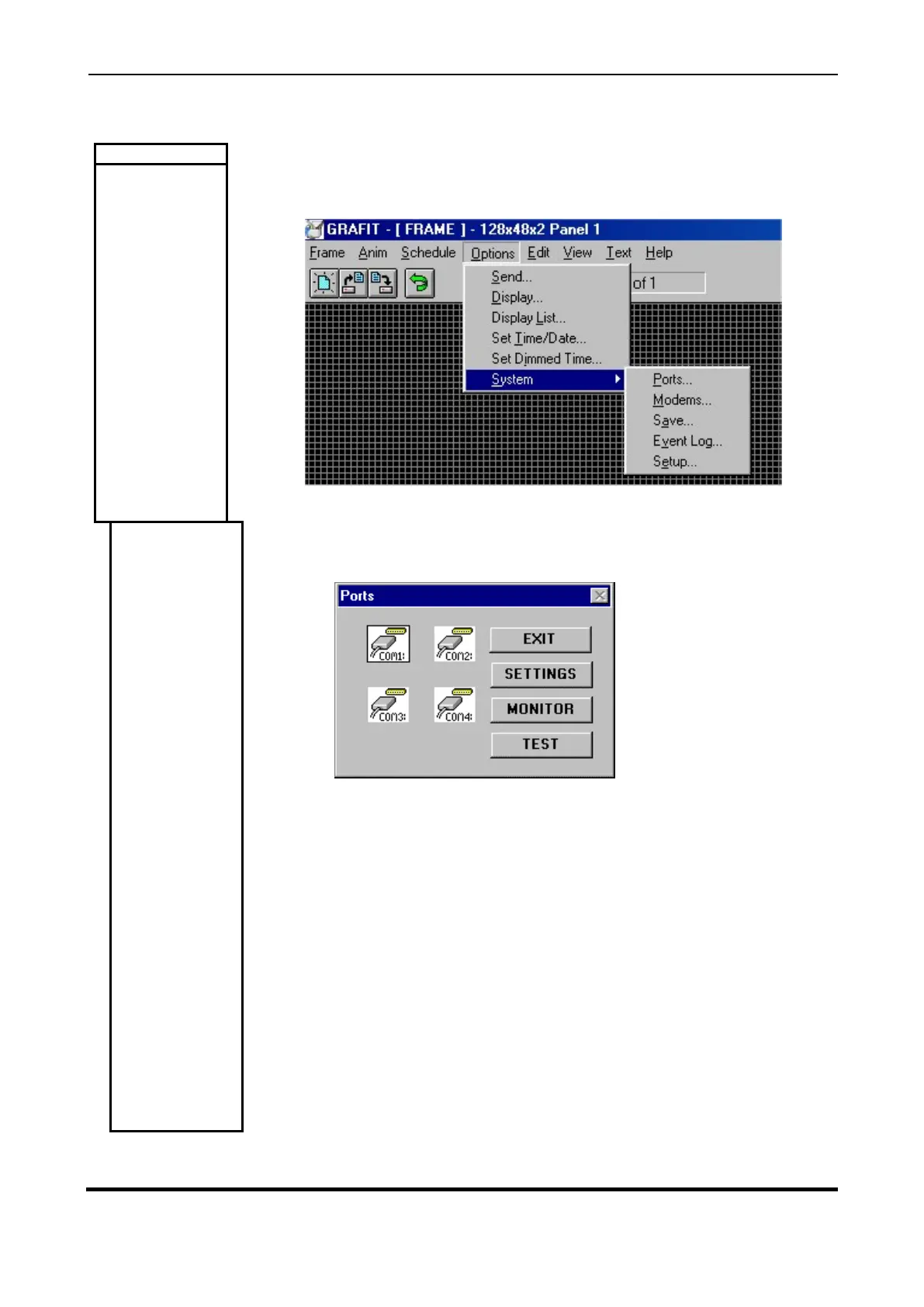
This menu provides options for changing system settings such as communications
parameters, modem setup, Display settings etc.
This dialog provides facilities for setting up, testing and monitoring the system
communications ports. For this software package, the settings of COM1 must be set
as shown below and be available on the Host PC.
BUTTONS
EXIT
Exit this dialog.
SETTINGS
This button pops up a port settings dialog from which you can select
the baud rate, data bits, parity, stop bits, flow control, state (open / closed), RTS
status (high/low) and the Rx. timeout and poll rate in milliseconds.



 To Next Page